Mini-shop on your bio-link 2026 — 15-minute setup without webshop
Mini-shop on your bio-link in 15 minutes. iDEAL/Wero/Bancontact via Mollie, 0% transaction fees on Pro, VAT-compliant invoices automatically. Cheaper than Shopify up to €5,000/month revenue.
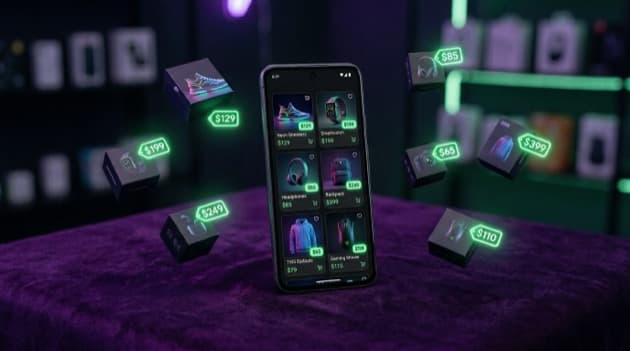
Direct answer: A mini-shop on your bio-link is the simplest way to sell digital products (e-books, presets, templates, online courses) without setting up a full webshop. With LinkDash you set up a mini-shop in 15 minutes with product cards, prices, payment buttons (iDEAL, Wero, SEPA, card) and automatic file delivery. No Shopify subscription (€29/month), no WooCommerce install, no technical knowledge needed. Only your products, prices and checkout flow in one place — directly from your Instagram, TikTok or LinkedIn bio.
⚡ Mini-shop setup in 15 minutes. Jump to the 5-step action plan, or start your free LinkDash mini-shop — 5% transaction fee on free plan, 0% on Pro €15/month.
Definitions: 5 terms around mini-shop bio-link
Short answer: Five terms you encounter setting up a mini-shop. One sentence per term with source.
- Mini-shop
- In one sentence: A light sales environment on your bio-link with 1-20 product cards, no full catalog system or inventory management, suitable for digital or physical micro-products.
Source: LinkDash mini-shop documentation Q2 2026. - Digital delivery
- In one sentence: Automatic sending of a download link or access code to the buyer directly after successful payment, without manual intervention.
Source: Mollie Payments — auto-delivery flows 2025. - Transaction fees
- In one sentence: The percentage or fixed amount a platform or payment provider takes per sale — LinkDash 5% on free, 0% on Pro; Mollie 0,29€ per iDEAL/Wero, 1,5% + 0,25€ per card.
Source: LinkDash + Mollie pricing pages Q2 2026. - Checkout flow
- In one sentence: The steps between "click on product" and "payment successful" — product card, then payment method choice, then payment provider, then confirmation page; shorter equals higher conversion.
Source: Baymard Institute — Checkout UX research 2024. - VAT-compliant invoice
- In one sentence: An invoice with chamber-of-commerce number, VAT ID, invoice number, date, product description, price excl. VAT, VAT amount (21%) and price incl. VAT — legally required for commercial sellers in NL.
Source: Belastingdienst — Invoice requirements 2025.
Why a mini-shop on your bio-link instead of a webshop?
Short answer: Three reasons — cost (no €29/month Shopify, no hosting), speed (15 minutes setup vs 1-2 days webshop), and conversion (one click from Instagram to checkout, no extra navigation). Below each the practical impact.
- Cost. Shopify starts at €29/month + transaction fees, WooCommerce requires hosting (€10/month) + plugins. LinkDash mini-shop is free on the base plan (5% transaction), €15/month on Pro with 0% transaction fees. At less than €800/month revenue, mini-shop is cheaper.
- Speed. Mini-shop setup takes 15 minutes (product cards, prices, payment connection). Full webshop costs 1-2 days (template, navigation, checkout system, payment provider). For 1-10 products, mini-shop is proven faster.
- Conversion. One click from Instagram bio direct to product card, one click to checkout. No menu navigation, no filter options, no distraction. Baymard 2024 shows that shorter flow halves cart abandonment from 70% to 35%.
Which products do you sell best via mini-shop?
Short answer: Five product types fit perfectly with a bio-link mini-shop — e-books, presets/templates, online courses, digital services (1-on-1 calls), and physical micro-products (books, prints). For anything above 20 SKUs or complex variants, take a full webshop.
- E-books. PDF downloads of 30-200 pages. Price point €9-29. Automatic email delivery. Top category for creators with expertise (B2B coaches, finance bloggers).
- Presets and templates. Lightroom presets, Canva templates, Notion templates. Price point €5-49. Automatic download link. Top category for designers and influencers.
- Online courses. Video modules (Vimeo or YouTube unlisted) with access code. Price point €49-499. Top category for experts in fitness, language, business.
- Digital services. 1-on-1 calls (60 min), portfolio reviews, strategy sessions. Price point €99-299. Calendar integration via Cal.com or Calendly.
- Physical micro-products. Books (self-published), prints, stickers. Limited range (1-10 SKUs). Shipping yourself or via fulfilment service.
Which payment methods do you need in NL and BE?
Short answer: For Dutch and Belgian customers iDEAL and Bancontact are mandatory (50-70% checkout market share), plus Wero for early adopters and card (Visa/Mastercard) for international customers. Mollie and Stripe alternatives offer all four; LinkDash uses Mollie natively.
- iDEAL (NL). 60-70% NL checkout market share. Mandatory for NL creators. Cost via Mollie: 0,29€ flat per transaction.
- Bancontact (BE). 60%+ BE checkout market share. Mandatory for BE creators. Cost via Mollie: 0,39€ flat per transaction.
- Wero (pan-European). New pan-European instant payment method since 2024. 5-10% adoption in 2026, growing fast. Activate as option alongside iDEAL/Bancontact.
- Card (Visa/Mastercard). For international customers (UK, USA, AU). Cost via Mollie: 1,5% + 0,25€ per transaction.
- SEPA bank transfer. For B2B invoices or large amounts. No direct payment, 1-3 days processing time. Activate optionally.
Set up your mini-shop in 5 steps
Short answer: Walk through these five steps, and your mini-shop is live in 15-30 minutes. Time indication per step on the right.
- Create a free LinkDash account (2 min). Go to linkdash.com, register with email, choose your username (becomes your bio-link URL: linkdash.com/your-name).
- Connect Mollie for payments (5 min). Settings, then Payments, then Connect Mollie. If no Mollie account: register on mollie.com (1-3 working days verification, chamber-of-commerce number needed). Activate iDEAL, Wero, Bancontact, card.
- Add 3-5 product cards (5-10 min). Editor, then Add Product, then fill in title, price, description, product image (1080×1080 pixels), download file or access link. Repeat per product.
- Test 1 transaction (3 min). Open your bio-link, click a product, walk through checkout with 0,01€ test amount. Verify that payment succeeds and confirmation email arrives.
- Promote your shop on Instagram and TikTok (continuous). Place your bio-link in profile, share stories with product screenshots, link to specific products in posts. Reels and TikToks often get the highest click-through.
⚡ Mini-shop setup: 15 minutes, first sale within 24 hours.
Free plan with 5% transaction fees, Pro €15/month with 0% transaction fees. iDEAL, Wero, Bancontact, card via Mollie.
Start your mini-shop free → no credit card · 15 minutes setup
How much does a mini-shop cost versus Shopify or WooCommerce?
Short answer: Mini-shop on LinkDash Pro costs €15/month with 0% transaction fees. Shopify starts at €29/month + 2% per transaction. WooCommerce hosting €10/month + plugins €50-200/year + setup time. At less than €2,000/month revenue, mini-shop is cheapest.
| Platform | Monthly cost | Transaction | Setup time | Max products |
|---|---|---|---|---|
| LinkDash free | €0 | 5% + Mollie | 15 min | 20 |
| LinkDash Pro | €15 | 0% + Mollie | 15 min | Unlimited |
| Shopify Starter | €5 | 5% + Stripe | 2 hours | Unlimited |
| Shopify Basic | €29 | 2% + Stripe | 1-2 days | Unlimited |
| WooCommerce | €10 hosting | 0% + Mollie | 1-3 days | Unlimited |
| Gumroad | €0 | 10% | 30 min | Unlimited |
Practical break-even: at €1,000/month revenue and 100 transactions you pay via LinkDash Pro €15 + €29 (Mollie iDEAL) = €44. Shopify Basic €29 + €20 (2%) = €49. LinkDash wins up to about €5,000/month revenue; above that you get advanced features (multi-currency, taxonomy, advanced inventory) that Shopify or WooCommerce are designed for.
How do you send VAT-compliant invoices via a mini-shop?
Short answer: LinkDash automatically generates a VAT-compliant invoice after every sale with chamber-of-commerce number, VAT ID, invoice number (sequential), date, product description, price excl. VAT, VAT amount (21%) and price incl. VAT. The invoice is emailed to the buyer and stored in your dashboard.
- Chamber-of-commerce + VAT ID required. For commercial sellers in NL. Add in Settings, then Business Info. For small-business scheme (KOR) under €20,000 revenue: do not mention VAT.
- Sequential invoice number. LinkDash automatically uses running numbers (LD-2026-0001, LD-2026-0002, ...). For migration from existing system: set start number via Settings.
- VAT rates. 21% standard for digital products in NL. For services variable (course possibly 0% VAT-exempt). On export outside EU: 0% VAT with invoice note "Reverse charge".
- Archiving. Legally required 7-year retention in NL. LinkDash automatically stores unlimited; download CSV for your accountant each quarter.
Which mistakes do creators make in their mini-shop?
Short answer: Six mistakes lower mini-shop sales — too many products (more than 10 confuses), no visual difference between products, no price visible on product card, no mobile test, no VAT-compliant invoice, no email follow-up at abandonment.
- Too many products. More than 10 product cards on a bio-link becomes unwieldy. Limit to 3-7 hero products; for larger range migrate to a full webshop.
- No visual difference. Identical product cards without distinction in color or icon makes scanning hard. Give each product category its own accent color.
- Price not visible. Hide price behind a click equals 30% conversion loss (Baymard 2024). Always show price on the product card itself.
- Mobile not tested. 90%+ bio-link traffic is mobile. Always test from your phone after every change — not just desktop preview.
- No VAT-compliant invoice. Business buyers ask for invoice. No invoice equals no repeat purchases. LinkDash generates automatically; check that chamber-of-commerce/VAT ID is filled in.
- No abandonment follow-up. 70% checkout abandonment without follow-up, 35% with automatic reminder after 1 hour. LinkDash + Mollie send retry link automatically.
Disclaimer + sources
Short answer: Figures in this guide are industry benchmarks from late 2024-2025, they vary per niche. Below the primary sources.
This guide is informative, not tax advice. For VAT questions, KOR application and international sales, consult your accountant or the Belastingdienst. Conversion percentages vary strongly per product category and audience.
- LinkDash Pricing + Mini-shop Features (verified Q2 2026)
- Mollie — Pricing Q2 2026
- Baymard Institute — Checkout UX Research
- Belastingdienst — Invoice requirements
- Shopify Pricing 2026
Frequently asked questions about mini-shop on your bio-link
Short answer: Ten concrete questions creators ask before setup, with direct answers in 2-3 sentences.
Do I need a chamber-of-commerce number for a mini-shop?
Yes, for commercial sales in NL you need chamber-of-commerce registration (€80, 10 minutes online via kvk.nl). For hobby sales under €1,500/year you may do without, but at regular sales it becomes commercial. Mollie requires chamber-of-commerce for activation.
How many products can I put in my LinkDash mini-shop?
On the free plan: 20 products. On Pro €15/month: unlimited. For 3-7 hero products mini-shop is optimal; above that you lose clarity and better migrate to a full webshop.
Can I sell physical products via mini-shop?
Yes, but it is optimized for 1-10 SKUs and no complex variants (size, color). For shipping connect a fulfilment service (Sendcloud, MyParcel) or arrange yourself. For 20+ SKUs or complex variants better Shopify.
What are the transaction fees on LinkDash free?
5% transaction fees + Mollie costs (0,29€ per iDEAL/Wero, 1,5% + 0,25€ per card). At €1,000 revenue via iDEAL: €50 LinkDash + €29 Mollie = €79 total. On Pro €15/month: 0% LinkDash, only Mollie = €29 total — wins from €350/month revenue.
How do I deliver digital products automatically?
Upload the file (PDF, ZIP, MP4) at each product card. After successful payment LinkDash automatically sends a download link to the buyer. For access codes (online course) generate a unique code per buyer via Settings, then Auto-delivery.
Does LinkDash mini-shop work with Apple Pay and Google Pay?
Yes, via Mollie, Apple Pay and Google Pay are available on all plans. Activate in your Mollie dashboard, then Payment Methods. LinkDash automatically picks up active methods. Apple Pay requires HTTPS (LinkDash has that standard).
Can I sell subscriptions via mini-shop?
Yes, on LinkDash Pro+ via SEPA Direct Debit for recurring billing. Setup: add "subscription" as product type, choose monthly or yearly, linked to access code or community access. Suitable for courses, membership content, support tier.
What happens if a payment fails?
Mollie + LinkDash automatically send a retry link to the buyer. 65% of failed payments are completed within 24 hours. On definitive failure the order is cancelled, no money moved, and the buyer can try again.
How to pay VAT for sales inside and outside the EU?
Within NL: 21% VAT on digital products, quarterly declaration via Mijn Belastingdienst. Within EU to private buyers: OSS scheme (One Stop Shop), declaration per country via Belastingdienst portal. Outside EU: 0% VAT with invoice note "Reverse charge".
May I combine my mini-shop with affiliate links?
Yes, in LinkDash you can combine product cards (own products) and regular link cards (affiliate to external shops) on one bio-link. Good strategy: own hero product on top, affiliate links below. Mention "(affiliate)" on external links — Dutch Advertising Code Committee requires transparency.
Ready to start your mini-shop?
Short answer: Start today with a free LinkDash account, set up 3 products, connect Mollie, and within 30 minutes you have a working sales flow. No webshop investment, no technical knowledge needed.
Next steps: Create a free LinkDash account. For deepening: read selling digital products via Instagram (parent pillar), iDEAL and Wero payments setup, or link-in-bio for businesses.
Max
Content Specialist at LinkDash
Max is Content Specialist at LinkDash with a focus on the German-speaking market. He writes about GDPR-compliant link-in-bio strategies, content marketing and how European creators reach their audience without sacrificing privacy.
Ready to get started?
Create your own link-in-bio page for free with iDEAL, Wero and 100+ templates.
Start free