How to Make a Link-in-Bio Page in 7 Steps — 2026 Guide
Step-by-step how to create a link-in-bio page in 30 minutes. Tool comparison, conversion optimisation, and 7 mistakes to avoid.
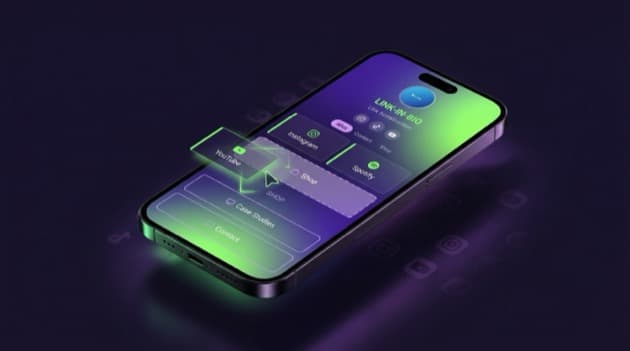
Direct answer: You build a link-in-bio page in 7 steps: pick a tool (LinkDash, Linktree, or Beacons), create a free account, add your most important links in order, choose a design that fits your brand, connect payment methods if you sell anything, test on desktop and mobile, then paste the page URL into your bio. Below you'll find the detailed walkthrough plus the mistakes to avoid.
⚡ Live in 30 minutes. Jump to the 7-step plan, or start free on LinkDash — AI Page Builder creates your first version in 30 seconds from your Instagram bio.
Definitions: 6 terms around link-in-bio
Short answer: For a good setup you need to know what the specs mean. Six terms in one sentence each, with source attribution.
- Link-in-bio page
- In one sentence: A hosted micro-site that gathers all a creator's relevant links behind a single URL, shareable from the bio of Instagram, TikTok or YouTube where you only get one clickable link.
Source: Instagram developer docs (2025). - Custom domain
- In one sentence: Using your own domain (yourname.com) as the address of your bio page instead of a tool subdomain like linktr.ee/yourname — better for brand recognition and SEO.
Source: per-tool documentation (see references). - AI Page Builder
- In one sentence: A feature that auto-generates a first version of your link-in-bio page from your existing social bio or website URL, including copy and design.
Source: LinkDash AI Coach documentation (2026). - Mini Shop
- In one sentence: A native checkout that lets you sell digital products (e-books, presets, courses) directly on the bio page without an external Stripe redirect.
Source: LinkDash Mini Shop documentation (2026). - UTM parameters
- In one sentence: Tracking codes (utm_source, utm_medium, utm_campaign) appended to a link so Google Analytics or LinkDash analytics can attribute clicks to specific social platforms.
Source: Google Analytics URL Builder documentation. - Conversion rate
- In one sentence: The percentage of visitors who perform a desired action (click a specific link, buy, sign up) divided by total visitors — typically 5-15% click-through for a link-in-bio page.
Source: industry benchmarks per Hotjar 2025 creator report.
Why do you need a link-in-bio page?
Short answer: Because Instagram, TikTok, and YouTube all allow only one clickable link in your bio. With a link-in-bio page you serve all your products, content, payments, and social accounts behind that single link — instead of having to pick which one URL to share.
Three concrete benefits of a link-in-bio page:
- One URL across all platforms. Whether visitors come from Instagram, TikTok, or YouTube, they all land on the same page. Update your shop link in one place and it's current everywhere.
- Measure traffic per platform. With UTM parameters or native analytics you see which social platform drives which clicks. Critical for deciding where to spend your content hours.
- Sell directly. A good link-in-bio tool lets you sell products on the same page as your links. For creators with digital goods (e-books, courses, presets), that's the difference between a hobby and a business.
Which tool should you pick to make a link-in-bio?
Short answer: For creators in NL/BE/DE/FR, LinkDash is the logical choice thanks to iDEAL, Wero, and SEPA via Mollie plus EU hosting. Linktree is stronger for US-focused English creators, Beacons for those who want email marketing integrated. Comparison below on the criteria that recur in the choice.
| Tool | Free plan | Starts at | iDEAL/Wero | EN/NL/DE/FR | AI builder | Mini Shop |
|---|---|---|---|---|---|---|
| LinkDash | Yes (10 links) | €7/mo | Yes (Mollie) | Yes | Yes | From Pro |
| Linktree | Yes (unlimited) | $5/mo | Stripe-only | No | Limited | $24 add-on |
| Beacons | Yes (extensive) | $10/mo | No | No | Limited | Yes |
| Lnk.Bio | Yes | $24.99 one-time | No | No | No | No |
| Stan Store | No | $29/mo | No | No | No | Yes |
| Tap.Bio | Yes (1 card) | $5/mo | No | No | No | No |
The rest of this guide uses LinkDash as reference because it has the most options, but the 7-step flow works on any of the above tools (the UI names differ).
Which questions should you ask yourself before starting?
Short answer: Five questions cover 80% of your page design. Answer them before you start clicking, and your page structure is set before you even open a tool.
- What is your primary goal? Traffic to one main product? Newsletter signups? Tip jar for donations? All three? Rank them — the top link gets 60%+ of clicks.
- Where is your audience? Mostly NL/BE? International English? DACH region? That determines whether you need iDEAL/SEPA payments and which languages to publish your page in.
- Do you sell anything digital? E-books, courses, presets, templates — then you need a Mini Shop or integration. Otherwise a free plan with links to external checkout is enough.
- How many links do you want to show? Under 10 = free plan works. Over 10 = upgrade to paid (LinkDash Creator €7/mo removes the limit).
- Do you have your own domain? For brand trust, yourname.com scores better than linktr.ee/yourname. Custom domain usually requires the Pro plan.
How do you make a link-in-bio page in 7 steps?
Short answer: Walk through these seven steps and your page goes live within 30 minutes with all your links plus a professional design. Time estimates per step are listed in each description.
- Create a free account (2 min). Go to the tool of your choice (LinkDash: register). No credit card needed on the free plan. Confirm your email.
- Build the first version via AI Page Builder (3 min). Paste your Instagram bio or website URL into the AI builder; LinkDash auto-generates a first page with design, copy, and your key links. Other tools start from an empty template (5-10 min).
- Add your most important links in order (10 min). Put your primary link (shop, newsletter, newest video) at the top — it gets 60%+ of the clicks. Below it, secondary links (other social platforms, blog, podcast). Cap at 10-15 total — more is confusing.
- Pick a template and customise colours (5 min). Choose a template that fits your brand. Adjust primary colour, font, and hero image. Important: contrast between background and buttons must meet WCAG AA (4.5:1) for readability.
- Connect payments via Mollie if you sell (5 min). Settings → Payments → Mollie. Log into your Mollie account (or create a free one). iDEAL and Wero go live within 5 minutes. Test with a €0.01 test purchase.
- Test on desktop and mobile (3 min). Click every link from your phone (where 90%+ of visitors land). Check whether fonts are readable on small screens, whether CTAs are tappable (min 44×44 pixels), and whether the hero image doesn't dominate everything.
- Paste the URL into your bio (2 min). Open Instagram → Profile → Edit → Website. Paste your linkdash URL. Do the same on TikTok, YouTube, LinkedIn. Done.
⚡ Start your first page in 30 seconds.
Free plan with 10 links, AI Page Builder that converts your Instagram bio into a complete page, iDEAL/Wero on paid plans, EU hosting.
Try LinkDash free → no credit card · 5 minute setup
What mistakes should you avoid when building a link-in-bio?
Short answer: Seven common mistakes significantly drop your conversion. The biggest killers: too many links, poor hierarchy, no mobile test, and no analytics. All seven below with the fix.
- Too many links. 20+ links confuse visitors and they drop off. Cap at 10-15, grouped if you really need more.
- Primary link at the bottom. The top link gets 60%+ of clicks — put your most important action there, not your TikTok link.
- No mobile test. 90%+ of visitors come from a phone. Always test from your phone after every change.
- Poor contrast colours. Light green text on white background is unreadable. Maintain at least WCAG AA contrast (4.5:1).
- No analytics. Without visibility on clicks you don't know what works. Hook up Google Analytics or use native analytics.
- Expired links. A dead link costs trust. Test your page monthly, especially links to external shops or campaigns.
- No call-to-action. "My Instagram", "My website" — bland and non-clicky. Use verb-led CTAs: "Buy the e-book", "Subscribe to the newsletter".
How do you optimise your link-in-bio for conversion?
Short answer: Four levers move your click-through rate from 5% to 15%+ — hierarchy (order), copy (verbs and clear value), design (contrast and readability), and A/B testing (running two versions in parallel).
Concrete optimisations:
- Top-3 rule. Your top 3 links get 80%+ of the clicks. Make sure those cover your commercial goals (sales, newsletter, primary content). Never put an Instagram link in your top 3 — that sends visitors back to the platform they came from.
- Verb-first CTAs. "Buy", "Read", "Watch", "Download", "Subscribe". Not "My shop" or "Click here". Verbs first lift CTR by 20-40% in A/B tests across creator communities.
- Value prop per link. Below each button, a short line: "30% off this month" or "Free 10-step guide" or "New — launched Friday". Often doubles CTR in direct comparison.
- A/B test monthly. With LinkDash AI Coach you get suggestions based on what works in comparable niches. On other tools, swap copy manually and measure clicks after 7 days. Minimum sample: 200 visitors per variant for reliable signal.
- Hero section above the fold. The first 600 pixels (mobile) decide whether visitors scroll. Place your strongest photo + clear one-sentence bio + top link there. No time waste on "Hi and welcome!".
- Mobile-first checks. Test your page explicitly on iPhone and Android, not just your own device. Buttons must be at least 44×44 pixels (Apple Human Interface Guideline) and spacing between them 8+ pixels to prevent mis-clicks.
When should you upgrade to a paid plan?
Short answer: Three triggers justify an upgrade — you have more than 10 links, you're going to sell products (Mini Shop), or you want a custom domain. On LinkDash: Creator €7/mo lifts the link limit, Pro €15/mo adds Mini Shop + custom domain, Business €25/mo for team features.
Concrete decision moments per plan:
- Free → Creator (€7/mo). When you have 10+ links, or want to choose from more than 15 templates. For most solo creators this is the sweet spot.
- Creator → Pro (€15/mo). When you start selling digital products (Mini Shop with iDEAL/Wero/SEPA) or want a custom domain. Pays for itself at roughly 10 product sales a month.
- Pro → Business (€25/mo). When you have a team (manager, designer) who also needs to edit, or when you run multiple bio pages for different projects.
How do you measure link-in-bio success?
Short answer: Three KPIs tell you whether your page works — total clicks per month, click-through rate per individual link, and conversion to your primary goal (sale, signup). Each metric below with the healthy range and what action to take if you're below it.
- Total clicks per month. Healthy benchmark: 10-25% of your average Instagram reach clicks through to your bio. At 5,000 reach per post → 500-1,250 clicks/month on your bio page. Below = check your Instagram bio copy and whether you mention "link in bio" explicitly in captions; more people than you'd think skip that step.
- CTR per individual link. Top button: 30-50% of visitors click. Second button: 15-25%. Below those: 5-15%. Under those ranges = check the copy (verb-first?), the order (are the most commercial links at the top?), or the value prop below the button.
- Conversion to primary goal. Sales: 2-8% of page visitors buy something (depending on price). Newsletter: 8-20%. Tip jar: 1-3%. Below those ranges = analyse where the drop-off sits (button copy, value prop, price, checkout flow). Tip: add a quick survey after conversion to understand why buyers actually bought.
Measure monthly, not weekly. Weekly data is too noisy for solo creators; monthly shows trends you can act on. Keep a simple spreadsheet with the three KPIs per month and the changes you applied (copy, order, design) so you can connect cause and effect.
Disclaimer and references
Short answer: Tool pricing and features change every 3-6 months in this market — always verify on the official pricing page before committing. Primary references below.
This guide is informative, not advice. Stated prices, features, and benchmark figures are correct as of Q2 2026 but change regularly. For specific compliance questions (GDPR, VAT, business registration), consult a qualified adviser.
Primary references used in this guide:
- LinkDash pricing (verified Q2 2026)
- Linktree pricing (verified Q2 2026)
- Beacons pricing (verified Q2 2026)
- Mollie iDEAL integration documentation (LinkDash payment provider)
- WCAG AA contrast guidelines (4.5:1 minimum)
- Google Analytics UTM Builder (UTM parameters)
- Hotjar 2025 Creator UX Report (CTR benchmarks)
Frequently asked questions about making a link-in-bio
Short answer: 12 questions creators ask during their first setup, with direct 2-4 sentence answers. For more context refer to the relevant section above.
What is a link-in-bio page?
A link-in-bio page is a hosted micro-site that bundles all a creator's relevant links behind a single URL, shareable from the bio of Instagram, TikTok or YouTube. Because those platforms only allow one clickable link in your bio, the link-in-bio page serves as a hub that routes visitors to your shop, other social accounts, latest video, podcast, or e-book.
How do I make a link-in-bio page for free?
On LinkDash you create a free account without a credit card, add up to 10 links, pick from 15 templates, and publish directly. Linktree also has a free plan without a link limit but without iDEAL or EU hosting. For 80% of starting creators a free plan is enough for the first 6-12 months.
Which tool is best for an EU creator?
For EU creators LinkDash is the logical choice because it is the only larger tool with native iDEAL, Wero, and Bancontact via Mollie, plus EU hosting (GDPR-compliant without DPA paperwork) and a complete NL/EN/DE/FR interface. Linktree only works with Stripe and only in English, which costs conversion for EU audiences.
How long does it take to set up a link-in-bio page?
With an AI Page Builder it takes 5-10 minutes for a complete page, including design and your key links. Manually from an empty template is 20-30 minutes. Add another 10-15 minutes if you want to connect payment methods or set up a custom domain.
How many links should I put on my link-in-bio?
Cap at 10-15 links total for an effective page. More than that confuses visitors and significantly lowers your click-through rate. Place your most important link at the top, because it gets 60%+ of all clicks. Group secondary links under clear headers if you have more than 8.
Can I use a custom domain for my link-in-bio?
Yes, on LinkDash you can from the Pro plan (€15/month). You connect your own domain (yourname.com) via DNS settings; setup takes 5-15 minutes depending on your DNS provider. A custom domain scores better for brand trust and SEO than a tool subdomain like linktr.ee/yourname.
How do I sell digital products via my link-in-bio?
On LinkDash you use the Mini Shop feature (from Pro €15/month). Add digital products (e-books, presets, courses), connect Mollie for iDEAL/Wero/SEPA payments, and your products are sellable directly on your bio page. No external Stripe redirect needed; VAT-compliant invoices are generated automatically for NL/EU buyers.
Which statistics can I see on my link-in-bio?
LinkDash offers realtime analytics with total clicks, CTR per individual link, geo data (which country), device type (mobile or desktop), and source (Instagram, TikTok, YouTube via UTM parameters). On the Pro plan you also get conversion tracking for Mini Shop sales and Google Analytics + Facebook Pixel integration.
How often should I update my link-in-bio page?
Updates to your most important links (top 3) every 2-4 weeks so current campaigns and newest content stay prominent. A complete redesign or restructure 1-2× per year, or at big business changes (new product, new niche, different primary platforms). Test monthly that all external links still work.
Does a link-in-bio work on TikTok and YouTube too?
Yes, a link-in-bio works identically on TikTok and YouTube. On TikTok you put the URL in the "Website" field in your profile (visible from 1,000 followers). On YouTube it goes in your channel banner and about section. The same page works for all platforms; no separate versions needed.
What is the difference between LinkDash and a regular website?
A link-in-bio page is optimised for mobile-first social media traffic with a long link list structure, while a website offers more room for content, blogs, and complex navigation. For solo creators a link-in-bio is enough. For coaches with blog content or e-commerce with 50+ products, a separate website (Shopify, WordPress) is better — possibly alongside your link-in-bio as a landing page.
Can I switch from Linktree to LinkDash later?
Yes, switching takes about 15-30 minutes. Linktree has no export function, so you copy your links manually or let the LinkDash AI Page Builder ingest your old Linktree URL. You can run them in parallel for 30 days before changing your bio link on Instagram/TikTok. Cancel your Linktree subscription at the end of the current period to avoid double billing.
Ready to build your first link-in-bio?
Short answer: Start with a free LinkDash account, use the AI Page Builder for your first version, and update your bio link on Instagram within 30 minutes. For Dutch and Belgian creators this is the fastest route to a professional page with iDEAL and EU hosting, without hidden costs or complex setup.
A link-in-bio is, alongside a well-optimised Instagram bio and a consistent posting cadence, one of the highest-return 30-minute investments for your social media presence. It doesn't replace your whole website, but it does multiply the return on every hour you spend on content — visitors of your Instagram bio get one-tap access to exactly the action you want them to take, instead of having to choose between 8 platforms. For creators with digital products, a well-built link-in-bio often makes the difference between sporadic sales and consistent monthly revenue.
Next steps: Create your free LinkDash account and build your first version in 5 minutes via the AI Page Builder that converts your existing Instagram bio into a complete page. Still picking a tool? Read 7 Linktree alternatives compared or LinkDash vs Linktree direct comparison. Want to know how to sell digital products via your bio link? That's our next deep-dive article.
Market-specific guides
Short answer: If your audience is concentrated in one European market, our regional deep dives cover local payments, tax, and compliance in more depth than this general setup guide.
For deeper per-market coverage — KVK + iDEAL in the Netherlands, DSGVO + Kleinunternehmer in Germany, auto-entrepreneur in France — read our deep dives: Link-in-bio for Dutch entrepreneurs (KVK + iDEAL) · Link-in-Bio tools for Germany (DSGVO) · Link-in-bio for France (auto-entrepreneur). These guides cover local VAT rules, registration thresholds, and compliance aspects not covered in this general guide because they're platform- and country-specific.
Max
Content Specialist at LinkDash
Max is Content Specialist at LinkDash with a focus on the German-speaking market. He writes about GDPR-compliant link-in-bio strategies, content marketing and how European creators reach their audience without sacrificing privacy.
Ready to get started?
Create your own link-in-bio page for free with iDEAL, Wero and 100+ templates.
Start free