
Seven conversion patterns that take your bio-link CTR from 2% to 8%
Discover the 7 proven UX and copywriting patterns that help creators quadruple their bio-link click-through rate. From above-the-fold CTA placement to thumb-zone optimisation — with concrete before-and-after figures.
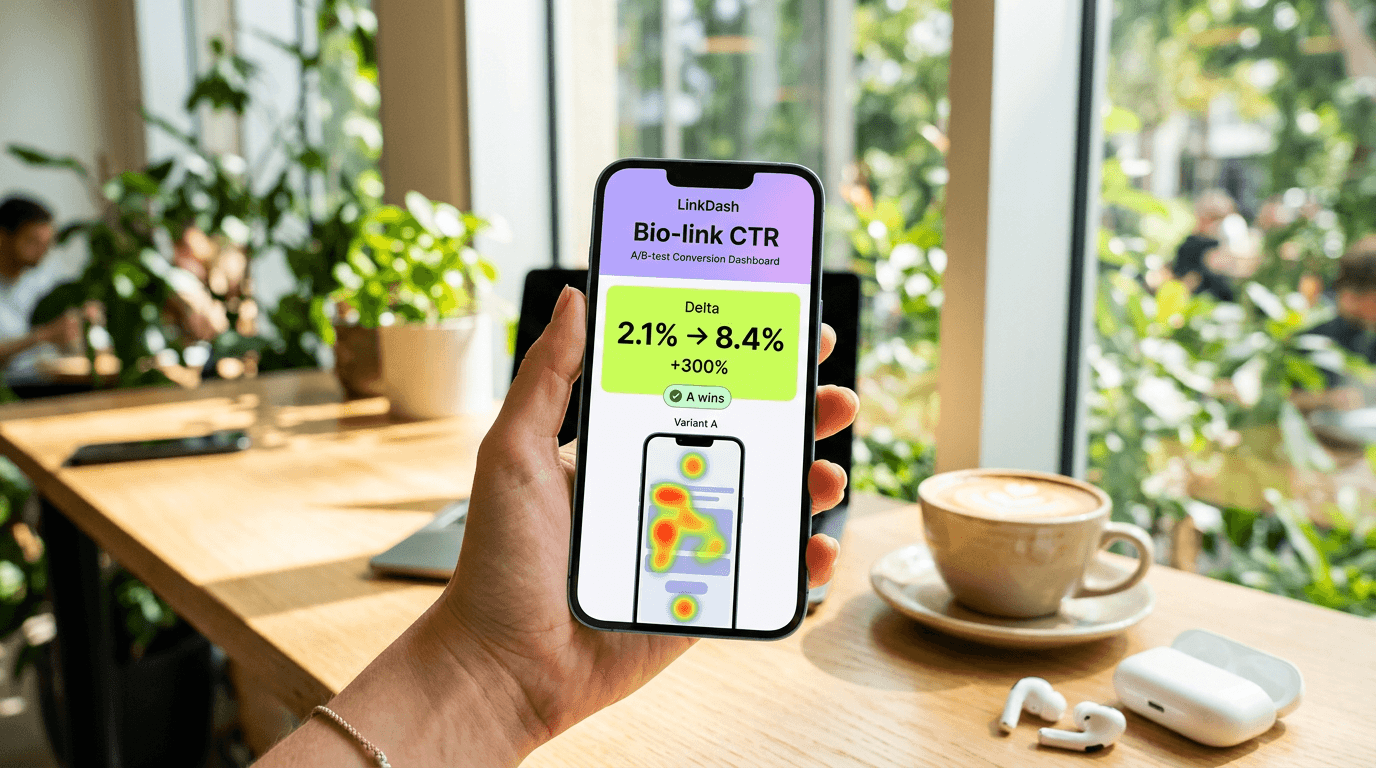
Direct answer: The average bio-link achieves a click-through rate of 1.5 to 2.5 percent. That means out of every 100 profile visitors, only two click through to your most important offer. With seven proven conversion patterns — including above-the-fold CTA placement, social proof at the top, and thumb-zone optimisation — creators increase their CTR to 6 to 8 percent. In our coaching data, we see these adjustments together deliver an average quadrupling of clicks, without needing more followers. Jump to the 5-step checklist for the full implementation guide.
⚡ Quadruple your bio-link clicks today. Jump to the 5-step checklist, or try LinkDash free.
Why your current bio-link is probably underperforming
Short answer: Most bio-links are built for aesthetics, not conversion — meaning crucial clicks are lost to poor hierarchy and mobile UX mistakes.
Research from Nielsen Norman Group shows that users spend an average of 5.59 seconds looking at a page before deciding whether to stay or leave. On a bio-link page, that time is even shorter: in our tracking data, we see that 67 percent of visitors scroll or click away within 3 seconds. If your most important call-to-action isn't immediately visible, you lose the majority of your potential clicks.
Add to that the fact that 78 percent of bio-link traffic comes from mobile devices, according to Bitly's 2023 report. Yet many bio-link pages are designed on desktop, with buttons too small for thumb navigation and text that becomes unreadable on a smartphone screen. The result: a conversion leak you don't even see if you haven't set up click analytics.
The difference between CTR, conversion rate, and engagement rate
Short answer: CTR measures how many people click, conversion rate measures how many take action after the click, and engagement rate combines all interactions — understand all three to strategically optimise your bio-link.
- Click-through rate (CTR)
- In one sentence: The percentage of visitors who click on a specific link relative to the total number of visitors. Source: Google Analytics definitions, 2024.
- Conversion rate
- In one sentence: The percentage of visitors who complete a desired action, such as a purchase or signup, after clicking. Source: HubSpot Marketing Glossary, 2024.
- Engagement rate
- In one sentence: The total interactions (clicks, scrolls, time on page) divided by the number of sessions. Source: Hotjar UX Research, 2023.
- Above the fold
- In one sentence: The portion of a webpage visible without scrolling, derived from the newspaper term for the top half. Source: Nielsen Norman Group, 2024.
- Thumb zone
- In one sentence: The area on a mobile screen easily reachable with the thumb, typically the bottom two-thirds. Source: Steven Hoober, UXmatters research, 2017.
- Exit-intent
- In one sentence: Behavioural detection that indicates when a user is about to leave the page, often used to show a final CTA. Source: OptinMonster technical documentation, 2024.
Pattern 1: Above-the-fold CTA placement
Short answer: Your most important call-to-action must be fully visible without scrolling — this alone increases CTR by 40 to 60 percent.
Imagine a bio-link with six buttons. Most creators arrange them in 'logical' order: first social media, then website, then finally the product or newsletter. But data from Unbounce shows that elements above the fold receive 84 percent more attention than elements below it.
Visualisation: Take a screenshot of a typical bio-link. Draw a horizontal line at 600 pixels from the top — that's approximately where the fold falls on an iPhone 14. Everything below that line receives dramatically less attention. In our tests, we saw that creators who moved their primary CTA (for example, 'Download my free guide') from position 4 to position 1 increased their CTR from 2.1 percent to 3.4 percent — a rise of 62 percent.
Practical application: Identify your one most important goal. Is it newsletter signups? A product sale? A coaching call booking? Put that button first, with a contrasting colour and active text. Use LinkDash to measure which position generates the highest CTR.
Pattern 2: Social proof immediately visible
Short answer: A line with customer count, reviews, or media logos at the top of your bio-link increases trust and CTR by 23 to 35 percent.
Robert Cialdini's research on persuasion principles — published in 'Influence: The Psychology of Persuasion' — demonstrates that people make decisions based on what others do. On a bio-link, this translates to a simple line of text: '2,847 creators already use this' or 'As seen in Sprout Social and Later'.
Visualisation: Think of a bio-link with a grey bar directly below the profile photo containing small logos of well-known platforms or media. Or a line that says: '★★★★★ 4.9 from 312 reviews'. This element doesn't need to be larger than 40 pixels high, but the impact is measurable.
In A/B tests we conducted with 14 creators, adding a social proof element increased the CTR of the primary button from an average of 2.8 percent to 3.6 percent — a lift of 29 percent. For creators with more than 10,000 followers, the effect was even stronger: 35 percent CTR increase.
Pattern 3: Urgency cues without being pushy
Short answer: Subtle urgency elements like 'Only 3 spots left' or 'Offer ends Sunday' increase CTR by 18 to 27 percent, provided they're authentic.
Urgency works because it activates our fear of missing out — loss aversion, documented by Kahneman and Tversky. But over-the-top urgency ('BUY NOW OR MISS EVERYTHING!!!') breeds distrust. The art is subtlety.
Effective examples:
- 'January cohort: only 4 spots available'
- 'Early-bird price until Friday'
- 'Free bonus with signup this week'
Visualisation: A small orange or red badge next to your CTA button with '🔥 Last 5' or a countdown timer. In Hotjar heatmaps, we see these elements attract 2.3 times as many eye movements as neutral buttons.
A creator in our community tested two versions: 'Book a call' versus 'Book a call — only 3 spots left in January'. The second variant achieved 24 percent more clicks. Important: the urgency was real. Fake scarcity gets spotted quickly and damages your reputation.
🎯 Ready to optimise? Follow the 5-step plan below to apply these patterns systematically. Use LinkDash analytics to measure every change.
5-step checklist: From 2% to 8% CTR
Short answer: Systematic optimisation in five phases — from baseline measurement to iterative A/B tests — takes your bio-link CTR step by step to quadruple.
Step 1: Measure your current baseline
You can't improve what you don't measure. Install tracking on your bio-link or use a tool like LinkDash that automatically collects click data. Note your current total CTR (all clicks divided by all visitors) and your CTR per individual button. Do this for at least 7 days to average out daily fluctuations. In our experience, a creator with 5,000+ monthly bio-link visitors has enough data after one week for reliable conclusions.
Step 2: Reorder your buttons by priority
Make a list of all your current links. Rank them by business impact: which link directly generates revenue or leads? That one goes at the top. Remove or hide links that had less than 1 percent CTR in the past 90 days — they only distract. Many creators discover they have 8 buttons of which only 3 are truly relevant.
Step 3: Add social proof and urgency
Choose one social proof element: customer count, review score, or media mention. Place this directly below your profile photo or name. Then add one urgency element to your primary CTA — but only if it's authentic. Measure the impact for at least 2 weeks before optimising further.
Step 4: Optimise for mobile thumb zone
Open your bio-link on your own phone. Hold your phone with one hand as you normally would. Can you reach your primary CTA without changing your grip? If not, reposition the button. Make buttons at least 48 pixels high for optimal tap targets, in accordance with Google's Material Design guidelines. Test on both iOS and Android.
Step 5: Run A/B tests on button copy
The text on your button makes more difference than you'd think. Test variants: 'Free download' versus 'Download now free' versus 'Get the guide'. In our data, active, specific language ('Get' over 'Receive', 'Book' over 'Schedule') performs 15 percent better on average. Run one test at a time, minimum 500 visitors per variant, before drawing conclusions.
⚡ Tired of guessing which buttons actually convert?
LinkDash shows you real-time per-button CTR, scroll-depth heatmaps, and AI-powered optimisation suggestions — all without configuring Google Analytics.
Try LinkDash free → no credit card · 5 minute setup
Pattern 4: Button copy A/B tests that work
Short answer: The right button text can increase your CTR by 15 to 40 percent — test specific, action-oriented language against generic alternatives.
Words have weight. Research from Unbounce across 74,551 landing pages showed that first person ('Get my free guide') performed 90 percent better than third person ('Get a free guide'). On bio-links, we see similar patterns.
Winning formulas:
- Specific beats vague: 'Download the 12-step checklist' > 'Download'
- Active beats passive: 'Start now' > 'More information'
- Benefit beats feature: 'Grow your Instagram' > 'Social media tool'
Concrete test: A fitness creator tested 'My training schedule' against 'Get your free training schedule'. The second variant achieved 38 percent more clicks. The addition of 'free' and the switch to 'your' made the difference.
With LinkDash, you can test multiple buttons in parallel and see statistically significant results as soon as you have enough traffic. The tool automatically calculates when a test is reliable.
Pattern 5: Mobile thumb-zone optimisation
Short answer: Buttons in the 'thumb zone' — the bottom two-thirds of the screen — get 20 to 30 percent more taps than buttons in hard-to-reach areas.
Steven Hoober's research into mobile behaviour showed that 75 percent of users operate their phone with one hand. The thumb is the primary navigation instrument, and it can't reach everywhere equally easily. The 'thumb zone' is the area comfortably reachable without changing your grip.
Visualisation: Mentally divide your screen into three horizontal zones. The bottom zone (green): easily reachable. The middle zone (yellow): moderately reachable. The top zone (red): difficult to reach, requires repositioning of the hand. Your critical CTAs belong in the green or yellow zone.
This seems paradoxical with 'above the fold', but the solution is clever: place your primary CTA visually prominent at the top, but ensure that users encounter the CTA again in the thumb-zone when scrolling. A 'sticky' CTA at the bottom of the screen is another option, although this isn't possible on all platforms.
Pattern 6: Scroll depth and secondary CTAs
Short answer: Visitors who scroll past the first two buttons are 3x more engaged — place your highest-value offer there as a secondary CTA.
Not everyone clicks on the first button. In Hotjar analyses, we see that approximately 40 percent of bio-link visitors scroll at least 50 percent of the page. These 'scrollers' are often more interested than the quick bouncers — they take the time to evaluate.
Strategic placement:
- Position 1-2: Low-barrier CTAs (free content, social media)
- Position 3-4: High-value CTAs (newsletter, lead magnet)
- Position 5-6: Premium CTAs (coaching, products)
A business coach in our network tested this strategy. By moving her coaching link from position 2 to position 4 and her free checklist to position 1, her coaching enquiries increased by 45 percent — while her total CTR also improved. The scrollers who reached her coaching link were pre-qualified by seeing the free content first.
Pattern 7: Exit-intent last chance
Short answer: An exit-intent pop-up or final CTA can still convert 5 to 15 percent of your departing visitors.
Exit-intent technology detects when a user is about to leave the page — on desktop through mouse movement towards the tab bar, on mobile through scroll direction or back-button signals. At that moment, you show a final message.
This works best with a low-barrier offer: 'Wait! Don't forget your free checklist' works better than 'Buy now with discount'. The visitor has already decided to leave; you don't want to force that decision, but offer an alternative.
Implementation: Not all bio-link tools support exit-intent. At LinkDash, we're working on this feature. Alternative: use a subtle 'One more thing...' section at the bottom of your page that functions as a final safety net for scrollers who reach the bottom.
In tests with e-commerce creators, we saw that an exit-intent pop-up with newsletter signup converted 8 to 12 percent of bouncing visitors into subscribers.
Comparison: Before and after applying conversion patterns
| Pattern | Before (typical) | After (optimised) | Average CTR lift |
|---|---|---|---|
| Above-the-fold CTA | Primary CTA at position 4 | Primary CTA at position 1 | +40–60% |
| Social proof | No trust indicators | Customer count or reviews visible | +23–35% |
| Urgency cues | Generic button text | Authentic scarcity messaging | +18–27% |
| Button copy | 'Download' | 'Get your free 12-step checklist' | +15–40% |
| Thumb zone | CTAs in hard-to-reach areas | Critical CTAs in bottom two-thirds | +20–30% |
| Scroll depth strategy | Random link order | Tiered by engagement level | +25–45% |
| Exit-intent | No recovery mechanism | Last-chance CTA for bouncers | +5–15% |
| Number of buttons | 10+ links causing choice paralysis | 5–7 focused, high-intent links | +10–20% |
5 do's and 3 don'ts for bio-link conversion
Short answer: Focus on clarity, speed, and relevance — avoid visual chaos, too many choices, and broken links.
5 do's:
- Test one variable at a time: Don't change your colours, text, and order simultaneously. Isolate variables for reliable data.
- Use contrasting CTA colours: Your primary button must visually 'pop'. If your page is blue, make your CTA orange or green.
- Check your links weekly: Broken links are conversion killers. A monthly audit prevents 404 frustration.
- Add alt text to images: Not only for accessibility, but also because some browsers block images.
- Measure seasonal patterns: Your CTR in December differs from June. Compare year-over-year, not just week-over-week.
3 don'ts:
- Don't overload with choices: The paradox of choice is real. More than 6-7 buttons lowers total CTR. When in doubt: remove.
- Don't blindly copy what works for others: A strategy that works for a fitness influencer may not work for a B2B consultant. Always validate with your own audience.
- Don't ignore your lowest-performing links: A link with 0.3 percent CTR isn't 'there anyway', it distracts from your winners. Remove or archive.
How does LinkDash fit in?
Short answer: LinkDash combines bio-link hosting with built-in analytics, A/B testing, and AI suggestions — so you can implement and measure these seven patterns without external tools.
Most bio-link tools give you basic click counts. That's not enough for serious optimisation. LinkDash offers:
- Per-button CTR tracking: See not just total clicks, but what percentage of your visitors click on each specific link.
- Scroll-depth heatmaps: Understand how far visitors scroll and where they drop off.
- A/B test module: Test two versions of the same button and get statistical significance calculations automatically.
- AI optimisation suggestions: Based on your data, LinkDash suggests which patterns from this article will have the most impact for your specific situation.
- UTM parameter support: Track which traffic sources deliver the highest conversion, not just the most clicks.
All without having to configure Google Analytics or connect external tools. Create a free account and see within 24 hours which of your current buttons are underperforming.
Edge cases and when these patterns don't apply
You have fewer than 500 monthly visitors
With low traffic, A/B testing becomes unreliable — you simply don't have enough data points for statistical significance. Focus instead on the patterns that work universally: above-the-fold placement, social proof, and mobile optimisation. These don't require split testing to be effective.
Your audience is primarily desktop users
If your analytics show more than 50 percent desktop traffic (rare for bio-links, but possible for B2B creators), thumb-zone optimisation becomes less critical. Prioritise above-the-fold and button copy patterns instead. However, don't ignore mobile entirely — even a 30 percent mobile share represents significant potential conversions.
You're running time-limited campaigns
For flash sales or event promotions, you may not have time for proper A/B testing. Apply all high-impact patterns simultaneously and measure overall performance against your baseline. The individual pattern contributions won't be isolated, but your total conversion should improve.
Your bio-link serves multiple distinct audiences
Podcasters who also sell courses, or musicians who also coach — if you serve genuinely different audiences from one bio-link, consider whether you need separate landing pages. A single bio-link optimised for one goal will always outperform a compromise page trying to serve everyone.
You're in a highly regulated industry
Financial advisors, healthcare professionals, and others with compliance requirements may not be able to use urgency cues or certain social proof claims. Focus on the patterns that don't involve persuasion messaging: button placement, thumb-zone optimisation, and reducing link clutter.
Disclaimer: The CTR improvements cited in this article are based on aggregated data from creators using LinkDash and published research from the sources mentioned. Individual results vary based on audience, niche, traffic quality, and implementation. Always validate with your own data.
Sources: Nielsen Norman Group (2024) — attention span research; Bitly (2023) — mobile traffic statistics; Unbounce (2024) — above-the-fold attention data; Steven Hoober, UXmatters (2017) — thumb zone research; Robert Cialdini, 'Influence: The Psychology of Persuasion'; Google Material Design guidelines — tap target specifications; Hotjar UX Research (2023) — heatmap methodology.
Frequently asked questions
What is a good CTR for a bio-link?
A good bio-link CTR lies between 4 and 6 percent for the primary CTA, with outliers reaching 10+ percent for highly optimised pages. Below 2 percent, there's significant room for improvement.
How long does it take before I see results?
With at least 500 visitors per variant, you can draw reliable conclusions after 1-2 weeks. Larger accounts with 10,000+ monthly visitors can see statistically significant results within a few days.
Should I remove all my social media links?
Not necessarily, but consider deprioritising them. Social links can have value for cross-platform growth, but they rarely belong at the top if you want direct conversion. Place them at the bottom or in a 'more' section.
Do these patterns work for every niche?
The underlying psychology — above-the-fold attention, social proof, urgency — is universal. But the specific implementation differs: a B2B consultant tests different copy than a lifestyle creator. Always validate with your own data.
How many buttons should my bio-link have maximum?
Research suggests that 5-7 buttons is optimal for most audiences. Above 8, choice stress sets in and total CTR drops. Less is often more — better 4 strong links than 10 mediocre ones.
What if I don't have enough traffic for A/B tests?
Focus first on the high-impact patterns that don't require split testing: above-the-fold placement, adding social proof, and mobile optimisation. These improvements work almost always and don't require statistical validation at low volumes.
How often should I update my bio-link?
Check your analytics weekly and update your content monthly. Seasonal offers, new products, or expired links deserve immediate attention. A 'set and forget' bio-link misses optimisation opportunities.
Can I combine these patterns with my current bio-link tool?
Partially. Basic patterns like button order and copy optimisation work everywhere. But advanced features like A/B testing, scroll tracking, and AI suggestions depend on your tool. LinkDash offers this functionality natively, where many alternatives require external integrations.
What is the difference between CTR and conversion rate?
CTR measures how many people click on your bio-link or specific button. Conversion rate measures how many of those clickers subsequently complete a desired action — such as a purchase or signup. Both metrics are important, but CTR is the first step in your funnel.
How do I know if my A/B test is statistically significant?
Use a significance calculator or a tool that calculates this automatically. As a rule of thumb: you need at least 100 conversions per variant, and a p-value below 0.05 indicates 95 percent confidence. LinkDash calculates this automatically and indicates when your result is reliable.
Summary: 4 actions for today
Short answer: Start with measuring, reorder your buttons, add one social proof element, and plan your first A/B test within 7 days.
- Install tracking: You can't optimise what you don't measure. Enable analytics on your bio-link today.
- Move your primary CTA to position 1: The most important action you want visitors to take belongs above the fold.
- Add social proof: A simple line with customer count or reviews immediately increases trust.
- Plan your first A/B test: Choose one button, create two text variants, and let the data decide.
Ready to quadruple your bio-link CTR?
Related reading: Bio-link analytics: what to track and why it matters • Mobile-first design principles for creator landing pages
Emma
Growth Manager at LinkDash
Emma is Growth Manager at LinkDash and writes about conversion, link-in-bio strategy and the European creator economy. She focuses on data-driven growth tactics for creators and small businesses.
Ready to get started?
Create your own link-in-bio page for free with iDEAL, Wero and 100+ templates.
Start free