
Instagram bio link vs story link sticker: when to use which?
Bio link or story sticker? Discover the CTR data, best use cases, and how to combine both channels for maximum clicks and conversions on Instagram.
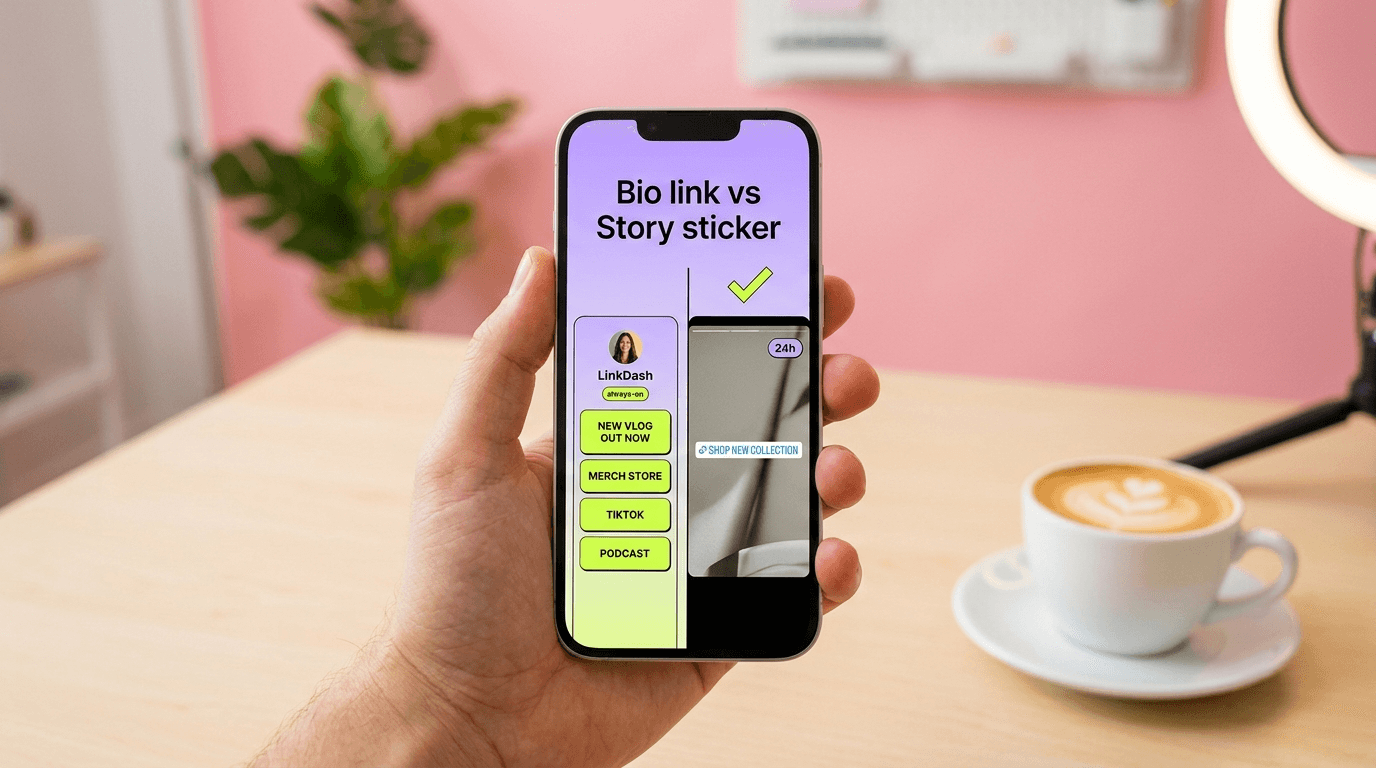
Direct answer: Your bio link is your permanent home base — ideal for your main link-in-bio page, portfolio, or signup page. The link sticker in stories works better for time-limited promotions, launches, and immediate traffic spikes. On average, story stickers achieve a higher CTR (3-6%) than bio links (1-2%), but bio links generate consistent traffic as long as your profile gets visited. The winning strategy? Combine both: your bio as the anchor, stories as the ephemeral accelerator.
⚡ Want one link that covers both bio and stories? With LinkDash you can create a fast, mobile-first link-in-bio page in 2 minutes that you can share everywhere — try LinkDash free and measure exactly which channel drives the most clicks.
What's the difference between the bio link and the link sticker?
Short answer: The bio link sits permanently on your profile; the link sticker appears temporarily in a story that disappears after 24 hours.
Instagram introduced the link sticker in October 2021 as a replacement for the old "swipe-up" feature, which was only available to accounts with 10,000+ followers. Since then, everyone — even accounts with 50 followers — can add a clickable link to stories. The bio link has existed since Instagram's early days and received an update in 2024: you can now place up to five links directly in your bio, or use a single link to a link-in-bio page.
The fundamental difference lies in lifespan and visibility. Your bio is static and always accessible via your profile page. A story is dynamic, disappears after 24 hours (unless you save it as a highlight), and reaches followers through their feed or the stories bar at the top of the app.
Key terms around Instagram links
- Link sticker
- In one sentence: An interactive element in Instagram Stories that allows viewers to tap directly to an external URL. Source: Instagram Help Center, 2021.
- Bio link (or link in bio)
- In one sentence: The clickable URL in the profile section of your Instagram account, visible to anyone who visits your profile. Source: Instagram Business Blog, 2024.
- Link-in-bio page
- In one sentence: A landing page with multiple links that you place as a single bio link, allowing visitors to choose from different destinations. Source: LinkDash definition.
- CTR (Click-Through Rate)
- In one sentence: The percentage of people who click on a link relative to the total number who saw the link. Source: Google Analytics documentation.
- Highlights
- In one sentence: Saved stories that appear permanently below your bio and remain visible for longer than 24 hours. Source: Instagram Help Center.
CTR figures compared: how do bio links and story stickers perform?
Short answer: Story stickers typically achieve 3-6% CTR among active followers, while bio links average 1-2% CTR on profile visits.
The higher CTR of story stickers comes from context and urgency. Followers see the sticker in the middle of a story with visuals, audio, and a direct call-to-action. Moreover, they know the story disappears — which activates FOMO. Internal data from social media tools like Later and Hootsuite shows that story stickers send an average of 3-6% of viewers to the link, depending on niche and engagement level.
Bio links are less impulsive. A visitor must first navigate to your profile, read the bio, and then click the link. That requires more steps, which suppresses CTR. Yet the total value isn't lower: bio links generate traffic 24/7, even when you're not posting new content. In coaching data we've analysed, accounts with 5,000-50,000 followers average 1.5% CTR on their bio link, but the absolute number of clicks over a month is often higher than via individual stories.
A benchmark from a Later study (2023) showed that beauty creators with 20,000 followers achieved 400-600 clicks per story sticker, while the same bio link generated approximately 1,200 clicks over a month. Conclusion: stories convert faster, bio links convert more consistently.
| Factor | Bio Link | Story Link Sticker |
|---|---|---|
| Average CTR | 1-2% | 3-6% |
| Lifespan | Permanent | 24 hours (unless highlighted) |
| Visibility | Profile visitors only | Story viewers (feed + stories bar) |
| Best for | Evergreen content, portfolios, newsletters | Launches, flash sales, time-sensitive CTAs |
| User intent | Deliberate — they visited your profile | Impulsive — they're scrolling stories |
| Analytics | Via link-in-bio tool + Instagram Insights | Instagram Insights (story interactions) |
| FOMO factor | Low | High |
| Setup effort | One-time (update as needed) | Per story |
When should you choose the bio link?
Short answer: Use the bio link for your most important, timeless destination — such as your link-in-bio page, portfolio, or newsletter signup page.
The bio link is perfect for content that doesn't expire. Think of:
- Your central link-in-bio page with all your channels, products, and contact options.
- An evergreen lead magnet or free download.
- Your webshop or services page.
- A waitlist for an upcoming product.
Because the bio link is always visible, you don't need to constantly remind followers. Every new follower who views your profile sees the link immediately. That makes it ideal for passive acquisition: people who discover you via Reels, hashtags, or the Explore page often click through to your bio directly.
Note: Instagram now allows up to five links in your bio. Still, we recommend using one link-in-bio page. Why? Because you centralise analytics, control the layout, and can add unlimited links without Instagram restrictions. With LinkDash you can see exactly which link gets the most clicks and run A/B tests on buttons.
When should you choose the link sticker in stories?
Short answer: Use the link sticker for time-bound promotions, launches, flash sales, or a direct traffic boost to new content.
The power of the story sticker lies in urgency. Examples where the sticker excels:
- Launch of a new podcast episode or YouTube video.
- Discount code valid for 48 hours.
- Event registration with a deadline.
- Behind-the-scenes with a link to a blog or newsletter.
- Affiliate deals with a temporary discount.
Because the story disappears after 24 hours, the viewer feels pressure to click now. Combine the sticker with a clear call-to-action ("Tap the link", "Claim your discount") and visual cues like arrows or animations. A/B tests show that stories with a text CTA above the sticker get 20-30% more clicks than stories without an instruction.
Tip: save your best stories as highlights, so new followers can still view them. A "Shop" highlight with link stickers functions as a mini-webshop on your profile.
How different creator types should approach this
Content creators and influencers
Your audience likely follows you for personality-driven content. Use your bio link for your link-in-bio page showcasing collaborations, merch, and your content calendar. Stories are perfect for promoting new YouTube uploads or podcast episodes with direct link stickers — the 24-hour window creates natural urgency for your most engaged fans.
E-commerce sellers and Etsy shops
Your bio should permanently link to your shop or a link-in-bio page with product categories. Reserve story stickers for flash sales, new arrivals, and limited-edition drops. According to Shopify's 2023 social commerce report, Instagram story links drove 15% of social referral traffic for small e-commerce brands in the UK — a figure worth optimising for.
Coaches, consultants, and service providers
Your bio link should point to your booking page or a page with your services and testimonials. Use story stickers for live workshop registrations, free webinar signups, or early-bird offers. The ephemeral nature of stories works brilliantly for scarcity-based promotions.
Musicians and artists
Keep your bio link pointed at your link-in-bio page with streaming platforms, tour dates, and merch. Story stickers are ideal for single releases, ticket on-sale announcements, and limited vinyl drops. The music industry thrives on release-day urgency — story stickers are built for exactly that.
Local businesses
Your bio link should lead to your website, menu, or booking system. Use story stickers for daily specials, event announcements, or seasonal promotions. A bakery promoting "today's special — tap for 10% off" is using the format exactly as intended.
🔗 Ready to combine both channels? Follow the 5-step plan below and launch an optimised link-in-bio page today.
5-step checklist: using bio link and story sticker optimally
Step 1 — Create a fast link-in-bio page
Choose a tool that loads quickly on mobile and offers analytics. With LinkDash you can have a page live within 2 minutes. Add your most important links: portfolio, newsletter, webshop, social channels.
Step 2 — Place the link in your Instagram bio
Go to your profile, tap "Edit profile" and paste your link-in-bio URL. Only use the other four available link slots if you have very different target audiences; otherwise keep it simple with one central page.
Step 3 — Schedule a weekly story moment
Choose at least one fixed time per week when you post a story with a link sticker. This could be a new blog, product update, or behind-the-scenes. Consistency trains your followers to look for stickers.
Step 4 — Use the sticker strategically
Place the sticker in the middle or lower third of the screen — that's where people intuitively tap. Add short text: "Tap here" or an arrow emoji. Avoid too many stickers in one story; it's distracting.
Step 5 — Measure and optimise
Check your analytics weekly. In LinkDash you can see clicks per link and per day. Compare that with Instagram Insights (story interactions) to determine which channel converts best for which type of content. Adjust your strategy based on data, not gut feeling.
⚡ Tired of guessing which channel actually drives clicks?
LinkDash shows you exactly how many clicks each link gets, when, and from which device — so you can finally compare bio vs. story performance with real data.
Try LinkDash free → no credit card · 5 minute setup
Combining bio and stories: the winning strategy
Short answer: Treat your bio as your anchor and stories as your accelerator — together they create both consistent and peak-driven traffic.
The mistake many creators make: they only use stories or only the bio. The best results come from synergy. Here's how to approach it:
- Bio = home base. Place your link-in-bio page there with all your important links. Change this rarely.
- Stories = promotion. Reference specific links on your bio page in stories, or use the sticker for temporary actions.
- Cross-reference. Say in your story: "Link in bio for the full guide" or "Tap the sticker for the discount, or check my bio for all links."
- Highlights as a bridge. Save stories with stickers in highlights so they become semi-permanent.
With this approach you capture both the impulsive clicker (story) and the deliberate visitor (bio). In our data, accounts that actively utilise both channels generate 40-60% more total link clicks than accounts focusing on just one channel.
How does LinkDash fit in?
Short answer: LinkDash is the fastest way to create a professional link-in-bio page that you can share as your bio link and in story stickers.
Where other tools load slowly or force you to display their branding, LinkDash focuses on speed and conversion. Concrete benefits:
- Load time under 1 second. Every millisecond of delay costs clicks — especially in stories where attention is fleeting.
- Detailed analytics. See per link how many clicks you get, when, and from which device. Ideal for comparing bio vs. story.
- Unlimited links. Add as many destinations as you want, at no extra cost.
- Custom domains. Use your own URL for extra professionalism and trust.
- No mandatory branding. Your page is about your brand, not our logo.
Try it yourself: create a free LinkDash account and have your page live within 2 minutes. Share the same URL in your bio and in story stickers and measure the difference.
Edge cases and common doubts
"I only have 200 followers — is the link sticker even worth it?"
Yes. Even with a small audience, the link sticker's higher CTR means you'll likely see proportionally more clicks than from your bio. If 50 people view your story and 3% click, that's still 1-2 clicks per story — which adds up over time and builds the habit of including CTAs.
"My story views are much lower than my follower count — why?"
This is normal. According to RivalIQ's 2024 social media benchmark report, the average story reach rate is around 5-7% of followers for accounts under 10,000 followers. Focus on the viewers you do have rather than chasing inflated numbers. Quality engagement beats vanity metrics.
"Should I use Instagram's native 5-link feature or a link-in-bio page?"
For most creators, a link-in-bio page is superior. You get unlimited links, proper analytics, custom styling, and no dependence on Instagram's ever-changing features. The native 5-link option works for very simple use cases, but lacks the control and data that serious creators need.
"Can I track which clicks came from stories vs. bio?"
Yes, if you use UTM parameters or a link-in-bio tool with source tracking. LinkDash shows you clicks per link, and you can create separate links or use UTM tags to distinguish traffic sources.
"What about Reels — can I add links there?"
Instagram doesn't currently allow clickable links in Reels (only the bio link reference). However, you can mention your bio link in Reel captions and audio. This limitation actually reinforces why your bio link needs to be optimised — Reels drive profile visits, and your bio converts those visits into clicks.
Disclaimer: CTR figures cited are industry benchmarks and may vary based on your niche, audience, and content quality. Always test with your own data.
Sources
- Instagram Help Center — Link Sticker feature
- Instagram Business Blog — Bio link updates 2024
- Later — Instagram Link Sticker Performance Study 2023
- RivalIQ — Social Media Industry Benchmark Report 2024
- Shopify UK — Social Commerce Trends 2023
Frequently asked questions
Can I place multiple links in my Instagram bio without an external tool?
Short answer: Yes, Instagram now allows up to five links in your bio, but a link-in-bio page offers more flexibility, analytics, and unlimited links.
Does the link sticker work for all Instagram accounts?
Short answer: Yes, since late 2021 the link sticker has been available for all accounts, regardless of follower count.
How many clicks can I expect from a story with a link sticker?
Short answer: On average, 3-6% of your story viewers click on the sticker, but this varies significantly by niche, engagement, and call-to-action.
Does a link sticker disappear if I save the story as a highlight?
Short answer: No, the link remains clickable in the highlight as long as you don't delete the story.
How do I measure whether my bio link performs better than my story stickers?
Short answer: Use a link-in-bio tool with analytics (like LinkDash) and compare the clicks with your Instagram Insights for story interactions.
Should I add a link sticker to every story?
Short answer: No, too many stickers dilute the impact; reserve them for content where you genuinely want to drive traffic.
Can I customise the text on the link sticker?
Short answer: Yes, you can replace the default text with a custom label like "Read more" or "Shop now".
What's the best placement for the link sticker in my story?
Short answer: Place the sticker in the middle or lower third of the screen, where users intuitively tap.
Do Instagram link clicks count towards the algorithm?
Short answer: Link clicks count as an interaction and can indirectly increase your reach, but Instagram primarily prioritises saves, shares, and comments.
Can I use affiliate links in stories and bio?
Short answer: Yes, but make the commercial relationship clear (e.g., "affiliate link") to comply with transparency rules and Instagram policy.
Summary: 4 actions to start today
- Centralise your links. Create a link-in-bio page and place it as your primary bio link.
- Schedule story moments. Choose at least one day per week when you post a story with a link sticker.
- Cross-promote. Reference your bio in stories and vice versa for maximum coverage.
- Measure everything. Use analytics to see which channel converts best and adjust your strategy accordingly.
Related reading: Link-in-bio strategy guide · Instagram analytics for creators
Max
Content Specialist at LinkDash
Max is Content Specialist at LinkDash with a focus on the German-speaking market. He writes about GDPR-compliant link-in-bio strategies, content marketing and how European creators reach their audience without sacrificing privacy.
Ready to get started?
Create your own link-in-bio page for free with iDEAL, Wero and 100+ templates.
Start free