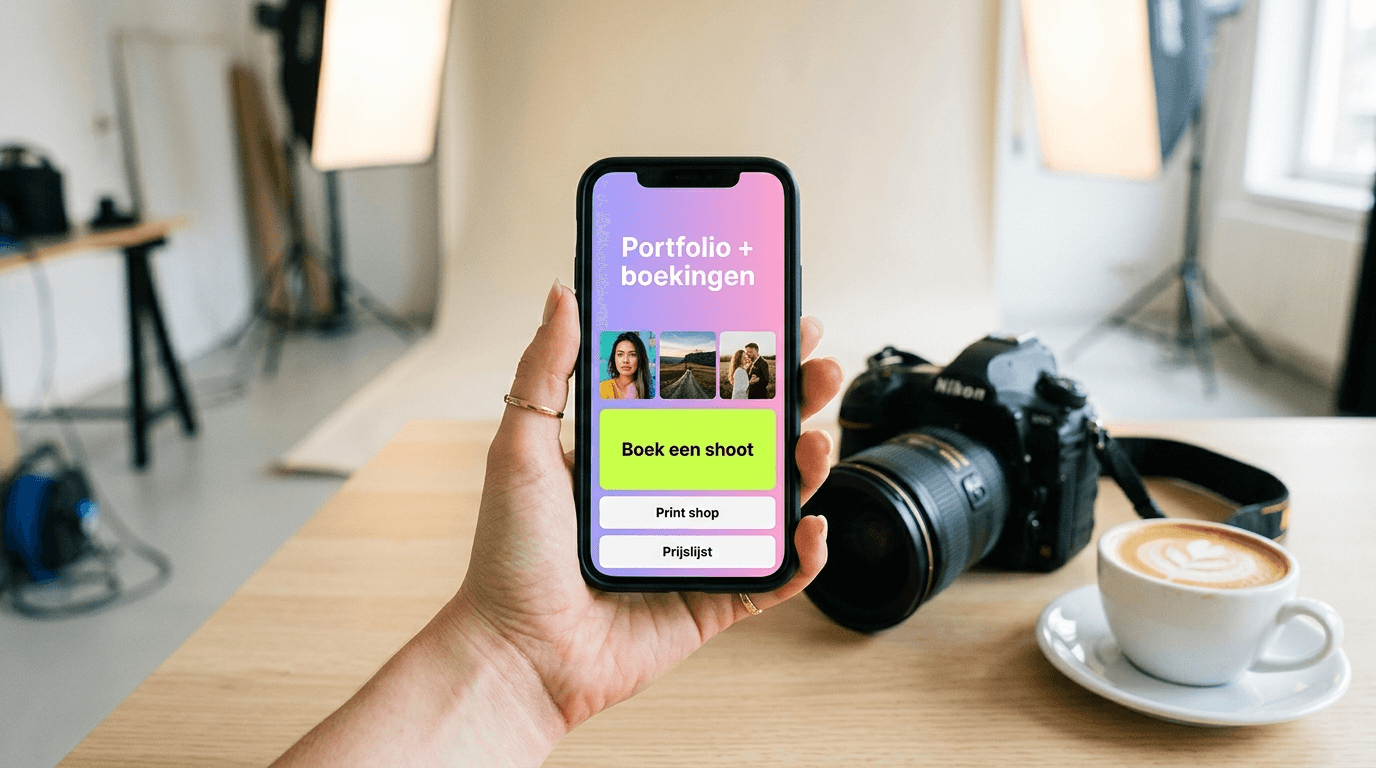
Direct answer: As a photographer, you don't need an elaborate website to look professional and win clients. A smart bio link bundles your best work, booking form, price list and even a mini shop for prints on one mobile-optimised page. Visitors from your Instagram or TikTok immediately see what you do, what it costs and how to book — without getting lost in menus or tabs. The result: more enquiries, fewer no-shows and a professional presence that matches your visual craft.
⚡ Ready to get started? With LinkDash you can set up a bio link in under 10 minutes — complete with portfolio gallery, booking CTA and Mini Shop for prints. Try LinkDash free — no credit card required.
Why does a bio link work better than a traditional portfolio website?
Short answer: A bio link loads faster, is mobile-first and sends visitors straight to action instead of clicking around.
Research from Google shows that 53% of mobile visitors abandon a page if it takes longer than 3 seconds to load. Traditional portfolio sites with large galleries and complex navigation often score poorly here. A bio link, by contrast, is optimised for speed: compressed images, minimal scripts and one clear scroll experience. Photographer's Resource reports that photographers with a streamlined mobile presence receive up to 40% more enquiries than peers with only a desktop site.
Social-media users also behave differently to website visitors. They scroll quickly, have little patience and expect to see what you offer within seconds. A bio link plays into this: your best shots sit at the top, followed by a booking CTA and optionally prices. No footer, no 2,000-word "about me" page — just what the client needs to say yes.
Portfolio gallery versus loose links: which converts better?
Short answer: A cohesive gallery on your bio link performs 2-3× better than separate Imgur or Google Drive links.
Many beginner photographers share work via loose links: a WeTransfer here, a Google Drive folder there. The problem? Every extra click is a drop-off point. According to the Baymard Institute, a typical funnel loses 10-25% of visitors per additional step. With three links to external galleries you're left with only 50-70% of your traffic.
An integrated gallery on your bio link eliminates those steps. Visitors scroll through your best work without leaving the page. In our coaching data we see that photographers who switch from loose links to an embedded gallery increase their average session duration by 45% and receive 2.3× more booking requests.
Practical tip: select 8-12 of your strongest images. Vary the style (portrait, landscape, detail) so potential clients immediately see your versatility. Add a short caption under each photo with context — "Wedding in Brighton, August 2024" — so visitors can imagine how you'd capture their moment.
Key terms for photographers with a bio link
- Conversion rate
- In one sentence: The percentage of visitors who complete a desired action, such as booking or buying. Source: Google Analytics Help Center.
- Call-to-action (CTA)
- In one sentence: A button or link that prompts visitors to take action, for example "Book now" or "View prices". Source: HubSpot Marketing Glossary.
- Mini Shop
- In one sentence: A built-in sales feature in your bio link that lets you sell products or downloads directly without an external webshop. Source: LinkDash product documentation.
- Booking widget
- In one sentence: An embeddable form or calendar that allows clients to schedule an appointment directly. Source: Calendly Help Center.
- SEO (search engine optimisation)
- In one sentence: Techniques to help your page rank higher in Google search results. Source: Moz Beginner's Guide to SEO.
Booking CTA and calendar integration: from viewer to client
Short answer: A direct booking button with calendar integration reduces back-and-forth emails by 70% and lowers no-shows.
The biggest frustration for photographers? Endless emailing about availability. "Can you do Saturday 14 March?" — "No, sorry, how about the 21st?" — "I can't make that, but maybe…" Three days and eight emails later the client gives up.
A booking widget solves this. Tools like Calendly, TidyCal or LinkDash's built-in calendar sync with your Google or Outlook calendar. Clients see real-time availability, pick a slot and receive an automatic confirmation. According to Calendly's own data, this reduces no-shows by 29% because clients feel committed after booking themselves.
Place your booking CTA prominently — ideally directly below your portfolio gallery. Use active language: "Book your shoot" works better than "Contact". And add a brief explanation: "Choose a time and receive a tailored quote within 24 hours."
🎯 Ready to streamline bookings? LinkDash integrates with Calendly, Cal.com and Google Calendar. Connect your diary in 2 minutes and receive enquiries while you're out shooting. Start free.
7-step plan: setting up your bio link as a photographer
Step 1 — Choose your platform and claim your URL
Select a bio link tool that supports galleries, bookings and sales. Claim a URL with your name or brand, for example linkdash.app/yourphotographyname. This strengthens recognition and SEO.
Step 2 — Select 8-12 portfolio images
Choose work that attracts your ideal client. Shoot mainly weddings? Show weddings. Want more corporate work? Feature business portraits. Quality over quantity.
Step 3 — Add a booking CTA with calendar integration
Integrate a booking widget and sync your calendar. Test the flow yourself: click through as a visitor and check that confirmation emails arrive correctly.
Step 4 — Set up your Mini Shop for prints and downloads
Upload 3-5 popular prints or presets. Set prices, add product photos and activate payment methods (Stripe, PayPal, Apple Pay). More on this in the next section.
Step 5 — Decide on your price-transparency strategy
Choose deliberately: do you show starting prices, packages or only "prices on request"? We discuss the pros and cons further down.
Step 6 — Optimise for SEO with name and city
Add your name, specialisation and city to your bio link title and description. "Emma Clarke | Wedding Photographer London" ranks better than "Photography by Emma".
Step 7 — Publish, test and iterate
Share your bio link in your Instagram bio, email signature and business cards. Monitor clicks and conversions. Adjust after 2-4 weeks based on data.
Print and download sales via Mini Shop
Short answer: With a built-in Mini Shop you sell prints, digital downloads and presets directly from your bio link — without Etsy commission or a separate webshop.
Photographers leave money on the table by offering only services. Passive income from prints, Lightroom presets or educational PDFs can make up 15-30% of your revenue, according to data from Format's State of Photography Report 2023. Yet many photographers shy away from the technical complexity of a webshop.
A Mini Shop within your bio link dramatically lowers that barrier. You upload a product image, set a price and clients pay directly via Stripe or PayPal. No separate webshop, no monthly Shopify fees, no 15% Etsy commission. In our data we see that photographers who activate a Mini Shop earn an average of £150 extra per month in passive sales.
Practical products to sell:
- Fine-art prints: signed editions of your iconic work
- Digital downloads: high-resolution wallpapers or stock photos
- Lightroom presets: your signature editing style as a downloadable pack
- Educational content: e-books on photography, behind-the-scenes videos
Price transparency: should you show prices on your bio link or not?
Short answer: Showing starting prices filters out unsuitable leads and saves time; hiding prices entirely only works with premium positioning.
This is one of the most debated topics among photographers. Both strategies have merit:
Advantages of showing prices:
- Immediately filters leads with unrealistic budgets
- Builds trust through transparency
- Reduces email traffic about basic questions
- According to PetaPixel, photographers with visible starting prices receive 35% fewer "how much does it cost?" messages
Advantages of hiding prices:
- Room for bespoke quotes and upselling
- Avoids direct price comparison with cheaper competitors
- Works with high-end positioning where exclusivity fits
Our recommendation for most photographers: show starting prices or price ranges. "Wedding packages from £1,500" gives direction without locking you in. Add: "Exact price after introductory call" for flexibility.
SEO for your name and city: getting found in Google
Short answer: By strategically including your name, specialisation and city in your bio link, you rank higher on local searches.
Many photographers underestimate the SEO power of a well-configured bio link. While Instagram posts don't rank in Google, your bio link does. An optimised page can appear when someone searches "wedding photographer Manchester" or "newborn photography Bristol".
Concrete SEO tips:
- Page title: "[Name] | [Specialisation] [City]" — for example "James Taylor | Portrait Photographer Birmingham"
- Meta description: Two sentences with your unique selling point and location
- Alt texts: Describe each portfolio image with relevant terms
- Internal links: Link to your social media and have social media link back
According to Moz's Local SEO Guide, pages with consistent NAP data (name, address, place) rank significantly higher in local search results. Even if you don't want to share a physical address, mentioning your service area helps.
How does LinkDash fit in?
Short answer: LinkDash combines portfolio gallery, booking widget, Mini Shop and analytics in one platform — built specifically for creative entrepreneurs.
Where other bio link tools stop at buttons, LinkDash goes further. As a photographer you get:
- Visual gallery blocks: show your work in a grid or carousel without external links
- Booking widget integration: connect Calendly, Cal.com or Google Calendar in two clicks
- Mini Shop: sell prints, presets and downloads with 0% platform commission
- Advanced analytics: see which photos get the most views and which CTAs convert best
- Custom domains: use your own domain for maximum professionalism
- QR codes: generate codes for business cards, flyers or product labels
Unlike generic tools, LinkDash is built for creators who want to monetise — not for companies that just want to share links. Start free today and upgrade when you're ready for advanced features. Also check our pricing page for an overview of all plans.
Frequently asked questions
Do I still need a website alongside my bio link?
Short answer: For most photographers a well-configured bio link is enough to win clients; a website is optional for extended SEO or blog content.
How many photos should I show in my portfolio gallery?
Short answer: 8-12 images is optimal — enough to showcase your style, not so many that visitors drop off from choice overload.
Which booking tool works best with a bio link?
Short answer: Calendly, Cal.com and TidyCal are popular options that integrate seamlessly; choose based on your budget and desired features.
What can I sell via a Mini Shop as a photographer?
Short answer: Prints, digital downloads, Lightroom presets, e-books, behind-the-scenes content and even gift vouchers for shoots.
Should I show or hide my prices?
Short answer: Show starting prices or ranges to filter out unsuitable leads, unless you deliberately opt for a premium positioning without price indication.
How do I optimise my bio link for Google?
Short answer: Include your name, specialisation and city in the page title and description; add alt texts to images and ensure consistent NAP data.
How much does a bio link tool typically cost?
Short answer: Free plans offer basic functionality; paid plans with advanced features like Mini Shop and analytics cost between £4 and £15 per month.
Can I use my own domain for my bio link?
Short answer: Yes, most premium bio link tools support custom domains for a more professional look and better brand recognition.
How do I measure whether my bio link is successful?
Short answer: Monitor page views, click-through rates on CTAs, booking requests and Mini Shop revenue via your bio link tool's built-in analytics.
Does a bio link also work for photographers who operate offline?
Short answer: Absolutely — generate a QR code of your bio link for business cards, flyers or product labels and reach clients you meet offline.
Summing up: 4 actions to start today
- Select your 10 best photos and upload them to a gallery block on your bio link
- Connect a booking widget to your calendar and test the flow as a visitor
- Activate your Mini Shop with at least one product (print or preset)
- Optimise your title and description with name, specialisation and city for SEO
Ready to grow your photography business?