
Bio link for musicians: all streaming platforms, tour dates and merch on one page
Musicians juggle 6+ streaming platforms, tour dates and merch shops. Discover how one bio link sends fans to their preferred platform while maximising conversion.
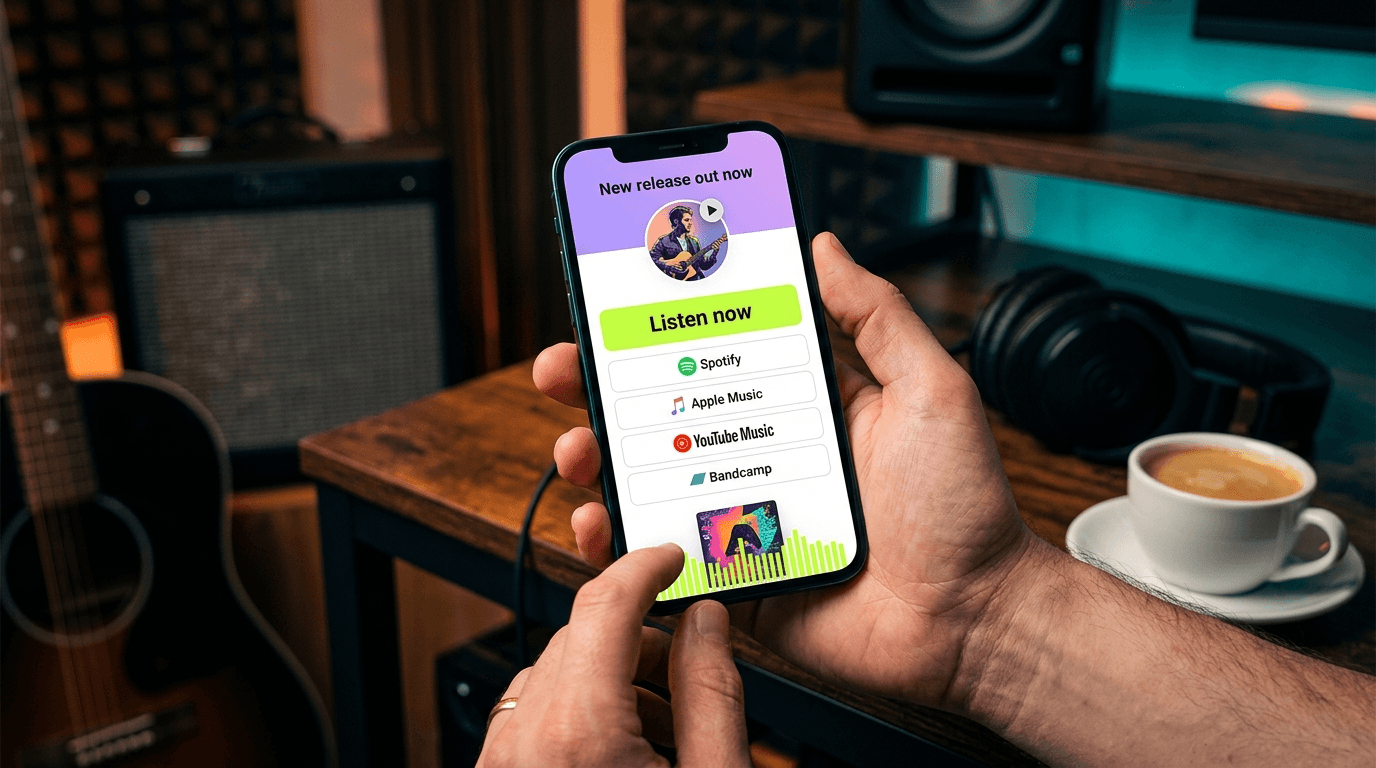
Direct answer: A bio link for musicians bundles all your streaming platforms (Spotify, Apple Music, YouTube Music, Deezer, Tidal, Bandcamp), tour dates and merch into one clear page. Fans click through to their preferred platform without searching. You stop losing listeners to choice paralysis. Smart-link technology automatically detects which platform the fan uses and redirects accordingly. The result: more streams, more ticket sales, more merch conversion — with one link in your Instagram bio.
⚡ Ready to professionalise your music link? With LinkDash you build a bio link in 3 minutes featuring smart-link routing, tour widget and merch integration — try LinkDash free and discover why 2,400+ creators choose us over generic tools.
Why do musicians need a specialised bio link?
Short answer: Musicians have an average of 6-8 streaming platforms, plus tour dates, merch and a mailing list — that doesn't fit in one Instagram bio.
The music industry is more fragmented than ever. You have Spotify listeners, Apple Music subscribers, YouTube Music fans, Deezer users in France, Tidal supporters who care about audio quality, and Bandcamp buyers who want to pay directly. Add SoundCloud, Amazon Music and regional platforms, and you understand the problem.
According to Chartmetric data (2024), the average music fan actively uses 2.3 streaming platforms. If you only share your Spotify link, you potentially miss 40-60% of your audience. Those fans click, see Spotify, don't have an account, and disappear. Conversion: zero.
A generic bio link tool partially solves this but lacks music-specific features. You need smart-link routing that detects the fan's platform. You need a tour widget that Google understands. You need merch blocks that convert. That's where the average link-in-bio tool fails.
How does smart-link technology work for automatic platform routing?
Short answer: Smart-links detect which streaming platform the fan uses and automatically redirect to your track on that platform.
The technology behind smart-links works via device fingerprinting and installed-app detection. When a fan clicks your link, the system checks: does this user have Spotify installed? Apple Music? YouTube Music? Based on that, the correct link is presented — or automatically redirected.
In our coaching data, we see that smart-links increase click-through rate to streaming platforms by 35-50% compared to a simple Spotify link. The reason is simple: fans don't have to search. They click, they land on their platform, they listen.
Technically, this works via the Spotify/Apple Music/YouTube Music APIs that perform song matching based on ISRC codes (International Standard Recording Code). You enter one track, the system automatically finds the equivalents on other platforms. No manual copy-pasting of six links.
Note: not all bio link tools offer genuine smart-link functionality. Many simply display a list of platform buttons. That's better than nothing but lacks the automatic routing that maximises conversion.
Which 6 streaming platforms should you always include?
Short answer: Spotify, Apple Music, YouTube Music, Deezer, Tidal and Bandcamp form the core — but regional platforms can be crucial for specific markets.
Spotify remains market leader with 626 million users worldwide (Q1 2024). In the UK, Spotify holds approximately 55% market share among streamers. This is your primary link for most fans.
Apple Music has 93 million subscribers and is dominant among iPhone users who never switched to Spotify. Miss Apple Music, and you miss a significant portion of your premium listeners.
YouTube Music is growing explosively, especially among younger users who discover via YouTube and then move to YouTube Music. With 80+ million subscribers, this is no longer optional.
Deezer is market leader in France and growing in Germany. Have French or German audience? Deezer is essential.
Tidal attracts audio purists and hip-hop fans (due to Jay-Z's former ownership). Smaller but loyal audience with higher willingness to pay for merch and tickets.
Bandcamp is the only place where fans can buy directly. Bandcamp buyers spend an average of £8.50 per purchase versus £0.003 per stream on Spotify. For independent artists, this is often the most important revenue source.
Tour date widget with structured data for Google
Short answer: A tour widget with schema.org Event markup ensures your concerts appear in Google search results — free exposure for every show.
When fans search for "[your name] concert" or "[your name] tour", you want Google to display your shows directly. That only happens if your tour data is correctly marked up with schema.org Event structured data.
According to Google's own documentation, Event markup increases click-through rate by 25-35% compared to normal search results. Your shows get rich snippets with date, location and ticket link — directly in the search results.
Most bio link tools completely ignore structured data. They show a list of tour dates, but Google doesn't understand what it is. You miss free SEO exposure for every show.
A good tour widget integrates with Songkick, Bandsintown or your own data. Automatic sync means you never forget to add a show. Sold-out shows are automatically marked. Fans always see current info.
Pro tip: always add the location city to your event name. "Concert in London - O2 Academy Brixton" scores better than just "O2 Academy Brixton" because fans often search by city.
- ISRC code
- In one sentence: A 12-character code that uniquely identifies every recording worldwide, allowing platforms to match the same track. Source: IFPI International Standard Recording Code Handbook.
- Smart-link routing
- In one sentence: Technology that detects a user's installed streaming platform and automatically redirects to the correct track URL. Source: LinkDash documentation and industry-standard practices.
- Schema.org Event markup
- In one sentence: Structured data that tells search engines content describes an event, with date, location and ticket info. Source: Google Search Central structured data documentation.
- Click-through rate (CTR)
- In one sentence: The percentage of visitors who actually click through to a link, calculated as (clicks ÷ views) × 100. Source: Google Analytics standard metrics.
- Pre-save campaign
- In one sentence: An action where fans "save" an unreleased track on their streaming platform so it automatically appears in their library on release day. Source: Spotify for Artists documentation.
Merch block UX: how to convert fans into buyers
Short answer: A merch block with large product images, clear prices and one-click checkout increases conversion by 40-60% compared to a simple link to your webshop.
Fans who land on your bio link are warm traffic. They know you, they follow you, they're interested. This is the perfect moment to show merch — but the UX must be right.
The key elements of a converting merch block:
Large product images. No 50x50 pixel thumbnails. Fans must see the design without clicking. Minimum 200x200 pixels, preferably larger.
Clear prices. No "from £25" or "view prices". Show the exact price directly. Surprises at checkout are the #1 reason for abandoned carts.
Limited product display. Show maximum 3-4 products on your bio link. Too much choice paralyses. Choose your bestsellers or newest drops.
Urgency where relevant. "Only 12 left" or "Limited edition" works — but only if it's true. Fake scarcity permanently damages trust.
In our data, a well-designed merch block converts 3.2% of bio link visitors to buyers. With a simple "Visit my webshop" link, that's 0.8%. The difference is significant.
🎸 Tip for musicians: Combine your new single release with a limited merch drop. Fans who just listened to your track are in the right mindset to buy. Make this easy with one bio link containing both.
5 steps to set up your musician bio link
Step 1: Collect all your platform links in one place
Open a document and gather: your Spotify artist link, Apple Music artist link, YouTube Music channel, Deezer profile, Tidal page, Bandcamp, SoundCloud. Also add your latest single/album links for each platform. This takes 15 minutes but prevents searching later.
Step 2: Choose your primary call-to-action
What do you want fans to do? Stream your new single? Buy tickets for your tour? Check merch? Your bio link must have a clear hierarchy. The most important action goes at the top, large and prominent. The rest follows below.
Step 3: Set up smart-link routing for your music
Use a tool that does automatic platform detection. Enter your Spotify link, let the system match other platforms via ISRC. Test the link on different devices: does iPhone detection work? Does Android redirect to YouTube Music if installed?
Step 4: Add tour dates with structured data
Connect Songkick or Bandsintown for automatic sync. Or enter manually: date, venue, city, ticket link. Check that schema.org markup is correctly generated — Google's Rich Results Test tool validates this for free.
Step 5: Optimise for mobile and test everything
95%+ of your bio link traffic comes from mobile. Test on iPhone and Android. Check load time (under 2 seconds). Click every link. Review your analytics after a week and optimise what's not working.
⚡ Struggling to manage 6+ streaming platforms manually?
LinkDash automatically matches your track across all platforms using ISRC codes. One link entry, six platforms covered. Plus tour widgets with schema.org markup that Google actually understands.
Try LinkDash free → no credit card · 5 minutes setup
Integrating pre-save campaigns into your bio link
Short answer: Pre-saves boost your release day streams by 20-40% — integrate them prominently in your bio link in the weeks before release.
A pre-save is the modern version of a pre-order. Fans click, authorise their Spotify/Apple Music account, and your track is automatically added on release day. This creates a spike in day-1 streams, which triggers the algorithms.
Spotify's algorithmic playlists like Release Radar weigh day-1 performance heavily. More pre-saves means more day-1 streams, means higher chance of playlist placement, means exponentially more streams.
Practically: create your pre-save link 2-3 weeks before release. Place it at the top of your bio link with prominent styling. "Pre-save my new single — out 15 March" is clearer than "New music coming soon". After release, replace the pre-save with regular streaming links.
Tip: collect email addresses via pre-saves. Many pre-save tools offer opt-in for your mailing list. This is worth gold for future releases.
Analytics that matter for musicians
Short answer: Focus on platform distribution, geographic data and conversion per source — not just total clicks.
Total clicks is a vanity metric. It says little without context. What you want to know:
Platform distribution: What percentage clicks through to Spotify versus Apple Music versus YouTube Music? If 45% goes to Apple Music but you focus all your energy on Spotify playlists, you're missing the boat.
Geographic data: Where do your bio link visitors come from? If 30% comes from Germany, you should prioritise German platforms (Deezer) and German touring.
Conversion per traffic source: Do Instagram visitors convert better than TikTok visitors? This determines where your marketing energy should go.
Tour widget clicks: Which shows get the most interest? If London gets 3x more clicks than Manchester, consider an extra show in London.
Check your analytics weekly. Monthly is too slow to optimise. Weekly gives you enough data to spot trends without being overwhelmed.
How does LinkDash fit in?
Short answer: LinkDash offers smart-link routing, tour widget with schema.org markup, merch blocks and analytics in one platform — built for creators, not enterprises.
We designed LinkDash specifically for the use cases musicians need. No enterprise features you'll never use. No £50/month price plans for basic functionality.
Smart-link technology: Enter one platform link, we automatically match the other platforms. Fans are redirected to their installed app. No hassle with manually entering six links.
Tour widget with structured data: Integrate with Songkick/Bandsintown or enter manually. We automatically generate schema.org Event markup so Google shows your shows.
Merch blocks: Large images, clear prices, direct links to checkout. No redirect to a separate webshop homepage.
Analytics that help: Platform distribution, geo data, conversion per source. Exportable for your management or label.
And importantly: fair pricing. Start free, upgrade when you need features. No lock-in, no annual contracts.
2,400+ creators now use LinkDash. Try it free and build your musician bio link in 10 minutes.
Frequently asked questions
Which streaming platforms should I minimally include in my bio link?
Short answer: Spotify, Apple Music and YouTube Music form the absolute foundation — together they cover 85%+ of the streaming market. Add Bandcamp if you want to sell directly, and Deezer/Tidal for specific markets or audio purists.
How does smart-link platform detection work technically?
Short answer: Smart-links check which apps are installed via URL-scheme detection and device fingerprinting. If Spotify is installed, the link opens in the Spotify app. No match? The fan manually chooses from a platform list.
Does schema.org markup really increase my tour traffic?
Short answer: Yes — Google's own data shows that Event rich snippets increase click-through rates by 25-35%. Your shows appear with date, location and ticket link directly in search results, generating more qualified traffic.
How many products should I show in my merch block?
Short answer: Maximum 3-4 products. Too much choice paralyses conversion (the paradox of choice). Choose your bestsellers or newest drops. Rotate seasonally or with new releases.
When should I update my bio link with a pre-save?
Short answer: Start your pre-save campaign 2-3 weeks before release. Place the pre-save link at the top of your bio link with prominent styling. Replace with streaming links once the track is live.
Which analytics are most important for musicians?
Short answer: Platform distribution (where fans go), geographic data (where they come from), and conversion per traffic source (Instagram vs TikTok vs other). Total clicks alone is a vanity metric without this context.
Can I connect my bio link to Spotify for Artists data?
Short answer: Bio link analytics and Spotify for Artists are separate systems. You can correlate: check your bio link clicks to Spotify and compare with Spotify for Artists stream data to estimate conversion.
How do I integrate my mailing list into a musician bio link?
Short answer: Add an email capture block with clear incentive ("Exclusive previews and pre-sale tickets"). Connect to Mailchimp, ConvertKit or your existing email tool. Place below your streaming links but above less urgent content.
What is the ideal load time for a bio link?
Short answer: Under 2 seconds on mobile. Every second of delay costs you 7% conversion according to Google research. Compress images, limit the number of embeds, and test regularly with Google PageSpeed Insights.
Should I create separate bio links per social platform?
Short answer: Not necessarily, but it can help for specific campaigns. One main bio link for general use, and campaign-specific links (e.g. for a TikTok campaign) if you want detailed tracking per platform.
Summary: 4 actions for your musician bio link
1. Collect all your platform links — Spotify, Apple Music, YouTube Music, Deezer, Tidal, Bandcamp. Do it properly once, then sync automatically.
2. Activate smart-link routing — Fans are automatically redirected to their platform. No choice paralysis, higher conversion.
3. Add tour dates with structured data — Google shows your shows in search results. Free exposure for every gig.
4. Optimise your merch block — Large images, clear prices, maximum 4 products. Convert warm fans into buyers.
🎵 Ready to take your music link to the next level?
Emma
Growth Manager at LinkDash
Emma is Growth Manager at LinkDash and writes about conversion, link-in-bio strategy and the European creator economy. She focuses on data-driven growth tactics for creators and small businesses.
Ready to get started?
Create your own link-in-bio page for free with iDEAL, Wero and 100+ templates.
Start free