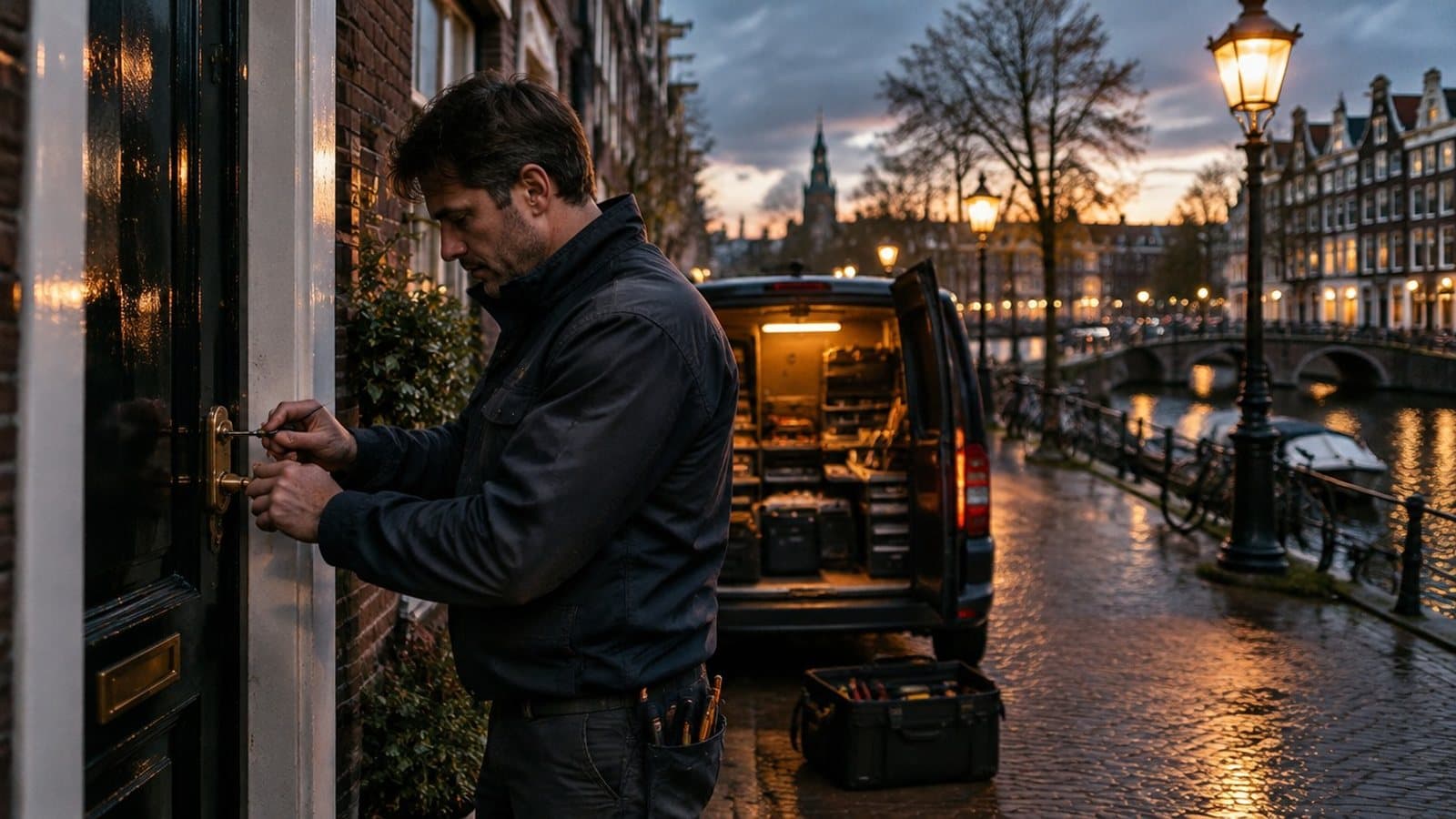
A customer stands outside a locked door at 2 AM and searches for 'locksmith near me' on their smartphone — within three seconds they decide who to call. Your bio link determines whether that's you or your competitor. This article explains how to set up a bio link that combines 24/7 availability with trust elements like certifications, transparent pricing, and genuine customer reviews. Scroll to the 5-step checklist for direct implementation.
⚡ One link for emergency calls and trust. Jump to the 5-step checklist, or try LinkDash free.
Key terms: bio link, emergency contact, and trust badges
- Bio link
- In one sentence: A mobile landing page behind a single short URL where you bundle multiple links, buttons, and contact details — ideal for your Instagram bio, Google Business Profile, or a QR code on your van.
- Emergency contact button
- In one sentence: A prominent call-to-action at the top of your bio link that directly initiates a call or opens WhatsApp, so someone in a panic doesn't have to scroll.
- Trust badge
- In one sentence: A visual element (logo, icon, certification mark) that displays certifications or memberships, increasing credibility with unknown visitors.
- ALOA certification
- In one sentence: The Associated Locksmiths of America credential that indicates a locksmith meets professional standards — customers recognise ALOA-certified professionals as vetted experts.
- Master Locksmith Association (MLA)
- In one sentence: The UK's leading trade association for locksmiths, providing accreditation that demonstrates adherence to industry standards and police-approved status.
- Local SEO
- In one sentence: Search engine optimisation targeting geographic search terms ('locksmith Chicago') so you appear when someone in your service area searches.
Why do locksmiths need a bio link?
Short answer: Because urgent searchers decide within seconds and you don't have time to send them to a slow website — a bio link loads instantly and immediately shows your phone number, pricing, and credentials.
Locksmiths operate in a market where timing is everything. Someone locked out at 2 AM doesn't scroll through five pages; that person taps the first number that looks trustworthy. A bio link functions as an 'emergency landing page' you can share via:
- Your Instagram and Facebook bio
- Google Business Profile (in the website field)
- QR code on your service van, flyers, or business cards
- WhatsApp status or auto-reply messages
Unlike a full website, you don't need to manage hosting, renew SSL certificates, or update a CMS. You adjust pricing in thirty seconds, add a seasonal promotion, or enable a night-mode theme — all from your phone.
How do you place an effective 24/7 emergency contact button?
Short answer: Position the button absolutely at the top, use a contrasting colour (red or bright green), and make the text action-oriented: "Call Now — 24/7 Available" instead of "Contact".
Position determines click rate
Visitors in a panic don't scroll. Place the emergency button above your profile photo or logo. In LinkDash you can set a "sticky header" button that scrolls with the page, ensuring it's always visible — even when someone checks your pricing first.
Text and icons
Use a phone icon (📞) or WhatsApp logo next to the text. Avoid vague labels like "Get in touch". Better options:
- "Call Now — 24/7 Emergency"
- "WhatsApp Emergency Line"
- "On-site Within 30 Minutes"
Technical implementation
A tel: link (tel:+14155551234) opens the dialer directly on mobile. A WhatsApp link (https://wa.me/14155551234?text=I'm%20locked%20out) opens a chat with pre-filled text. Both options minimise friction.
Why must you display pricing and call-out fees transparently?
Short answer: Because hidden costs are the biggest fear with locksmith services — whoever displays pricing upfront wins trust before the competitor even answers the phone.
The locksmith industry suffers from a reputation problem due to rogue operators charging £400+ or $500+ for a simple door opening. Consumers are wary. By publishing your rates in advance, you differentiate yourself immediately:
| Service | Price indication | What you show on bio link |
|---|---|---|
| Door opening daytime (8am-6pm) | £75 – £120 / $90 – $150 | "From £75 / $90 inc. call-out" |
| Door opening evening/weekend | £120 – £180 / $150 – $220 | "Evening rate from £120 / $150" |
| Door opening night (midnight-6am) | £150 – £250 / $200 – $300 | "Night rate from £150 / $200" |
| Lock cylinder replacement | £80 – £200 / $100 – $250 | "Lock replacement from £80 / $100 + parts" |
| Call-out fee | £25 – £50 / $30 – $60 | "Call-out [city]: £0" or "£35 / $40" |
| Break-in damage repair | £150 – £400 / $200 – $500 | "Quote on-site" |
Tip: Use a "from" price and mention that exact costs depend on lock type and situation. This prevents claims of misleading advertising while still providing a realistic anchor.
How do you use certifications as trust badges?
Short answer: Place ALOA, MLA, or other certification logos as visual badges directly below your emergency button — visitors scan icons faster than text.
Which credentials count?
- ALOA (Associated Locksmiths of America): The primary US trade association — certification signals professionalism and ongoing training.
- MLA (Master Locksmith Association): The UK's leading body — MLA-approved status is recognised by police and insurance companies.
- SAVTA (Safe and Vault Technicians Association): Relevant if you service safes and vaults.
- DBS/Background Check: In the UK, a Disclosure and Barring Service check; in the US, state licensing or bonded/insured status — shows you're vetted.
- Business registration: Not a certification, but trust-building — "Licensed & Insured" or company registration number shows legitimacy.
Visual placement
Create a horizontal strip with three or four logos. In LinkDash you can add this as a "media block" or "badge row". Ensure logos don't become too small on mobile — minimum 40x40 pixels.
Link to verification
Add a link to the official member directory page of ALOA or MLA where your business is listed. This makes the badge verifiable and strengthens credibility.
How do you use QR codes on your service van and flyers?
Short answer: Print a QR code linking to your bio link on your van, flyers, and business cards — every traffic jam or parking spot becomes a passive lead source.
Where to place the QR code?
- Back of service van: Drivers stuck in traffic scan out of boredom. Place the code large (minimum 6x6 inches / 15x15 cm) with text "Scan for pricing".
- Side panel near contact details: Next to your phone number, as an alternative to calling.
- Flyers through letterboxes: "Locked out? Scan the code."
- Business cards: Back side, with "24/7 Available" above it.
Technical requirements
Use a QR code with error correction (level H) so it remains scannable even with light damage or dirt. Test the code at distance: if you can't scan it from 6 feet / 2 metres, it's too small or too detailed.
Tracking
LinkDash shows how many people visit your page from which source. You can use separate UTM parameters for van vs. flyer, so you know which channel converts.
How do you integrate Google Reviews for social proof?
Short answer: Embed your Google review score and recent reviews on your bio link, and add a "Leave a review" button to encourage new reviews.
Why reviews are crucial
In the locksmith industry, trust is scarce. A rating of 4.8★ with 120+ reviews convinces faster than any certification. Consumers specifically read for:
- Speed of response ("Arrived within 20 minutes")
- Transparency about costs ("No surprises on the invoice")
- Professionalism ("Polite technician, cleaned up everything")
Implementation on bio link
You can create a static badge showing your score and number of reviews, which you update manually. Or link to your Google Business Profile with a "View 120+ reviews" button. Some bio link tools offer a Google Reviews widget, but watch load times — a slow page costs conversions.
Collecting reviews
Add a "Happy? Leave a review" button linking to your Google review page. Also send this link after every job via WhatsApp or text. Timing is crucial: ask within an hour of completion, while the relief is still fresh.
How do you optimise your bio link for local searches?
Short answer: Include your city or region in your bio link name, description, and link texts — this helps both Google and visitors see that you operate locally.
City name in bio link URL
Choose a URL like linkda.sh/locksmith-chicago or linkda.sh/johnsmith-locksmith-austin. This isn't primarily for SEO (Google indexes bio links to a limited extent), but for recognition when someone sees the link.
Description with search terms
Your bio link description sometimes appears in search engines and always on the page itself. Use: "Locksmith Chicago South Side | 24/7 Available | ALOA Certified" instead of just your business name.
Add local links
Link to your Google Business Profile (with city name), your business registration page, and possibly local news articles or partnerships. This strengthens the local association.
Multiple service areas
If you work in multiple cities, consider separate bio links per region, or one page with a "Service Area" section listing all cities.
| Element | Without local optimisation | With local optimisation |
|---|---|---|
| Bio link URL | linkda.sh/smithlocks | linkda.sh/locksmith-denver |
| Page title | Smith Locksmith Services | Smith Locksmith Services Denver |
| Description | Locksmith | 24/7 Locksmith Denver Metro | ALOA Certified |
| Emergency button text | Call now | Call now — Denver within 25 min |
| Google Maps link | None | "Directions to workshop" |
| Service area section | None | Denver, Aurora, Lakewood, Arvada |
5-step checklist: bio link for locksmiths
- Set up emergency button: Place a "Call Now — 24/7" button absolutely at the top of your bio link. Use a contrasting colour and tel: link or WhatsApp link.
- Publish pricing: Add a section with "from" prices for door opening (day/evening/night), lock replacement, and call-out fees. Be specific about your service area.
- Display certifications: Upload ALOA, MLA, or other certification logos as a badge row. Link to the official verification page.
- Generate QR code: Create a QR code to your bio link and place it on your service van (minimum 6x6 inches / 15x15 cm), flyers, and business cards.
- Integrate reviews: Show your Google review score with number of reviews, and add a "Leave a review" button for collecting new testimonials.
⚡ How many customers are you losing to a slow, cluttered landing page?
LinkDash loads instantly, works on every smartphone, and lets you set up a professional bio link in minutes with emergency buttons, pricing tables, and badge sections.
Try LinkDash free → no credit card · 5 minute setup
Bio link by type of security specialist
Solo locksmith with 24/7 service
You're the phone and the technician. Your bio link must convince within seconds and enable direct calling. Focus on: large emergency button, your photo (builds trust), response time ("On-site within 30 minutes"), and two or three reviews. Keep the page short — every extra scroll is a lost customer.
Locksmith company with multiple technicians
You have coverage and capacity, but the customer doesn't know who's coming. Compensate with: team section with photos, clear service area with postcodes/zip codes, and a "How it works" block explaining the process. Consider a chatbot integration for intake.
Security expert focused on prevention
Your customers aren't panicking — they're planning ahead. Your bio link can be longer: service overview (home security, safes, CCTV systems), portfolio with photos of installed systems, and a quote request form. Emergency contact is less prominent but still present.
Locksmith as franchisee
You operate under a national brand but serve locally. Balance brand consistency with local findability: use the franchise logo but add your own region, photo, and reviews. Link to both the national site and your own Google Business Profile.
Starting locksmith with limited budget
Without reviews and name recognition, you need to compensate with: transparent pricing (lower barrier), certifications from your training, and a personal story. A bio link is cheaper than a website and looks more professional than just a Facebook page.
Edge cases and specific situations
What if I don't have certifications?
Not every locksmith has ALOA or MLA certification. Alternatives: show your business registration number, your liability insurance ("Fully insured & bonded"), and years of experience. Consider pursuing certification anyway — it's an investment that pays for itself in trust.
What if I only work during the day?
Adjust your emergency button text: "Call for same-day service (8am-8pm)" and clearly state your availability. Add an alternative for outside opening hours: a national emergency line that refers your customers, or a voicemail with callback promise.
What if I have negative reviews?
Respond professionally to negative reviews on Google (not on your bio link). One negative review among twenty positive ones barely hurts. Below four stars it gets harder — focus first on improving service and actively asking satisfied customers for reviews.
What if I offer multiple services (locks, alarms, CCTV)?
Structure your bio link with clear sections or tabs. Put the most urgent service (door opening) at the top, followed by preventive services. Consider separate landing pages per service category if you're advertising.
What if customers don't scan the QR code?
QR codes convert less than direct links, but they're passive: they cost nothing extra once printed. Test your code for readability, add a call-to-action ("Scan for immediate help"), and accept that not everyone scans — it's a bonus channel, not a primary source.
Disclaimer: pricing and regulations vary by region and change regularly. Check current guidelines with your trade association and local licensing authority.
Sources and further reading
- ALOA — Associated Locksmiths of America — professional certification and member directory
- MLA — Master Locksmiths Association — UK trade body and approved locksmith finder
- SAVTA — Safe and Vault Technicians Association — specialist certification for safe work
- Google Business Profile Help — documentation for reviews and local SEO
- FTC — Federal Trade Commission — US consumer protection guidelines for service pricing disclosure
Frequently asked questions
What is a bio link?
A bio link is a mobile landing page behind a single short URL where you bundle multiple links, buttons, and contact details — ideal for your Instagram bio, Google Business Profile, or a QR code on your van.
What is an emergency contact button?
An emergency contact button is a prominent call-to-action at the top of your bio link that directly initiates a call or opens WhatsApp, so someone in a panic doesn't have to scroll.
What is a trust badge?
A trust badge is a visual element (logo, icon, certification mark) that displays certifications or memberships, increasing credibility with unknown visitors.
What is ALOA certification?
ALOA certification is the Associated Locksmiths of America credential that indicates a locksmith meets professional standards — customers recognise ALOA-certified professionals as vetted experts.
What is the Master Locksmith Association (MLA)?
The Master Locksmith Association (MLA) is the UK's leading trade association for locksmiths, providing accreditation that demonstrates adherence to industry standards and police-approved status.
What is local SEO?
Local SEO is search engine optimisation targeting geographic search terms ('locksmith Chicago') so you appear when someone in your service area searches.
Where should I place the emergency contact button on my bio link?
Place the emergency contact button absolutely at the top of your bio link, above your profile photo or logo. Visitors in a panic don't scroll, so the button must be immediately visible without any interaction.
Should I put my pricing on my bio link?
Yes, transparent pricing builds trust. The locksmith industry suffers from a reputation problem due to unclear pricing. By showing "from" prices upfront, you immediately differentiate yourself from competitors who hide costs.
How large should a QR code on my service van be?
Minimum 6x6 inches (15x15 centimetres) for the back of your van. Test whether the code is scannable from 6 feet / 2 metres away. Use error correction level H so the code works even with light damage or dirt.
How do I collect more Google Reviews as a locksmith?
Send a WhatsApp or text within an hour of every job with a direct link to your Google review page. Timing is crucial: ask while the relief is still fresh. Also add a "Leave a review" button on your bio link.
Does a bio link work even if I don't have certifications?
Yes, but compensate with other trust elements: your business registration number, liability insurance ("Fully insured & bonded"), years of experience, and reviews. Consider pursuing certification anyway — it's an investment that pays for itself.
Can I use one bio link for multiple cities?
Yes, add a "Service Area" section listing all cities. For intensive local marketing, you might consider separate bio links per region, each optimised for that city name.
Conclusion: speed and trust in one link
A bio link for locksmiths is about two things: immediate availability and instant trust. The emergency contact button at the top catches the panicked caller; the pricing and certifications convince the sceptical searcher. By combining your bio link with QR codes on your van and active review collection, you build a lead machine that works 24/7 — even while you sleep.
Ready to get started? Create a free LinkDash account and set up your first locksmith bio link in under five minutes. Or read more about bio links for local service providers.