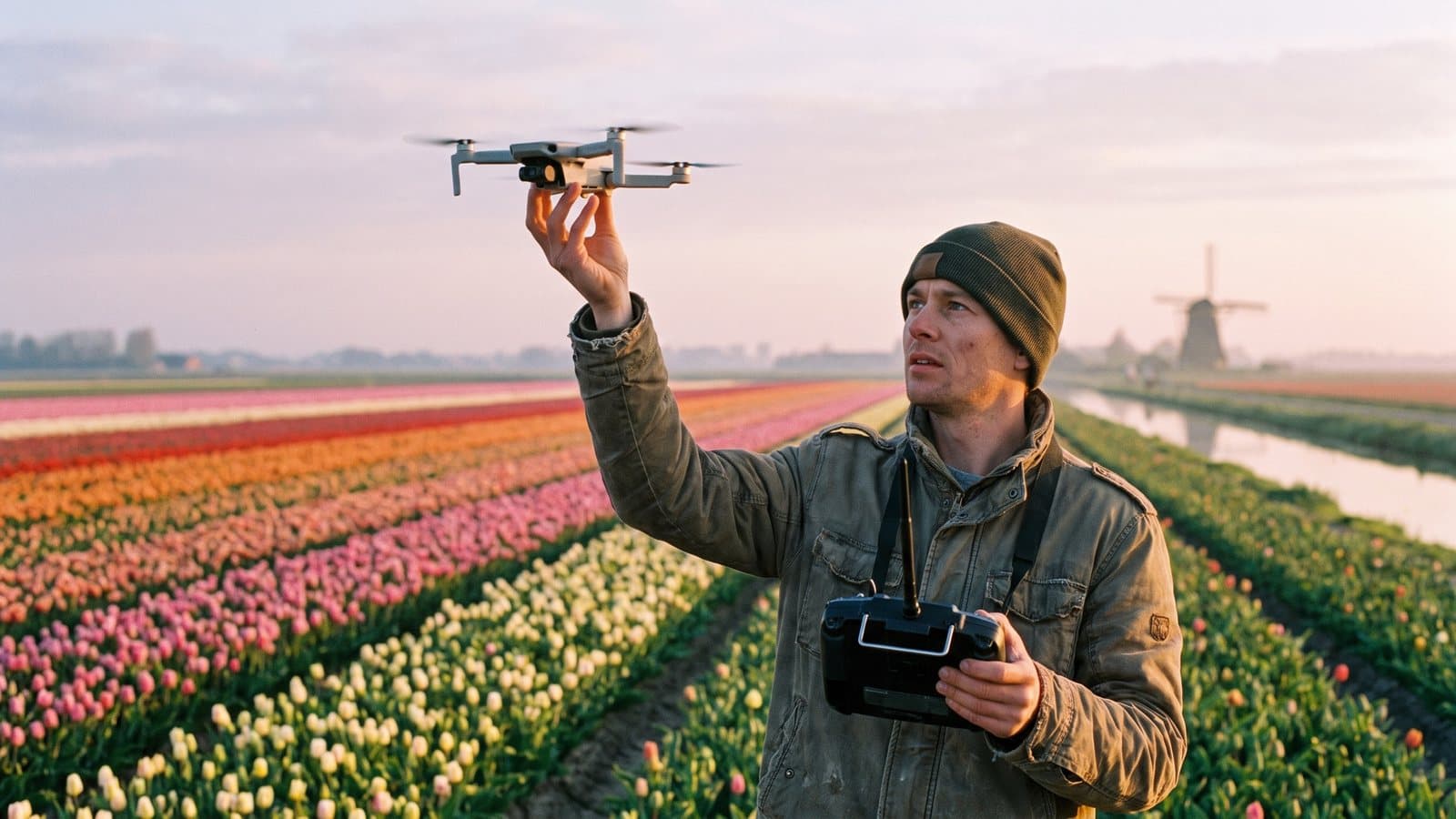
A smart bio-link converts Instagram viewers into paying clients by making your showreel, EU drone certificate, and quote request form accessible in one click. Below you'll find the complete setup — from fullscreen portfolio to QR code on your flight case — plus a 5-step checklist to go live today.
⚡ From viewer to client in 3 clicks. Jump to the 5-step checklist, or try LinkDash free.
Core concepts for drone pilots
- Bio-link
- In one sentence: A short URL (often in your Instagram or TikTok bio) that directs to a landing page with all your key links, media, and forms.
- EASA A1/A3 certificate
- In one sentence: The European basic certificate for open-category drone flights up to 25 kg, required after passing an online theory exam with a recognised authority.
- EASA A2 certificate
- In one sentence: An extension to A1/A3 that allows you to fly closer to people (down to 30 metres horizontal) with C2-certified drones; requires practical training and an additional exam.
- Showreel
- In one sentence: A compilation of your best aerial footage (typically 60–90 seconds) that summarises your style, technique, and project experience.
- LUT pack
- In one sentence: A Look-Up Table — a colour profile you load into video editing software to instantly give footage a specific cinematic look.
- QR code lead capture
- In one sentence: A scannable code on physical items (flight case, business card, vehicle) that links directly to your bio-link for quick contact.
Why do drone pilots need a specialised bio-link?
Short answer: Because potential clients want to see what you can do within seconds, confirm you're legally certified, and know how to book you — without clicking through five separate websites.
Aerial photography is both visual and trust-dependent. A property developer looking for aerials of a new build doesn't just Google "drone video city X"; they scroll through your Instagram, click your bio-link, and decide in 20 seconds whether you look professional enough. Those 20 seconds need to communicate three things:
- Quality — a showreel that opens full-screen immediately.
- Reliability — visible EASA certification and proof of insurance.
- Action — a quote button that leads to a form with project options, not a generic contact page.
Standard link-in-bio tools focus on influencers: brand deals, affiliate links, podcast episodes. As a drone operator, you need different building blocks: video embeds that don't compress your footage, badge sections for certificates, and an availability calendar that's location-aware. A specialised approach saves you hours of tinkering — and boosts your conversion because visitors find exactly what they're looking for.
How do you set up a fullscreen showreel and portfolio gallery?
Short answer: Embed your Vimeo or YouTube showreel as a hero video at the top, followed by a grid of project thumbnails that each link through to a case page or external video.
Hero video: the first impression
Your showreel deserves the full screen width. Use a video embed without autoplay sound (mobile browsers block that) but with autoplay-muted and loop enabled. This way, the visual impact starts immediately. Optimal length: 60–90 seconds. Longer and viewers drop off; shorter and you show too little variety.
Portfolio grid below
Below the hero, place a grid of 6–9 project thumbnails. Each item contains:
- A still frame (thumbnail) that hints at the composition.
- Short title: "Property Tour Villa Cornwall" or "Event Aerial Glastonbury".
- Click-through to full video or case study.
Keep the order strategic: place your strongest and most recognisable project top-left, because that's where the eye lands first (F-pattern scanning). Alternate project types (property, events, industrial inspection) so visitors see you're versatile.
Technical tip
Embed via Vimeo Pro or YouTube-unlisted if you want to retain control over branding. Vimeo lets you customise embed colours and prevents "recommended videos" from competitors at the end. Don't forget to host your videos with privacy settings that allow embedding but hide public listing — this keeps your showreel exclusive to bio-link visitors.
How do you display your EU drone certificate as a trust element?
Short answer: Add a badge section with your EASA A1/A3 and any A2 certificate, including your UAS operator number and optionally a downloadable PDF.
In the open category (most commercial jobs under 25 kg), the A1/A3 certificate is the minimum requirement. Many clients know this, and the question "Are you certified?" will come up. By proactively displaying your certificate, you remove that doubt before they can even ask.
What to display
- Certificate name: "EASA Open Category A1/A3" and/or "A2".
- Issue date and validity: Certificates are valid for 5 years; show the expiry date to prove currency.
- UAS operator number: Your registration number with the national authority (in the UK: CAA Flyer ID and Operator ID; in Ireland: IAA registration).
- Optional: downloadable PDF — some corporate clients want a copy for their own compliance files.
Visual formatting
Use a badge design that aligns with your brand style but clearly feels "official" — think a shield icon or a checkmark. Place the badge section directly below your showreel: first the visual wow, then the trust layer.
Insurance as an additional trust signal
Beyond certification, drone liability insurance is mandatory in the EU and UK. Mention your insurer and coverage amount (e.g., "£2M liability via Coverdrone"). This isn't legally required to publish, but it builds confidence — especially with event organisers and property companies who are risk-averse.
How do you integrate an online quote request form?
Short answer: Embed a form with project type, location, date, and budget indication directly in your bio-link, so leads can submit a request without detours.
Form fields that boost conversion
A generic contact form ("name, email, message") produces vague enquiries. Structure your fields:
| Field | Type | Why |
|---|---|---|
| Project type | Dropdown (property, event, inspection, commercial, personal) | Segments leads immediately |
| Location | Text field + map option | Lets you estimate travel time |
| Preferred date | Date picker | Avoids back-and-forth emails |
| Budget indication | Dropdown (< £500, £500–1500, £1500–3000, > £3000) | Filters non-serious enquiries |
| Expected deliverables | Checkboxes (raw footage, edited video, photos, 360° panorama) | Defines scope |
| Comments | Text area | Room for context |
Where to embed?
You can place the form on a separate subpage ("Request a Quote") or display it inline after your portfolio. Inline works best if your bio-link is short; a separate page works if you have lots of content and the page would otherwise become too long. Test both and track your conversion rate.
Notifications and follow-up
Ensure every submission triggers an email notification to you and an autoresponder to the lead: "Thanks for your enquiry. I'll be in touch within 24 hours." That autoresponder reduces the chance that leads contact a competitor in the meantime.
How do you sell presets, LUT packs, and stock video via your bio-link?
Short answer: Add a Mini Shop section where visitors can purchase and download digital products directly — without an external marketplace taking commission.
Many drone pilots have archives full of B-roll that never makes it into client projects. Sell it as stock video. Or bundle your favourite colour grading into a LUT pack for fellow video editors. An in-house Mini Shop keeps 100% of the margin with you and builds a passive income stream alongside your project work.
Product examples
- LUT packs: "Cinematic Drone LUTs — 12 looks for DJI D-Log and Log3."
- Preset bundles: Lightroom presets for aerials (clear sky, golden hour, misty morning).
- Stock videos: 4K clips of recognisable locations, sold per clip or in bundles.
- Tutorials: "Masterclass Drone Hyperlapse" as a downloadable course.
Pricing strategy
Digital products have no marginal cost per sale, so you can experiment. An entry-level LUT pack at £15 converts more broadly; a premium bundle at £65 attracts more serious buyers. Consider a free sample (1 LUT, 1 preset) as a lead magnet that collects email addresses for your newsletter.
Payments and delivery
Integrate a payment provider that supports European and UK methods: Stripe, PayPal, SEPA, credit card. After payment, the buyer automatically receives a download link. No manual emails, no delays.
How do you add an availability calendar and location zones?
Short answer: Embed a live calendar showing available dates, and define regions within which you work without additional travel costs.
Availability calendar
A client planning a property shoot wants to see immediately whether you're free next week — not wait three days for an email reply. A calendar widget (Google Calendar embed or a booking tool) shows available slots. Link it to your quote form: lead selects a date, you receive an enquiry with their preferred date.
Location zones
Drone pilots often work regionally. Define zones:
- Zone A (home base, no travel costs): e.g., Greater London or Dublin Metro.
- Zone B (travel costs £50–100): 100 km radius.
- Zone C (travel costs on request): national/international.
Display these zones visually (a simple map or list) so clients know what to expect straight away. This prevents surprises in the quote and increases your professionalism.
How do you use a QR code on your flight case or business card for direct leads?
Short answer: Generate a QR code that links to your bio-link and stick it on your flight case, car, business card, or invoice footer — every physical touchpoint becomes a lead source.
On location, people approach you: "Wow, that drone — do you do this professionally?" Instead of fumbling for a business card (which they'll lose), let them scan the QR code on your case. Within two seconds they're on your bio-link, watching your showreel, and can request a quote directly.
Where to place it?
- Drone case or flight case (most visible on location).
- Business card (back side, large enough to scan).
- Car or van sticker if you work with a branded vehicle.
- Invoice footer for repeat purchases or referrals.
- Roll-up banner at trade shows or networking events.
Tracking
Use a UTM tag in the QR URL (e.g., ?utm_source=flightcase) so you can see in analytics how many leads come via physical touchpoints. This helps you measure ROI on stickers and printed materials.
Bio-link features for drone pilots: comparison
| Feature | Purpose | Priority | Complexity | Conversion impact | Example |
|---|---|---|---|---|---|
| Fullscreen showreel | Visual first impression | Essential | Low | High | Vimeo embed hero section |
| Portfolio gallery | Show project diversity | Essential | Low | High | 6–9 thumbnails with click-through |
| EASA certificate badge | Trust and compliance | Essential | Low | Medium-high | A1/A3 + A2 icons |
| Quote request form | Lead capture | Essential | Medium | Very high | Project type, date, budget |
| Mini Shop | Passive income | Optional | Medium | Medium | LUT pack £25 |
| Availability calendar | Faster booking | Recommended | Medium | Medium-high | Google Calendar embed |
| Location zones | Travel cost transparency | Recommended | Low | Medium | Zone A/B/C map |
| QR code physical touchpoints | Offline lead capture | Recommended | Low | Medium | Sticker on flight case |
Scenarios by type of drone pilot
Property photographer with drone add-on
Your primary business is interior and exterior photography; the drone is an upsell. Create a combined portfolio: ground shots and aerials side by side. Your quote form includes a checkbox "including drone footage" with an additional fee. Badge your A1/A3 certificate and explicitly mention that you arrange the proper permissions for no-fly zones — property developers often ask about this.
Full-time aerial cinematographer
Drone is your core business. Invest in a striking showreel and alternate project types (commercial, documentary, event). Consider a Mini Shop with stock footage from locations where you frequently fly — coastlines, city centres. Your availability calendar is crucial because your schedule fills up; let clients see available weeks directly.
Inspection and mapping specialist
Your clients are industrial: energy companies, construction firms, agricultural sector. Portfolio emphasis is on thermal imaging, NDVI mapping, 3D models. Add case studies with measurable results ("40% faster roof inspection"). Your quote form asks about inspection type (thermal, visual, LiDAR) and surface area. Certificate badge also shows any STS-specific authorisations.
Event drone operator
Festivals, sporting events, weddings. Showreel focuses on dynamic shots and safe operation in crowds. Explicitly mention your experience with SORA risk assessments or geographic zones. Availability calendar is seasonal — mark peak seasons. A QR code on your gear is gold: organisers see you on site and want to book you for next year.
Hobbyist looking to go professional
You've just passed your A1/A3 and want to land your first paid gigs. Start with a simple bio-link: showreel (even if it's personal work), certificate badge, and a basic contact form. Build your portfolio with free or low-cost jobs for local businesses, and upgrade your bio-link as you grow.
5-step checklist: your drone bio-link live in one afternoon
- Gather your assets: export your showreel (1080p or 4K), select 6–9 portfolio thumbnails, scan your EASA certificate, note your operator number and insurance policy.
- Choose your bio-link platform: select a tool that supports video embeds, forms, and optionally a Mini Shop — without requiring you to write code.
- Build your page: hero video at the top, certificate badge below, portfolio grid, quote form, optional shop and calendar.
- Generate QR code: create a QR with UTM tracking, print and stick on flight case and business cards.
- Test and publish: open your bio-link on mobile and desktop, test the form, check video playback, and update your Instagram/TikTok bio.
⚡ Don't fancy hours of tinkering with separate tools?
LinkDash combines video embeds, badge sections, forms, and Mini Shop in one editor — built for European creators with GDPR-compliant hosting and Stripe/PayPal integration.
Try LinkDash free → no credit card · 5-minute setup
Edge cases and grey areas
What if I don't have an A2 certificate yet?
Only display what you have. An A1/A3 badge is already a trust signal; you don't need to pretend you have A2. You can mention "A2 in progress" if you're actively studying, but don't promise anything you can't deliver.
Can I show footage from locations where I technically wasn't allowed to fly?
Legally grey area, but practically: if the footage was shot when it seemed legal (for example, before stricter regulations) and you're not showing identifiable people or private property, the risk is low. But never actively promote illegal flights — it damages your reputation and can lead to fines.
How do I handle clients who want to resell my footage?
Specify this in your quote: by default you deliver footage with usage rights for the agreed purpose. Resale or stock use requires a separate licence. Your Mini Shop is where you offer stock videos yourself — not your client work.
What if my showreel is outdated?
Better to update a compact reel once a year than show the same footage for years. In the meantime, you can place standalone project videos in your portfolio grid that are more recent. Visitors scroll beyond the hero anyway.
Should I publish my rates?
Optional. Transparent pricing filters out non-serious leads, but can also scare off clients who want a personalised quote. A middle ground: show "from" prices or price indications per project type, with the note "exact price on request".
Disclaimer: Drone regulations change regularly. Always check the current requirements with your national aviation authority (in the UK: CAA; in Ireland: IAA) and with EASA for European frameworks.
Sources
- EASA Easy Access Rules for Unmanned Aircraft Systems — easa.europa.eu/en/domains/civil-drones
- UK CAA Drone Code and Registration — caa.co.uk/drones
- Irish Aviation Authority Drone Information — iaa.ie/general-aviation/drones
- EASA Drone Operations Categories — easa.europa.eu/open-category-civil-drones
- Coverdrone Insurance — coverdrone.com
Frequently asked questions
What is a bio-link for drone pilots?
A bio-link for drone pilots is a short URL (often in your Instagram or TikTok bio) that directs to a landing page with all your key links, media, and forms — specifically set up for showreels, certificates, and booking requests.
What is the EASA A1/A3 certificate?
The EASA A1/A3 certificate is the European basic certificate for open-category drone flights up to 25 kg, required after passing an online theory exam with a recognised authority. It is valid for five years.
What is the difference between A1/A3 and A2?
A2 is an extension to A1/A3 that allows you to fly closer to people (down to 30 metres horizontal) with C2-certified drones. It requires practical training and an additional theory exam.
What is a showreel?
A showreel is a compilation of your best aerial footage (typically 60–90 seconds) that summarises your style, technique, and project experience. It is often the first thing potential clients watch.
What is a LUT pack?
A LUT pack (Look-Up Table) is a set of colour profiles you load into video editing software to instantly give footage a specific cinematic look. Drone pilots often sell them as digital products.
Do I need to display my drone certificate on my bio-link?
It is not legally required to publish your certificate online, but it is a strong trust element. Potential clients can see immediately that you operate legally, which removes doubts before they make contact.
How do I integrate a quote request form into my bio-link?
Embed a form with fields for project type, location, preferred date, and budget indication directly in your bio-link. This allows leads to submit a structured request without detours, saving you time in follow-up.
What digital products can I sell as a drone pilot?
Popular options include LUT packs, Lightroom presets for aerials, stock videos of recognisable locations, and tutorials such as a masterclass on hyperlapse techniques.
How do I use a QR code for lead capture?
Generate a QR code that links to your bio-link (with UTM tracking) and stick it on your drone case, business card, or vehicle. People who see you on location can scan directly and request a quote.
What are location zones and why are they useful?
Location zones define regions within which you work without or with additional travel costs. By making them visible (e.g., Zone A: no travel costs, Zone B: £50), you prevent surprises in the quote and increase your professionalism.
How often should I update my showreel?
Ideally, update your showreel at least once a year with recent projects. In the meantime, you can place standalone project videos in your portfolio grid so visitors always see current work.
Can I automate bookings with a bio-link?
Yes, by integrating an availability calendar (for example, a Google Calendar embed or a booking tool), clients can see available dates directly and select a preferred date in your quote form.
Next step
A well-set-up bio-link transforms passive followers into paying clients — without you having to spend hours emailing or losing leads in DMs. Start today with the 5-step checklist, or try LinkDash free and build your drone bio-link in one afternoon.
Related articles:
- Bio-link for photographers: combining portfolio and bookings
- QR codes and link-in-bio: offline leads to your online hub
Written by Andreas, Founder at LinkDash.