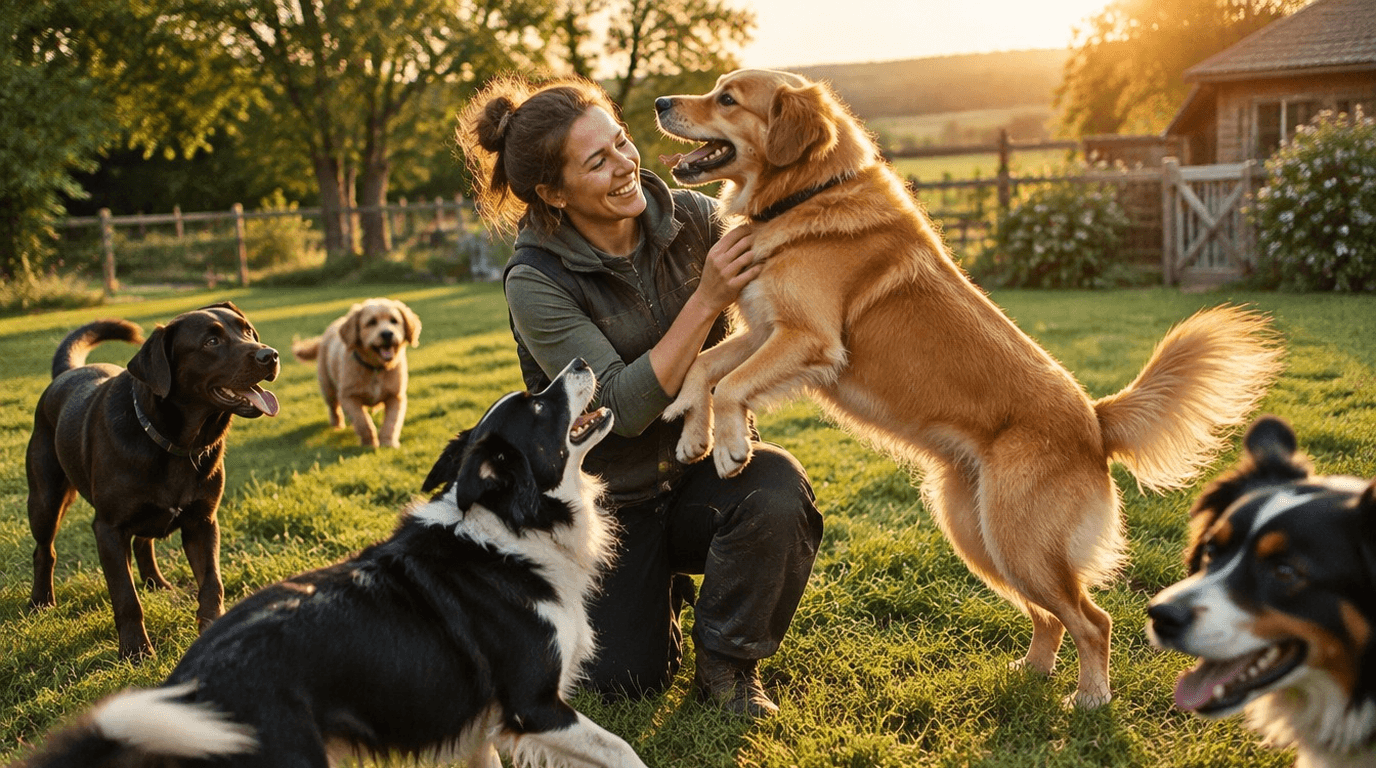
A bio-link for your dog boarding kennel or pet care facility bundles your booking form, rates, Google Reviews and daily photo updates on one clear page — so anxious pet owners can book directly without searching. Scroll to the 5-step checklist to go live today.
⚡ Stop losing bookings through social media. Jump to the 5-step checklist, or try LinkDash free.
Definitions: what exactly do we mean?
- Bio-link
- In one sentence: A personalised landing page you place in your Instagram, Facebook or TikTok bio, with buttons to all your important destinations.
- Pet boarding kennel / dog kennel
- In one sentence: A professional care facility where pets (dogs, cats, rabbits) stay temporarily while their owners are on holiday or business trips.
- Booking form
- In one sentence: An online form that lets clients make a reservation directly, often connected to an availability calendar or tool like Calendly.
- Google Reviews widget
- In one sentence: An embedded module that displays your Google ratings live on your own page, without visitors having to navigate to Google.
- QR code
- In one sentence: A scannable code that sends smartphones directly to a URL — ideal for business cards, pickup slips and flyers.
Why do pet boarding kennels lose bookings through social media?
Short answer: Instagram and Facebook only allow one clickable link in your bio, and that link usually sends visitors to a homepage without direct booking capability.
You post an adorable photo of a Golden Retriever lounging in the sun. A potential client sees it, thinks "I want my dog to go there too" and clicks on your profile. What does she find? A bio with "Sunny Paws Boarding 🐕 | Surrey" and a link to your general website. On that website she then has to scroll to "Contact", call a phone number (during her lunch break at the office), or copy an email address to her mail app.
By then, her attention has already moved to the next Reel. Booking lost.
This problem is amplified by three factors specific to the pet boarding industry:
- Seasonal peaks — During school holidays, Christmas and the summer months, demand explodes. If your booking process costs three clicks too many, the client chooses the competitor who does show availability directly.
- Trust threshold — Pet owners are emotionally attached to their animals. They want proof their dog will be well cared for before they book. Without visible reviews or photos of happy four-legged guests, they drop off.
- Information fragmentation — Rates are on the website, opening hours on Google Maps, photos on Instagram, and your WhatsApp number somewhere in a Facebook post from last year. Clients have to piece it together.
What is a bio-link specifically for pet boarding kennels?
Short answer: A mobile-optimised page that bundles your booking form, rates, photo updates, reviews and contact buttons — accessible via one link in your Instagram or Facebook bio.
Imagine: a visitor clicks your bio-link and immediately sees:
- A button "Check availability & book now" that opens to your Calendly or own booking form
- Your current rates and house rules in a clear block
- A carousel with daily photos of dogs currently staying
- Your Google Reviews score with recent ratings
- A WhatsApp button for quick questions
No searching, no phone calls during opening hours, no emails disappearing into spam. The complete customer journey — from curiosity to booking — on one screen.
Comparison: bio-link tools for pet boarding kennels
| Feature | LinkDash | Basic link tools | Own website |
|---|---|---|---|
| One link for everything | ✓ | ✓ | ✗ (multiple pages) |
| Mobile-optimised | ✓ | ✓ | Depends on design |
| Calendly/booking integration | ✓ | Limited | Via plugins |
| Google Reviews widget | ✓ | Rarely | Via external tools |
| Photo/video embeds | ✓ | Limited | ✓ |
| WhatsApp button | ✓ | ✓ | Via code |
| QR code generator | ✓ | Sometimes | External tool needed |
| No technical knowledge needed | ✓ | ✓ | ✗ |
| Setup time | 5 minutes | 10-15 minutes | Hours to days |
How do you integrate a booking form for seasonal peaks?
Short answer: Connect Calendly, Google Calendar or your own booking system to a prominent button at the top of your bio-link, and communicate your availability in real-time.
During the summer holidays, busy dog kennels receive dozens of booking requests per day. If you have to answer each request manually via email or phone, you don't just lose time — you lose clients who don't want to wait.
Setting up Calendly for pet boarding
Calendly is popular among service providers because it automatically syncs with your calendar and prevents double bookings. For a dog kennel it works as follows:
- Create an "event type" called "Meet and greet" or "Book a trial day"
- Set your available days and time slots (e.g. Mon-Fri 9:00-17:00)
- Add intake questions: pet name, breed, vaccination status, special needs
- Copy the Calendly link and add it as a button in your bio-link
For actual boarding stays (multiple days), a form often works better than Calendly, because you need both check-in and check-out dates. Tools like Google Forms, Typeform or Jotform let you request both dates and can automatically email your inbox.
Managing seasonal peaks
Two weeks before each school holiday: update your bio-link with a banner "Summer holidays nearly full — book your spot now!" This creates urgency without being pushy. Honesty works: if you have three spots left, say so. Clients appreciate transparency.
Daily photo updates as a trust boost
Short answer: Share daily photos or short videos of dogs staying via your bio-link and Instagram Stories — this reduces "guilt" for pet owners and stimulates word-of-mouth.
The biggest obstacle for new clients isn't the price. It's the emotional threshold: "How do I know my dog is having a good time when I'm not there?"
Daily photo updates solve this. A quick photo of Bella playing with other dogs, or a video of Max lying contentedly in the sun. You send this to the owner via WhatsApp, and you post a selection on your Instagram Stories and bio-link.
Why this works for acquisition
- Social proof — New visitors see that other dogs look happy
- Transparency — You have nothing to hide; the facilities and care are visible
- Word-of-mouth — Pet owners share photos of their own dog, which generates free exposure
Practical execution
Reserve 15 minutes every day for content. Take photos during the morning walk or playtime. Use your phone — perfect lighting matters less than authenticity. Upload the best three to your Instagram Stories with a location tag and relevant hashtags (#dogboarding #petcare #[yourtown]).
On your bio-link, embed an Instagram feed or manual photo gallery that you update weekly. This way, new visitors immediately see proof of happy four-legged guests.
Displaying Google Reviews for social proof
Short answer: Integrate your Google Reviews as a widget on your bio-link, so visitors see your ratings without having to navigate to Google.
Reviews are the digital version of a recommendation from a friend. Research from BrightLocal shows that 87% of consumers read online reviews for local businesses — for pet services where emotions run high, this effect is even stronger.
Why Google Reviews specifically?
Google is the most trusted source for reviews in the UK. Facebook reviews and Instagram comments are useful, but Google Reviews have three advantages:
- Verification — Reviewers have a Google account; anonymous fake reviews are rarer
- Visibility — Your Google score appears in search results and Google Maps
- Credibility — Consumers know you can't delete Google Reviews (except for guideline violations)
Embedding reviews on your bio-link
With LinkDash, you add a Google Reviews widget by connecting your Google Business Profile. The widget shows your average score, number of reviews and the most recent ratings. Visitors can click through to Google for the full list.
No technical knowledge needed — you select the widget, enter your business name, and the rest happens automatically.
Presenting rates and house rules transparently
Short answer: Publish your rates and house rules directly on your bio-link in a clear table or accordion menu — no PDF downloads, no "contact us for prices".
"Contact us for a quote" is the fastest way to lose potential clients. They want to know what it costs before they bother calling or emailing.
What to communicate
An effective rates page for a dog kennel contains:
- Daily rate per dog — e.g. £30 per day, £27 per day for stays longer than 7 days
- Discount for multiple dogs — e.g. second dog from the same household 10% discount
- Extra services — e.g. grooming £20, extra walk £10
- Check-in/check-out times — e.g. drop-off 9:00-11:00, pick-up 15:00-17:00
- Cancellation policy — e.g. free cancellation up to 48 hours before
House rules that build trust
House rules aren't bureaucracy — they show professionalism. Examples:
- All dogs must be vaccinated (proof required at first visit)
- Vaccination requirements: DHPP, rabies, kennel cough
- We unfortunately cannot accommodate aggressive dogs
- Bringing your own food is possible; we feed [brand name] as standard
Present this on your bio-link in a collapsible menu (accordion) so the page stays clear but all information is available.
WhatsApp button for quick questions
Short answer: Add a WhatsApp button with a pre-filled message, so anxious pet owners can get in touch directly without calling.
Pet owners have questions. "Can my dog bring his own bed?" "Are you open on Boxing Day?" "My dog needs medication, is that possible?"
Phone works, but not everyone likes calling. Email works, but feels slow. WhatsApp is the perfect middle ground: low-barrier, fast, and personal.
Creating a WhatsApp Business Link
The URL structure for a WhatsApp link is simple:
https://wa.me/447123456789?text=Hello,%20I%20have%20a%20question%20about%20your%20dog%20boarding
Replace 447123456789 with your own number (without plus sign, without spaces). The text after ?text= is the pre-filled message the client sees when WhatsApp opens.
In LinkDash, you add this as a button with an icon. Choose a green background colour so visitors immediately recognise it as WhatsApp.
Managing expectations
Add a small text under the button: "Response within 2 hours during opening times". This prevents frustration if you don't reply immediately.
QR code on pickup slips and business cards
Short answer: Print a QR code that links to your bio-link on physical materials — so clients stay connected and book again more easily.
Pickup moments are golden opportunities. The client is satisfied, the dog is happy, and you have 30 seconds to make a lasting impression.
Where to place QR codes
- Pickup slips — The piece of paper the client receives when collecting their pet. Add a QR code with text: "Scan for your next booking"
- Business cards — Old-fashioned but effective. The QR code replaces long URLs
- Flyers at vets — If you partner with local veterinarians, ask if you can leave flyers
- Stickers on dog food bags — If you sell food or give out samples
Generating a QR code
LinkDash automatically generates a QR code for your bio-link. Download it as PNG or SVG and use it in your print materials. Always test whether the code works before printing 500 business cards.
5-step checklist: your bio-link live in 30 minutes
- Create account — Register with LinkDash and choose a URL (e.g. linkdash.app/sunny-paws-boarding)
- Add booking button — Connect your Calendly, Google Form or own booking system as the first button
- Publish rates and house rules — Add a text block or accordion with all your prices and terms
- Integrate Google Reviews and WhatsApp — Add the Reviews widget and create a WhatsApp button with a pre-filled message
- Place link in bios and print QR code — Update your Instagram, Facebook and TikTok bio, and print QR codes for physical materials
⚡ Losing bookings due to a messy Instagram bio?
With LinkDash, you bundle your booking form, rates, Google Reviews and WhatsApp button on one mobile page — no technical knowledge needed.
Try LinkDash free → no credit card · 5 minutes setup
Scenarios per type of pet boarding facility
Small home-based dog boarding (1-5 dogs)
You run the kennel alongside your regular job or as a side income. Time is scarce. A bio-link saves you 30-60 minutes daily answering phone calls and emails. Clients can immediately see if you have space and what it costs. Focus on personal photo updates — your unique selling point is the homely atmosphere.
Medium-sized kennel with outdoor runs (6-20 dogs)
You have dedicated facilities and possibly part-time staff. Season management is crucial: your bio-link must clearly communicate which periods are busy. Consider a separate Calendly link for meet-and-greets versus a form for actual bookings. Show photos of your runs and play areas.
Large pet boarding with multiple animal types
You don't just care for dogs, but also cats, rabbits, or guinea pigs. Your bio-link needs multiple sections: buttons per animal type leading to specific rates and booking forms. Consider a dropdown menu or categories. Google Reviews are extra important because clients may not know you personally.
Luxury kennel with extra services
You offer spa treatments, training, or premium food. Your bio-link must reflect this. Use high-quality photos, display your premium rates proudly (not hidden at the bottom), and emphasise your unique services. A video embed of your facilities can work excellently here.
Kennel focused on specific breeds or needs
You specialise in large breeds, senior dogs, or dogs with behavioural issues. This is your differentiator — communicate it prominently on your bio-link. Testimonials from clients with similar dogs are worth their weight in gold. Add a FAQ section about your expertise.
Edge cases and common situations
"I already have a website, why also a bio-link?"
Your website is your digital home base; your bio-link is your mobile shop window. Instagram visitors don't want to scroll through your entire site on their phone. A bio-link gives them the three most important options directly. Both complement each other.
"My clients are older and don't use Instagram"
Then a bio-link is still valuable for Facebook, Google Maps (link in your business profile), and QR codes on physical materials. Not everyone needs to come via Instagram.
"I don't want competitors to see my rates"
Understandable, but consider: your competitors can call anyway pretending to be a client. Transparent rates save you and potential clients time. Clients who baulk at your price probably weren't your target audience anyway.
"What if I have negative Google Reviews?"
Don't ignore them — respond professionally. A bio-link with a 4.2 score and a thoughtful response to criticism builds more trust than a kennel with no visible reviews (which looks suspicious).
"Do I have to post photos every day?"
Not required, but consistency helps. Three times a week is a realistic minimum. Quality over quantity: one good photo of a happy dog is better than five blurry snapshots.
"I'm not technical, can I do this myself?"
Yes. Bio-link tools are designed for non-technical users. If you can post Instagram Stories, you can create a bio-link. LinkDash requires no code, no design skills, no external tools.
Disclaimer: The effectiveness of your bio-link depends on your specific situation, target audience and the quality of your underlying services. A bio-link is not a replacement for good animal care, but a tool to make that care visible.
Disclaimer and sources
This article is written for informational purposes. The tools and methods mentioned are suggestions based on general best practices for local service providers. Results vary by situation.
Sources:
- Calendly Help Center — calendly.com/help
- Google Business Profile Help — support.google.com/business
- WhatsApp Business API Documentation — business.whatsapp.com
- BrightLocal Local Consumer Review Survey — brightlocal.com/research
- UK Pet Food Industry Data — pfma.org.uk
Frequently asked questions
What is a bio-link?
A bio-link is a personalised landing page you place in your Instagram, Facebook or TikTok bio, with buttons to all your important destinations.
What is a Google Reviews widget?
A Google Reviews widget is an embedded module that displays your Google ratings live on your own page, without visitors having to navigate to Google.
What is a QR code and what do you use it for?
A QR code is a scannable code that sends smartphones directly to a URL — ideal for business cards, pickup slips and flyers for your pet boarding kennel.
What is a booking form for a pet boarding kennel?
A booking form is an online form that lets clients make a reservation directly, often connected to an availability calendar or tool like Calendly.
Why do pet boarding kennels lose bookings through social media?
Because Instagram and Facebook only allow one clickable link in your bio, and that link usually sends visitors to a homepage without direct booking capability. Clients have to search and drop off.
How do I integrate Calendly with my bio-link?
Create an event type in Calendly, set your availability, add intake questions, and copy the Calendly link to a prominent button in your bio-link.
Why are daily photo updates important for a dog kennel?
Daily photo updates reduce guilt for pet owners, show new clients that dogs look happy, and stimulate word-of-mouth when owners share the photos.
Should I make my rates public on my bio-link?
Yes, transparent rates save you and potential clients time. Clients want to know what it costs before they get in touch. "Contact us for prices" puts off modern consumers.
How do I create a WhatsApp button for my bio-link?
Use the URL structure wa.me/yourNumber?text=preFilledMessage and add it as a button in your bio-link. Choose a green background so visitors immediately recognise WhatsApp.
Where do I place QR codes for my pet boarding kennel?
On pickup slips, business cards, flyers at vets, and possibly on stickers for dog food bags. Always test whether the QR code works before printing.
Can I use a bio-link if I already have a website?
Yes, your website and bio-link complement each other. Your website is your digital home base; your bio-link is your mobile shop window for social media visitors who want to act quickly.
How do I deal with negative Google Reviews on my bio-link?
Respond professionally to negative reviews instead of ignoring them. A bio-link with a 4.2 score and thoughtful responses to criticism builds more trust than a kennel with no visible reviews.
Getting started with your bio-link
A bio-link for your dog or pet boarding kennel isn't a luxury — it's the bridge between your social media presence and actual bookings. Without that bridge, you lose clients to competitors who are directly accessible.
Start today. The checklist above takes you maximum 30 minutes. Within a week, you'll have the first bookings coming in directly via your bio-link — no phone calls, no emails, no missed opportunities.
Related articles: