
Best link-in-bio templates 2026 — 5 categories + design principles
100+ link-in-bio templates compared across 5 categories — minimalist, bold, professional, creative, e-commerce. With design principles, color theory and 5-step customization plan.
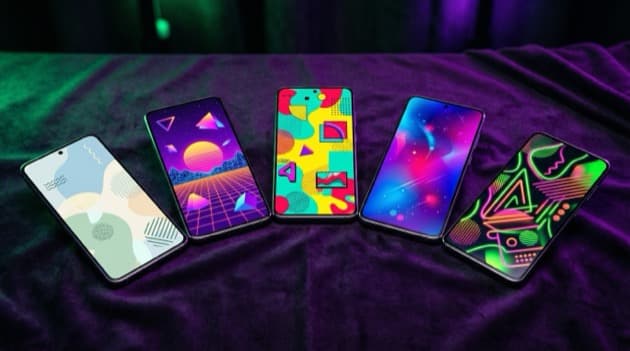
Direct answer: The best link-in-bio templates of 2026 fall into five categories — minimalist (functional, brand-neutral), bold/maximalist (visual statement, young audience), professional (corporate, B2B), creative/artistic (portfolio, designers/photographers), and e-commerce (product-focused). LinkDash has 100+ templates across all five categories, Linktree 30+ mostly minimalist. Which one works for you depends on your niche, your brand expression and your primary conversion goal. Below is the complete comparison plus design principles that can lift conversion rate by 30-60%.
⚡ 100+ templates available in 5 categories. Jump to the 5-step template customization, or browse LinkDash templates free — minimalist, bold, professional, creative and e-commerce, all with custom colors, fonts and branding.
Definitions: 6 terms around link-in-bio design
Short answer: For the right template choice you need to know what design terms mean. Six basic terms in one sentence each, with source below.
- Template
- In one sentence: A pre-designed visual framework for your link-in-bio page with colors, fonts, layout and button style, that you can adapt per element to your brand.
Source: LinkDash template gallery documentation Q2 2026. - Color psychology
- In one sentence: The systematic effect of colors on behavior — blue signals trust (banks, B2B), green calm and sustainability, orange energy and urgency, purple luxury and creativity.
Source: Color Affects — Angela Wright, "The Beginner's Guide to Colour Psychology" 2024. - Font pair
- In one sentence: A combination of two complementary typefaces — typically a display font for headings + sans-serif for body — that shape your brand identity without visual chaos.
Source: Google Fonts Pairings Guide 2025. - Conversion design
- In one sentence: Visual hierarchy and interaction design that guides visitors via a clear path toward the desired action — button size, contrast, white space and CTA positioning.
Source: Nielsen Norman Group — UX Conversion Principles 2024. - White space
- In one sentence: Deliberate empty space between elements that creates readability, focus and breathing room — less clutter equals higher conversion according to UX research.
Source: Smashing Magazine — Whitespace in Design 2024. - Brand consistency
- In one sentence: Visual coherence across your social media profiles, your link-in-bio page and your website — same colors, fonts and expression at all touchpoints for brand recognition.
Source: Lucidpress State of Brand Consistency 2024.
Why does the right template matter for creators?
Short answer: Three reasons — first impression (visitors form a judgment within 50ms), brand trust (consistent design raises trust 32% according to Lucidpress 2024), and conversion rate (good design lifts CTR from 5% to 15%+). Below each the concrete impact.
- First impression in 50 milliseconds. Research (Stanford Persuasive Tech Lab) shows visitors form a first judgment of a page within 50ms — before they have read any text. An outdated or poorly chosen template costs trust directly, even if your content is excellent.
- Brand trust. Inconsistent visual identity (different colors on Instagram than on your bio page) measurably lowers trust. Lucidpress 2024 shows 32% higher conversion rate at brands with consistent design across all touchpoints.
- Conversion rate. Bad template (wrong colors, poor hierarchy, no white space) typically generates 3-5% click-through. Good template with conversion design reaches 12-18%. At 1,000 monthly visitors equals 30-50 vs 120-180 clicks to your primary link.
Which template categories exist in 2026?
Short answer: Five main categories cover most creator use — minimalist (functional, brand-neutral), bold/maximalist (visual statement), professional (corporate B2B), creative/artistic (portfolio), and e-commerce (product-focused). Each with specific audience fit.
Minimalist (functional, neutral)
White background, black-gray text, simple buttons. No distraction, all focus on your content. Perfect for: techies, B2B consultants, no-nonsense creators who want their expertise to come first without visual distraction. Example templates: "Clean Pro", "Minimal Editor", "Swiss Grid".
Bold/maximalist (statement)
Bright colors, large typography, gradients and animations. Visual statement that stands out immediately. Perfect for: young audience (Gen Z), TikTok creators, lifestyle/fashion brands that sell on visual impact. Example templates: "Cyber Glow", "Sunset Splash", "Y2K Revival".
Professional (corporate B2B)
Dark or neutral tones, classic fonts (Helvetica, Inter), subtle branding. Trust and authority expression. Perfect for: lawyers, accountants, consultants, real estate, mid-market B2B. Example templates: "Executive", "Corporate Edge", "Trust Builder".
Creative/artistic (portfolio)
Grid layouts with large visuals, image-first design, gallery style. Perfect for: designers, photographers, illustrators, artists, creative studios who want to showcase their work. Example templates: "Portfolio Grid", "Gallery Wall", "Studio Showcase".
E-commerce (product-focused)
Product cards with thumbnails, price tags, "buy now" CTAs prominent. Perfect for: physical product brands, dropshippers, makers collectives that sell directly via bio. Example templates: "Shop Front", "Product Showcase", "Mini Boutique".
Which tool has the best templates in 2026?
Short answer: LinkDash has 100+ templates across all five categories, Linktree 30+ mostly minimalist, Beacons 20+ creator-focused. Tap.Bio uses a deviating card system (no traditional templates). Below a comparison per dimension.
| Tool | Number of templates | Free | Custom CSS | Custom fonts | Categories |
|---|---|---|---|---|---|
| LinkDash | 100+ | 15 free | Pro+ | Google Fonts + upload | All 5 |
| Linktree | 30+ | 5 free | Pro | Limited | Mostly minimalist |
| Beacons | 20+ | 10 free | Limited | Limited | Creator-focused |
| Lnk.Bio | 10+ | Limited | No | No | Minimalist |
| Stan Store | 15+ | No free plan | Limited | Limited | E-commerce |
| Tap.Bio | Card system | 1 card free | No | No | Own format |
For creators with serious design ambitions, LinkDash is the more natural choice due to breadth (100+ templates) and custom CSS option on Pro+. Linktree has fewer but high-quality minimalist templates. Beacons has strong creator-oriented templates with focus on e-commerce and newsletter integration. For pure visual creators (designers, photographers) LinkDash Portfolio category is typically the best fit; for B2B it is LinkDash Professional or Linktree Pro.
Which template fits which creator?
Short answer: No template fits everyone — your audience and commercial goal determine the choice. Five concrete creator profiles with the template category that best matches their workflow and visitor expectation.
Lifestyle / beauty / fashion creator
Young audience (18-35), Instagram-first, sells presets, e-books, possibly digital fashion. Visual appeal is the sales driver. Best choice: Bold/maximalist with strong hero image. LinkDash templates "Sunset Splash" or "Cyber Glow".
B2B consultant or coach (LinkedIn-focused)
30-55 year audience, business context, sells expertise and frameworks. Trust and authority are drivers. Best choice: Professional with classic fonts. LinkDash templates "Executive" or "Trust Builder".
Designer or photographer (portfolio-driven)
Mixed audience of clients and peers. Visual impact equals direct goodwill factor. Best choice: Creative/artistic with grid layout. LinkDash templates "Portfolio Grid" or "Gallery Wall".
E-commerce shop owner (physical products)
Beauty, fashion, makers — Instagram is the main sales channel. Product cards with price tags equals direct conversion. Best choice: E-commerce with thumbnails. LinkDash "Shop Front" or "Mini Boutique".
Techie or indie developer (no-nonsense)
Software developers, open-source maintainers, indie hackers who want to show their GitHub, blog, SaaS. Best choice: Minimalist with clean typography. LinkDash "Clean Pro" or "Swiss Grid".
How do you adapt a template for your brand?
Short answer: Four elements you adjust to make a generic template "yours" — primary color, font pair, hero image, and CTA styling. LinkDash has a visual editor where you see live changes without having to type code.
- Primary color (10 min). Choose your brand main color. Tip: use color tools like Coolors.co to make a 4-color palette (primary + 2 accents + neutral) instead of one loose color. Paste the HEX codes in LinkDash editor.
- Font pair (5 min). Choose a display font for headings + sans-serif for body. Safe pairs: Inter + Inter (modern, B2B), Playfair Display + Inter (luxury, content), Space Grotesk + Inter (tech, indie).
- Hero image (15 min). Replace the stock image with your own photo, illustration, or branded graphic. Resolution minimum 1200×800 pixels for sharp display on retina screens.
- CTA styling (5 min). Button shape (rounded, square, pill), button color (contrast with background), text style (bold, regular). One CTA style for all primary buttons, do not switch per button.
Which design principles make a template effective?
Short answer: Four principles from UX research determine if a template converts — visual hierarchy (most important first), F-pattern reading (top-to-bottom with focus left), 60-30-10 color rule (primary-secondary-accent), and F-shaped scanning. Applied to link-in-bio: hero image on top, primary CTA as first button, secondary links below.
- Visual hierarchy. Most important element is the largest, darkest or most colored. For link-in-bio: hero image or profile photo dominates, primary CTA button is the most striking action, secondary links subtler.
- F-pattern reading. Mobile visitors scan top-to-bottom with focus left. Place your most important content (bio text, primary CTA) top-left — not at the sides or bottom.
- 60-30-10 color rule. 60% of page equals primary color (background), 30% equals secondary color (cards or sections), 10% equals accent color (CTAs). Holds visual balance without cacophony.
- F-shaped scanning. First 3 elements get 80%+ of attention. Save marketing fluff for the bottom; commercial conversion on top.
Which color combinations work best for link-in-bio?
Short answer: Four color strategies cover most creator use — monochromatic (one color in different shades, calm and professional), complementary (two opposite colors, energetic), analogous (three adjacent colors, harmonious), and branded (your brand colors). Below each when which fits.
- Monochromatic. One color in 3-5 shades (dark, medium, light). Calm, professional, brand-neutral. Works for B2B, minimalist creators, tech.
- Complementary. Two opposite colors (blue + orange, purple + yellow). Energetic, eye-catching, high-contrast. Works for lifestyle, fashion, young audience.
- Analogous. Three adjacent colors (purple-pink-magenta, or blue-cyan-green). Harmonious, flowing, aesthetic. Works for designers, photographers, artistic niches.
- Branded. Your existing brand colors repeated on your bio page. Brand consistency over trend. Always works if you have an established brand.
Practical tip: use a color contrast checker (such as WebAIM Contrast Checker) to validate that text-on-background reaches at least WCAG AA 4.5:1 contrast. Poor contrast equals light gray text on white background equals unreadable on mobile in sunlight.
Which font choice makes a difference in template effectiveness?
Short answer: Three font categories cover 90% of creator use — sans-serif modern (Inter, Helvetica, neutral and universal), serif classic (Playfair Display, Lora, luxury and editorial), and display or expressive (Bebas Neue, Caveat, statement and personal). The choice depends on your brand expression.
- Sans-serif modern. Inter, Helvetica, SF Pro Display, Roboto. Neutral and universally legible on any screen. Best choice for B2B, tech, no-nonsense creators. Body text always sans-serif for readability.
- Serif classic. Playfair Display, Lora, Cormorant Garamond. Editorial and luxury expression. Best for coaching, premium segment, content creators in lifestyle or luxury.
- Display or expressive. Bebas Neue, Caveat, Permanent Marker. Statement-makers with personality. Best for young audience, creators in lifestyle or fashion, not for B2B or business contexts.
Customize your template to your brand in 5 steps
Short answer: Walk through these five steps and your brand-customized template stands live in 30 minutes. Time indication per step on the right.
- Choose a template category that fits your niche (5 min). Walk through the 5 categories (minimalist, bold, professional, creative, e-commerce) and choose the one that fits your audience and commercial goal. Not the prettiest, but the most fitting.
- Adapt primary color + font pair (10 min). Open template editor, then colors panel, then paste HEX codes of your brand palette. Then select a font pair from Google Fonts or upload your own custom font (Pro+).
- Upload hero image or branded graphic (10 min). Replace the stock image with own photo, illustration or graphic. Minimum 1200×800 pixels resolution. Test that it stays sharp on mobile.
- Write your bio copy (5 min). Replace placeholder text with your real bio. For B2B: "For whom + for what + concrete result". For content: personal USP + where followers want to go.
- Preview on mobile + desktop (5 min). LinkDash editor has mobile + desktop preview. Check both. Buttons must be 44×44 pixels minimum (Apple HIG), contrast must reach WCAG AA.
⚡ 100+ templates, all customizable in 30 minutes.
15 templates free, 100+ on Pro €15/month. Custom CSS for total design control on Pro+. Visual editor — no code needed.
Browse LinkDash templates free → no credit card · 5 minutes setup
Which mistakes do creators make in template choice?
Short answer: Six mistakes are deadly for template effectiveness — choosing too trendy (outdated within 6 months), color overload (more than 4 colors), unreadable font combinations, lack of white space, generic stock images, and mobile not tested.
- Choosing too trendy. Glassmorphism in 2024, neo-brutalism in 2025 — trends wear out within 6-12 months. Classic, timeless design holds 3-5 years.
- Color overload. More than 4 colors equals visual chaos. Keep 60-30-10 rule (primary-secondary-accent) and stick to it.
- Unreadable fonts. Two display fonts together (Bebas + Caveat) conflict. One display + one sans-serif works; more is risk.
- Too little white space. Densely packed pages feel stressed. Padding of 20-40 pixels around buttons, 60+ pixels between sections equals breathing room for the eye.
- Generic stock images. The same "handshake businessman" photo sits on thousands of pages. Own photos, illustrations or self-made graphics make the difference.
- Mobile not tested. 90%+ traffic is mobile. Always test from your phone after each change — not just desktop preview in editor.
Disclaimer + sources
Short answer: Design trends and template collections change every 6-12 months. The figures in this guide are industry benchmarks from late 2024-2025, they vary per niche. Below the primary sources.
This guide is informative, not design advice. Mentioned conversion percentages and design principles are based on publicly available UX research as of Q2 2026. For brands with specific design standards (government, healthcare, financial) consult a UX specialist.
Most important primary sources used in this guide:
- LinkDash Pricing + Templates Gallery (verified Q2 2026)
- Nielsen Norman Group — UX Conversion Principles
- Smashing Magazine — Design + Whitespace research
- WebAIM — Color Contrast Checker
- Google Fonts — Pairings Guide 2025
- Lucidpress — State of Brand Consistency 2024
- Color Matters — Color Psychology Research
Frequently asked questions about link-in-bio templates
Short answer: 12 concrete questions creators ask during template choice, with direct answers in 2-4 sentences. We bundled these questions from hundreds of support tickets and community conversations so you do not have to guess during the choice. Start at the top with the counts question and work your way down — the most practical decisions (category, color, font, seasonal switch) come first, technical edge cases (API, duplicating, ranking) after.
Exactly how many templates does LinkDash have in 2026?
LinkDash currently has 100+ templates across five categories — minimalist, bold, professional, creative and e-commerce. Of those, 15 templates are fully free on the Free plan, the other 85+ on Pro (€15/month) and higher. Templates are added monthly with new designs based on design trends and creator feedback.
Can I fully design a template myself on LinkDash?
Yes, on LinkDash Pro+ you have access to a custom CSS editor where you can adjust any element of a template — colors, typography, button style, animations, layout. For those who do not know CSS, the visual editor can do 90% of the adjustments without code. For enterprise or complete branding control, custom development via API is also possible.
Do LinkDash templates work on all devices?
Yes, all 100+ LinkDash templates are responsive and tested on iPhone, Android, iPad, and desktop. Mobile view gets explicit optimization since 90%+ of bio-link traffic is mobile. Button size, font size and spacing automatically adjusted per device.
Which color works best for a link-in-bio?
There is no universally best color — it depends on your brand and audience. Blue signals trust (B2B, finance), green calm and sustainability (eco, wellness), orange energy and urgency (e-commerce sale), purple luxury and creativity (premium, design). For most creators your existing brand main color (from your Instagram feed or logo) works best.
How often should I switch my template?
A complete template switch you do 1-2× per year, or at major brand changes (rebranding, new niche, new main product). Smaller adjustments (seasonal colors, new hero image) can be every 2-3 months. Switching more often confuses existing followers and lowers brand recognition.
Can I upload my own font on LinkDash?
Yes, on LinkDash Pro+ you can upload custom fonts in WOFF2 or TTF format. You also have access to 1,500+ Google Fonts via the visual editor. For brand fonts (such as a purchased font from a Type Foundry) make sure you have a web license — desktop licenses usually do not cover web use.
What is the difference between a minimalist and a professional template?
Minimalist templates are most neutral and brand-adaptable, suitable for solo creators and techies who let their content speak. Professional templates have a corporate expression with classic typography and dark or neutral tones, suitable for B2B, consultancy, law where authority signals matter. Both are restrained but minimalist is younger and more flexible; professional is more established.
Do animations work on a link-in-bio template?
Subtle animations (hover effects on buttons, fade-in of content) strengthen design without distracting — are standard in modern LinkDash templates. Heavy animations (parallax scroll, full-screen video backgrounds) are discouraged on bio pages because of poor load time on mobile + 3G or 4G traffic, and they raise bounce rate. Keep it simple.
Can I copy my LinkDash template to a second page?
Yes, on LinkDash Business (€25/month) you can duplicate templates between pages — handy for multi-location businesses or franchise models where each branch needs the same branded page. On solo plans (Free/Creator/Pro) you have one page; for multiple pages upgrade to Business.
Which template works best for selling digital products?
An e-commerce-oriented template with product cards, price tags, and "buy now" CTAs works better for digital-product sales than a generic minimalist template. LinkDash "Shop Front" or "Mini Boutique" are specifically designed for this purpose. Most important element is price visible on the product card itself, not after a click.
Does template choice influence my Google ranking?
Directly no — templates do not influence text content or meta tags that Google indexes. Indirectly yes, because fast load time (Core Web Vitals signal), good mobile view, and high engagement (visitors stay longer on a beautiful page) are all indirect ranking factors. LinkDash templates are optimized for load time so this does not hurt your SEO.
Can I adapt my LinkDash template to different seasons?
Yes, you can easily switch color palettes and hero images per season or campaign. For changing expression per quarter (holiday season, summer launch, etc.) an adjustment takes 10-15 minutes in the visual editor. LinkDash keeps your older version so you can return to your standard look after the campaign.
Ready to choose the right template?
Short answer: Start with a free LinkDash account, browse the 15 free templates per category, and pick the most fitting for your niche and commercial goal. Adapting can be done within 30 minutes — no design skills needed thanks to the visual editor.
Templates are not a "look and feel" surface choice but a conversion tool. The right template lifts your click-through rate from 5% to 15%+, raises brand trust, and gives visitors the signal that they land at a professional creator. For most creators the difference between a well-chosen template and a randomly-taken template is measurable in monthly conversions — especially when you have commercial intentions (sales, signup, leads).
Next steps: Create a free LinkDash account and browse all templates. Still doubting about the tool? Read 7 Linktree alternatives compared, LinkDash vs Linktree direct comparison, or step-by-step plan for your first link-in-bio.
Market-specific guides
Short answer: Design preferences and branding conventions vary slightly per European market. Our market-specific deep-dives cover local aspects in more depth.
For creators operating specifically in one European market — Netherlands (KVK + iDEAL), Germany (DSGVO + minimalist design dominant), France (auto-entrepreneur + strong aesthetic preference) — read our deep-dives: Link-in-bio for Dutch entrepreneurs · Link-in-Bio Tool für Deutschland · Lien dans la bio pour la France. There you find the subtler local design conventions that can influence sales conversion.
Max
Content Specialist at LinkDash
Max is Content Specialist at LinkDash with a focus on the German-speaking market. He writes about GDPR-compliant link-in-bio strategies, content marketing and how European creators reach their audience without sacrificing privacy.
Ready to get started?
Create your own link-in-bio page for free with iDEAL, Wero and 100+ templates.
Start free