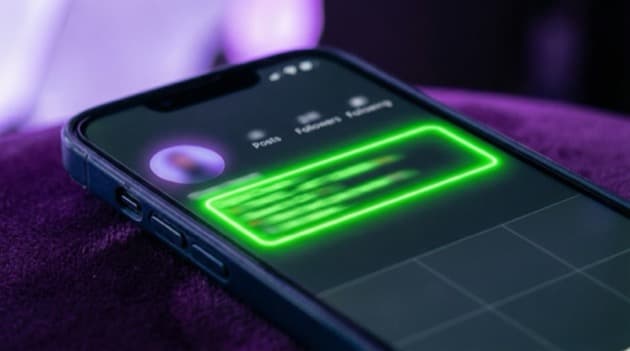
Your Instagram bio is the first thing people see when they visit your profile. In just 150 characters, you need to explain who you are, what you do, and why someone should follow you. That's a challenge — but with the right approach, you can turn it into a powerful marketing tool.
Why your Instagram bio matters
Your bio determines whether a visitor clicks "Follow" or scrolls past. It's your elevator pitch in text form. Research shows that profiles with a clear, well-structured bio attract up to 30% more followers.
The anatomy of a great Instagram bio
A strong bio contains four elements:
- What you do — In one sentence, clear and specific
- For whom — Who is your target audience?
- Proof — A result, number, or social proof
- Call-to-action — What should the visitor do?
7 tips for a better Instagram bio
1. Lead with your core message
Start with what you do. Not your job title, but the result you deliver. "I help entrepreneurs sell more through Instagram" is stronger than "Social Media Manager".
2. Use emojis strategically
Emojis break up text and make your bio more visually appealing. Use them as bullet points or to emphasize keywords. But don't overdo it — two to four emojis is enough.
3. Add a call-to-action
Tell visitors what to do. "Click the link for my free guide" or "Book a free call via the link" works better than nothing.
4. Use line breaks
A bio with line breaks is easier to scan. Type your bio in the Notes app and copy it to Instagram to preserve the formatting.
5. Add keywords to your name
The "name" field in your Instagram profile is searchable. Add relevant keywords. For example: "Anna | Fitness Coach Amsterdam" instead of just "Anna".
6. Choose the right profile photo
Your photo needs to be recognizable, even as a small circle. Use a close-up of your face with good lighting, or your logo if you're a brand.
7. Maximize your bio link
Instagram only gives you one clickable link. Use a link-in-bio tool to bundle multiple links on one page. This way you can direct visitors to your website, store, videos, and more — all from that one link.
Examples of strong Instagram bios
Fitness coach:
💪 Online fitness coaching
📱 Custom training plans
🏆 500+ clients transformed
👇 Start your free trial week
Photographer:
📸 Wedding photography in the Netherlands
✨ Natural, timeless, candid
📅 8 dates still available in 2026
🔗 Portfolio & booking via the link
Online store:
🌿 Sustainable skincare
🇳🇱 Handmade in Amsterdam
⭐ 4.9/5 based on 2,000+ reviews
🛒 Shop now via the link
Common mistakes
- Too vague — "Entrepreneur | Dreamer | Coffee lover" says nothing about your offering
- No CTA — If you don't tell visitors what to do, they won't do anything
- Outdated info — Update your bio regularly, especially when your offering changes
- No link — Always add a link, even if it's just your website
Optimize your bio link
With a LinkDash link-in-bio page, you get more out of that one link in your Instagram bio. Add all your important links, choose a template that fits your style, and track which links perform best in your analytics.