
Bio-link voor zwemscholen en watersportaanbieders: boekingen en zwemdiploma's digitaal regelen
Hoe zwemscholen, kitesurfscholen en SUP-verhuurders hun bio-page inzetten voor seizoensgebonden lesblokken, wachtlijsten, diploma-verkoop en directe QR-inschrijvingen. Praktische gids met concrete voorbeelden.
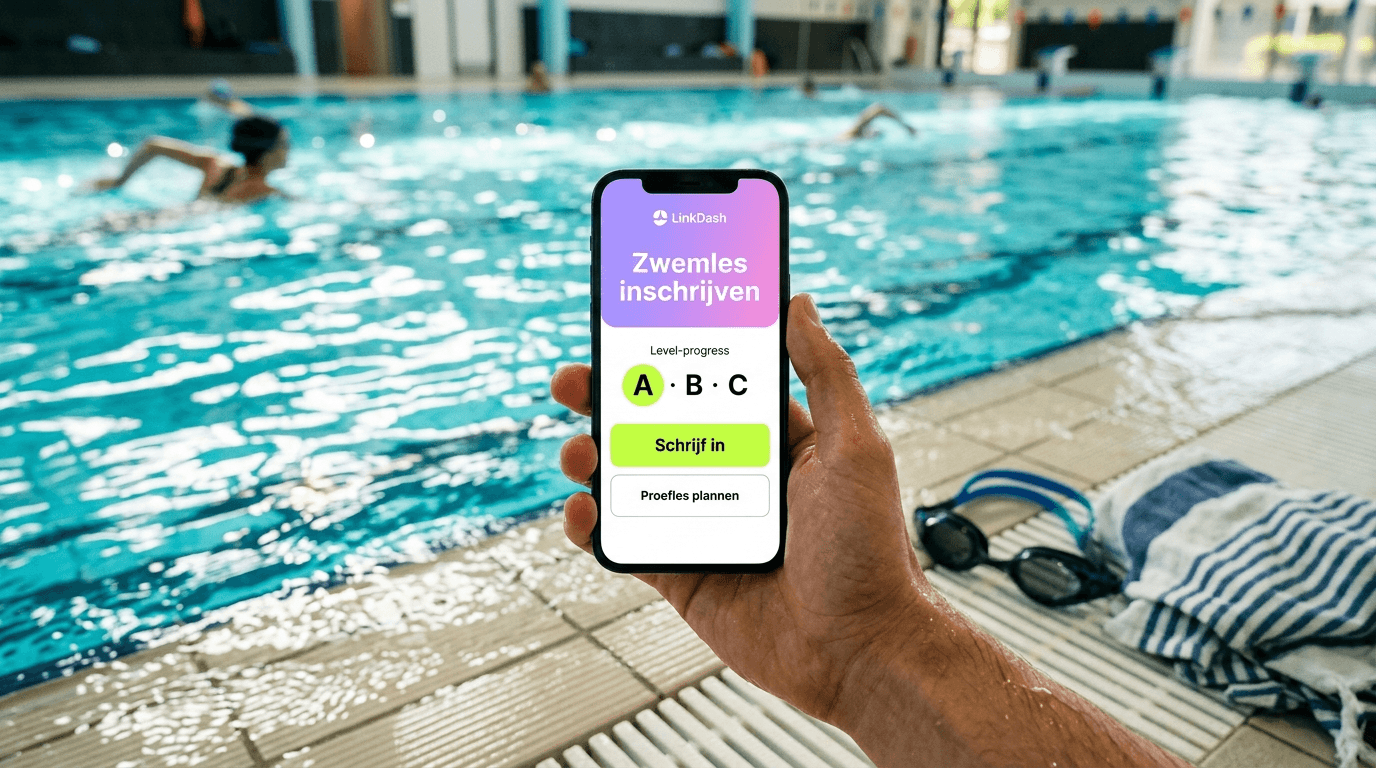
Zwemscholen en watersportaanbieders hebben te maken met seizoenspieken, wachtlijsten en ouders die snel willen weten wanneer de volgende lesblok start. Een goed ingerichte bio-page centraliseert al die informatie op één plek — van proeflessen boeken tot zwemdiploma's digitaal verkopen. Lees verder voor de complete aanpak, of spring direct naar de 5-stappen checklist.
⚡ Boekingen en wachtlijsten op één plek. Spring naar de 5-stappen checklist, of probeer LinkDash gratis.
Definities: bio-link, wachtlijst, Mini Shop en meer
- Bio-link / bio-page
- In één zin: Een landingspagina achter de link in je Instagram- of TikTok-bio waar je meerdere links, knoppen en embedded content verzamelt.
- Seizoensgebonden lesblok
- In één zin: Een afgebakende periode (bijvoorbeeld herfst 2025, week 36-48) waarin een vaste reeks zwemlessen of cursussen plaatsvindt.
- Wachtlijst-link
- In één zin: Een formulier of aanmeldknop waarmee geïnteresseerden zich registreren voor een vol lesblok, zodat je hen automatisch kunt benaderen bij uitval of nieuwe plekken.
- Mini Shop
- In één zin: Een lichtgewicht webshop-functie binnen je bio-page waarmee je digitale of fysieke producten verkoopt zonder externe webshop-software.
- QR-code inschrijving
- In één zin: Een scanbare code op locatie (zwembad, surfstrand) die bezoekers direct naar je bio-page of inschrijfformulier leidt.
- Embedded kalenderwidget
- In één zin: Een ingesloten agenda (Google Calendar, Calendly, SimplyBook) op je bio-page waarin bezoekers beschikbare lestijden zien en direct boeken.
Waarom hebben zwemscholen en watersportaanbieders een bio-link nodig?
Kort antwoord: Omdat Instagram en TikTok maar één klikbare link in je bio toestaan, en zwemscholen vaak vijf tot tien verschillende bestemmingen willen delen — van lesrooster tot wachtlijst tot webshop.
Zwemscholen, kitesurfscholen, SUP-verhuurders en duikcentra hebben te maken met een specifieke mix van uitdagingen:
- Seizoensgebonden vraag — In april explodeert de interesse voor zomerkampen, in september voor najaarsblokken. Je bio-page moet snel kunnen wisselen tussen aanbiedingen.
- Wachtlijsten — Populaire lestijden (woensdagmiddag, zaterdagochtend) zitten vaak vol. Zonder wachtlijst-systeem mis je potentiële klanten.
- Ouders als primaire doelgroep — Ouders zoeken snel antwoord: "Wanneer start het volgende blok?" en "Hoeveel kost een proefles?" Een overzichtelijke bio-page bespaart jou tientallen WhatsApp-berichten per week.
- Certificaten en diploma's — Zwemdiploma A/B/C, PADI-certificaten, IKO-kitesurflicenties: veel van deze documenten kun je digitaal verkopen of versturen.
- Locatiegebonden marketing — QR-codes bij de receptie, op het strand of in de kleedkamer kunnen direct verkeer naar je boekingspagina sturen.
Hoe toon je seizoensgebonden lesblokken en wachtlijstlinks slim op je bio-page?
Kort antwoord: Gebruik de schedule-functie van je bio-link-tool om links automatisch te activeren en deactiveren op basis van datum, en koppel volle blokken aan een wachtlijstformulier.
Automatische link-scheduling
De meeste zwemscholen werken met blokken van 8 tot 12 weken. In plaats van handmatig links te wisselen, stel je in wanneer een link zichtbaar wordt:
- Voorbeeld: "Najaarsblok 2025 (sept-nov)" verschijnt automatisch op 1 augustus en verdwijnt op 15 november.
- Winterstop: Tussen 20 december en 5 januari toon je alleen de link "Inschrijven voorjaarsblok 2026".
In LinkDash stel je dit in via de link-editor: kies een start- en einddatum, en de link verschijnt alleen in die periode.
Wachtlijsten voor volle blokken
Wanneer een lesblok vol zit, vervang je de boekingslink door een wachtlijst-aanmelding. Zo verlies je geen geïnteresseerden:
- Maak een Google Form of Typeform aan met velden: naam kind, geboortedatum, gewenste lesdag, e-mailadres ouder.
- Voeg deze link toe aan je bio-page met label "Wachtlijst najaarsblok (vol)".
- Gebruik een opvallende kleur (oranje, rood) om aan te geven dat het om een wachtlijst gaat.
Sommige zwemscholen gebruiken dedicated software zoals Enviso of ClubPlanner die wachtlijsten automatisch beheert. Je kunt die rechtstreeks linken vanaf je bio-page.
Hoe verkoop je zwemdiploma-pakketten of certificaten digitaal via je bio-page?
Kort antwoord: Met een Mini Shop-functie verkoop je diploma-pakketten (fysiek diploma + digitale badge) of toegang tot online theorie-examens, direct afgerekend via iDEAL of creditcard.
Wat kun je verkopen?
- Zwemdiploma A/B/C pakket — Fysiek diploma, badge, en eventueel een digitale PDF voor de administratie van ouders.
- PADI e-learning toegang — Als duikschool verkoop je toegangscodes voor de online theoriemodules.
- IKO-certificaatkosten — Kitesurfscholen kunnen de certificeringskosten apart aanbieden.
- Herhalingscursus snorkelen — Een downloadbare video-serie met instructies.
Mini Shop opzetten voor diploma's
Een Mini Shop binnen je bio-page werkt als een versimpelde webshop. Je voegt producten toe met:
- Productnaam: "Zwemdiploma A — compleet pakket"
- Prijs: €12,50
- Beschrijving: "Inclusief officieel diploma, badge en digitale kopie (PDF). Afhalen bij de receptie of verzending (+€2,50)."
- Betaalmethode: iDEAL, creditcard, of — vanaf 2025 — Wero.
Na aankoop ontvangen ouders automatisch een bevestigingsmail met instructies voor afhalen of de downloadlink voor digitale producten.
Wero en iDEAL: welke betaalmethode voor welke situatie?
Voor Nederlandse zwemscholen is iDEAL nog steeds de standaard — ruim 60% van alle online betalingen in Nederland verloopt via iDEAL. Wero, het nieuwe Europese betaalinitiatief, wordt in 2025 uitgerold en kan interessant zijn voor grensregio's (België, Duitsland) of internationale bezoekers.
| Betaalmethode | Beste voor | Transactiekosten (indicatief) | Beschikbaarheid |
|---|---|---|---|
| iDEAL | Nederlandse ouders, snelle checkout | €0,29 per transactie | Alle Nederlandse banken |
| Wero | Grensoverschrijdend, toekomstbestendig | Nog onbekend (2025) | Gefaseerde uitrol EU |
| Creditcard | Internationale toeristen (duikscholen) | 1,5-2,5% + vaste fee | Wereldwijd |
| Bancontact | Belgische klanten | €0,25-0,35 per transactie | België |
| PayPal | Terugvaloptie, dispute-bescherming | 2,9% + €0,35 | Wereldwijd |
| Handmatige overboeking | Grote bedragen, zakelijke klanten | Geen transactiekosten | Alle banken |
Hoe zet je Wero- of iDEAL-betaallinks in voor proeflessen en zomerkampen?
Kort antwoord: Genereer een betaallink via je payment provider (Mollie, Stripe, Payaut) en voeg deze toe als knop op je bio-page — ouders betalen in drie klikken.
Betaallinks voor proeflessen
Een proefles zwemmen of kitesurfen kost vaak tussen de €15 en €35. In plaats van een heel boekingssysteem te doorlopen, bied je een directe betaallink aan:
- Log in bij je Mollie- of Stripe-dashboard.
- Maak een "Payment Link" aan: bedrag €25, beschrijving "Proefles zwemmen — [naam zwemschool]".
- Kopieer de link en voeg deze toe aan je bio-page met label "Boek proefles — €25".
Na betaling ontvangen ouders een bevestigingsmail. Je kunt in de betaallink een redirect instellen naar een bedankpagina met praktische info (locatie, wat meenemen).
Zomerkampen en meerdaagse cursussen
Voor duurdere producten (zomerkamp €195, 5-daagse kitesurfcursus €450) wil je mogelijk meer informatie verzamelen vóór betaling. Combineer dan een aanmeldformulier met een betaallink:
- Link 1 op bio-page: "Info zomerkamp 2025" → landingspagina met details
- Link 2 op bio-page: "Direct inschrijven zomerkamp — €195" → betaallink
Of gebruik een tool als Calendly of SimplyBook die betaling integreert in het boekingsproces.
Hoe gebruik je QR-codes op de zwembadlocatie of het surfstrand voor directe inschrijving?
Kort antwoord: Print QR-codes die linken naar je bio-page en plaats ze op strategische locaties — receptie, kleedkamer, surfcontainer — zodat bezoekers ter plekke kunnen inschrijven.
Waar plaats je QR-codes?
- Receptiebalie — "Scan voor ons lesrooster en direct inschrijven"
- Kleedkamers — A4-poster met "Wachtlijst vol? Scan voor de volgende blok"
- Surfstrand/SUP-verhuurpunt — Weerbestendige sticker op de container
- Flyers voor scholen — QR-code op promotiemateriaal voor schoolzwemmen
- Auto of busje — Magneetsticker met QR voor passanten
QR-code genereren en tracken
De meeste bio-link-tools genereren automatisch een QR-code voor je pagina. In LinkDash vind je deze onder "Delen" → "QR-code downloaden". Je kunt kiezen voor PNG (voor print) of SVG (voor schaalbare graphics).
Om te meten welke locatie het meeste verkeer oplevert, maak je aparte UTM-getagde links:
linkdash.com/jouwzwemschool?utm_source=qr&utm_medium=receptielinkdash.com/jouwzwemschool?utm_source=qr&utm_medium=kleedkamer
In je analytics zie je dan precies hoeveel bezoekers via elke QR-code binnenkomen.
Hoe embed je een rooster of kalenderwidget in je bio-page?
Kort antwoord: Voeg een embed-blok toe met de iframe-code van je kalendertool (Google Calendar, Calendly, SimplyBook) zodat bezoekers direct beschikbaarheid zien zonder je bio-page te verlaten.
Ondersteunde kalendertools
| Tool | Type | Embed mogelijk? | Betaalintegratie | Geschikt voor |
|---|---|---|---|---|
| Google Calendar | Alleen weergave | Ja (iframe) | Nee | Eenvoudig lesrooster tonen |
| Calendly | Boekingstool | Ja (inline embed) | Ja (Stripe) | Proeflessen, 1-op-1 coaching |
| SimplyBook | Boekingssysteem | Ja (widget) | Ja (meerdere) | Groepslessen, zomerkampen |
| Enviso | Sportschool-software | Link (geen embed) | Ja | Grote zwemscholen |
| ClubPlanner | Verenigingssoftware | Link (geen embed) | Ja | Sportverenigingen |
| Acuity Scheduling | Boekingstool | Ja (embed) | Ja (Stripe, Square) | Personal training, privélessen |
Embed toevoegen in LinkDash
- Ga naar je Calendly/SimplyBook dashboard en kopieer de embed-code (iframe).
- In LinkDash: voeg een "Embed"-blok toe aan je bio-page.
- Plak de iframe-code en pas de hoogte aan (minimaal 400px voor een bruikbare kalenderweergave).
- Publiceer en test op mobiel — de meeste bezoekers komen via smartphone.
Hoe analyseer je welke lestijden en cursussen de meeste clicks trekken?
Kort antwoord: Gebruik de ingebouwde analytics van je bio-link-tool om te zien welke links het vaakst worden aangeklikt, en koppel dit aan je boekingsdata om conversie te meten.
Wat kun je meten?
- Totaal aantal pageviews — Hoeveel mensen bezoeken je bio-page per dag/week/maand?
- Click-through rate per link — Welk percentage klikt op "Woensdagmiddag 15:00" versus "Zaterdagochtend 09:00"?
- Verkeersbronnen — Komt het meeste verkeer van Instagram, TikTok, of QR-codes?
- Piekuren — Op welke tijdstippen bekijken ouders je pagina? (Hint: vaak 's avonds tussen 20:00-22:00)
- Geografische spreiding — Relevant voor watersportscholen met toeristen.
Praktische toepassing voor zwemscholen
Stel, je analytics laten zien dat de link "Zomerkamp week 32" drie keer zoveel clicks krijgt als "Zomerkamp week 33". Je kunt dan:
- Week 33 eerder promoten met een kortingsactie.
- Week 32 uitbreiden met een tweede groep als de vraag groot genoeg is.
- Ouders op de wachtlijst voor week 32 actief benaderen voor week 33.
Vergelijkingstabel: bio-link-tools voor watersportaanbieders
| Tool | Mini Shop | Kalender embed | Link scheduling | QR-codes | Analytics | iDEAL-integratie | Prijs (vanaf) |
|---|---|---|---|---|---|---|---|
| LinkDash | Ja | Ja | Ja | Ja | Uitgebreid | Ja (via Mollie) | Gratis / Pro €5/mnd |
| Linktree | Beperkt | Nee | Ja (Pro) | Ja | Basis | Nee (PayPal) | Gratis / Pro $6/mnd |
| Stan Store | Ja | Beperkt | Nee | Ja | Basis | Nee | $29/mnd |
| Beacons | Ja | Ja | Ja | Ja | Uitgebreid | Nee | Gratis / Pro $10/mnd |
| Shorby | Nee | Nee | Ja | Ja | Basis | Nee | $12/mnd |
| Tap.bio | Nee | Nee | Nee | Ja | Basis | Nee | Gratis / Pro $5/mnd |
| Campsite.bio | Nee | Ja | Ja | Ja | Uitgebreid | Nee | Gratis / Pro $7/mnd |
| Bio.fm | Nee | Nee | Nee | Ja | Beperkt | Nee | Gratis |
Scenario's per type watersportaanbieder
Zwemschool met ABC-diplomalijn
Een klassieke zwemschool in een wijk of dorp met 200-400 actieve leerlingen. Ouders zijn de primaire doelgroep, communicatie verloopt via WhatsApp-groepen en Instagram.
Bio-page prioriteiten:
- Bovenaan: link naar huidig lesrooster met beschikbare plekken
- Wachtlijst-aanmelding voor volle blokken
- Mini Shop voor diploma-pakketten (€12,50 per diploma)
- Link naar veelgestelde vragen ("Wat heeft mijn kind nodig voor de eerste les?")
- QR-code bij receptie voor nieuwe bezoekers
Kitesurfschool aan de kust
Seizoensgebonden bedrijf (april-oktober) met internationale klanten, 5-daagse cursussen en materiaalverhuur.
Bio-page prioriteiten:
- Taalswitch of aparte links voor NL/EN/DE
- Directe boekingslink voor proeflessen en cursussen
- Embedded kalender met beschikbaarheid per week
- IKO-certificaatinfo en prijzen
- Materiaalverhuur-opties met prijslijst
- Link naar windvoorspelling of webcam
SUP-verhuur en -lessen
Laagdrempelige watersport, vaak gecombineerd met toerisme. Veel spontane boekingen, kortere lessen (1-2 uur).
Bio-page prioriteiten:
- "Vandaag beschikbaar"-sectie bovenaan
- Directe betaallink voor verhuur per uur (€15-25)
- Groepsarrangementen voor bedrijfsuitjes
- Locatie met Google Maps embed
- Weercheck of veiligheidsinfo
Duikschool met PADI-certificering
Nichemarkt met hogere prijspunten (Open Water Diver €400+), vaak internationale klanten, theorie-component online.
Bio-page prioriteiten:
- Link naar PADI e-learning portal
- Mini Shop voor e-learning toegangscodes
- Boekingskalender voor duiktrips en cursussen
- Link naar onderwaterfoto's/video's (social proof)
- FAQ over medische vereisten en verzekering
Schoolzwemmen en BSO-programma's
B2B-aanbod voor basisscholen en buitenschoolse opvang. Minder directe consumentenverkoop, meer informatieverstrekking.
Bio-page prioriteiten:
- Downloadbare brochure (PDF) voor scholen
- Contactformulier voor offerteaanvragen
- Referenties en keurmerken
- Link naar planningsysteem voor groepsboekingen
5-stappen checklist: je bio-page voor watersport in 30 minuten
- Account aanmaken en branding instellen — Upload logo, kies kleuren die bij je zwemschool passen, voeg een korte beschrijving toe ("Zwemschool De Dolfijn — ABC-diploma's en waterveiligheid sinds 1998").
- Hoofdlinks toevoegen — Begin met 4-5 essentiële links: huidig lesrooster, wachtlijst, proefles boeken, contact. Gebruik duidelijke labels, geen jargon.
- Kalender of boekingswidget embedden — Voeg je Calendly of SimplyBook kalender toe zodat bezoekers direct beschikbaarheid zien.
- Mini Shop activeren voor diploma's — Voeg je eerste product toe (bijv. "Zwemdiploma A — €12,50") en koppel je betaalprovider (Mollie voor iDEAL).
- QR-code genereren en printen — Download de QR-code, voeg hem toe aan een A4-poster, en hang deze bij de receptie. Test door zelf te scannen.
⚡ Elke week dezelfde vragen van ouders beantwoorden?
Met LinkDash zet je in 5 minuten een bio-page op die 24/7 antwoord geeft op "wanneer start het volgende blok?" en "hoeveel kost een proefles?". Inclusief iDEAL-betalingen en automatische wachtlijsten.
Probeer LinkDash gratis → geen creditcard · 5 minuten setup
Twijfelgevallen en randgevallen
Wat als mijn boekingssysteem geen embed ondersteunt?
Niet elk systeem (zoals Enviso of ClubPlanner) biedt embed-functionaliteit. In dat geval link je rechtstreeks naar de boekingspagina met een duidelijke call-to-action: "Bekijk beschikbaarheid en boek →". Het is minder naadloos, maar nog steeds effectief.
Moet ik aparte bio-pages maken voor verschillende locaties?
Als je zwemschool meerdere vestigingen heeft, kun je kiezen:
- Eén centrale bio-page met knoppen per locatie ("Vestiging Amsterdam" / "Vestiging Haarlem")
- Aparte bio-pages per locatie met elk hun eigen Instagram-account
De eerste optie is eenvoudiger te beheren; de tweede optie geeft meer lokale relevantie in analytics en QR-codes.
Hoe ga ik om met last-minute annuleringen?
Voeg een prominente link toe: "Wachtlijst spoedplekken" die je activeert wanneer er onverwacht plek vrijkomt. Combineer dit met een WhatsApp Broadcast of nieuwsbrief naar wachtlijst-inschrijvingen.
Mag ik zwemdiploma's digitaal versturen?
Het fysieke zwemdiploma blijft de officiële standaard volgens de Nationale Raad Zwemveiligheid (NRZ). Je kunt wel een digitale kopie (PDF) versturen als aanvulling, maar dit vervangt niet het officiële document met originele handtekening.
Wat als ouders geen iDEAL willen gebruiken?
Bied altijd een alternatief: handmatige overboeking of contante betaling bij de receptie. Vermeld dit onder je betaallinks: "Liever anders betalen? Neem contact op voor alternatieven."
Disclaimer: Deze gids is informatief en geen vervanging voor advies van je boekhouder of juridisch adviseur. Betaalkosten en beschikbaarheid van features kunnen wijzigen.
Bronnen
- Nationale Raad Zwemveiligheid — zwemdiploma-eisen: nrz-nl.nl
- Mollie betaalprovider — iDEAL-integratie: mollie.com/nl/payments/ideal
- PADI — digitale certificering: padi.com
- IKO (International Kiteboarding Organization): ikointl.com
- SimplyBook — boekingssysteem documentatie: simplybook.me
Veelgestelde vragen
Wat is een bio-link voor zwemscholen?
Een bio-link voor zwemscholen is een landingspagina achter de link in je Instagram- of TikTok-bio waar je meerdere links verzamelt — van lesrooster en boekingen tot wachtlijsten en diploma-verkoop — zodat ouders snel de informatie vinden die ze zoeken.
Wat is een wachtlijst-link?
Een wachtlijst-link is een formulier of aanmeldknop waarmee geïnteresseerden zich registreren voor een vol lesblok, zodat je hen automatisch kunt benaderen bij uitval of wanneer er nieuwe plekken beschikbaar komen.
Wat is een Mini Shop op een bio-page?
Een Mini Shop is een lichtgewicht webshop-functie binnen je bio-page waarmee je digitale of fysieke producten verkoopt — zoals zwemdiploma-pakketten of e-learning toegangscodes — zonder externe webshop-software nodig te hebben.
Wat is een embedded kalenderwidget?
Een embedded kalenderwidget is een ingesloten agenda (zoals Google Calendar, Calendly of SimplyBook) op je bio-page waarin bezoekers beschikbare lestijden zien en direct kunnen boeken zonder je pagina te verlaten.
Hoe werkt link scheduling voor seizoensgebonden lesblokken?
Met link scheduling stel je in wanneer een link zichtbaar wordt en verdwijnt. Bijvoorbeeld: "Najaarsblok 2025" verschijnt automatisch op 1 augustus en verdwijnt op 15 november. Zo hoef je niet handmatig links te wisselen bij elk nieuw seizoen.
Kan ik zwemdiploma's digitaal verkopen via mijn bio-page?
Ja, met een Mini Shop-functie verkoop je diploma-pakketten (fysiek diploma + digitale badge/PDF) direct via je bio-page, afgerekend met iDEAL of creditcard. Het fysieke diploma blijft wel de officiële standaard volgens de Nationale Raad Zwemveiligheid.
Welke betaalmethode is het beste voor Nederlandse zwemscholen?
Voor Nederlandse klanten is iDEAL nog steeds de standaard — ruim 60% van alle online betalingen in Nederland verloopt via iDEAL. De transactiekosten zijn laag (circa €0,29 per transactie) en alle Nederlandse banken worden ondersteund.
Hoe gebruik ik QR-codes voor directe inschrijving bij mijn zwemschool?
Genereer een QR-code die linkt naar je bio-page en plaats deze op strategische locaties: receptiebalie, kleedkamers, of op promotiemateriaal. Bezoekers scannen de code met hun smartphone en komen direct op je boekingspagina.
Hoe meet ik welke lestijden de meeste interesse krijgen?
Gebruik de ingebouwde analytics van je bio-link-tool om te zien welke links het vaakst worden aangeklikt. Je ziet bijvoorbeeld dat "Woensdagmiddag 15:00" drie keer zoveel clicks krijgt als "Zaterdagochtend 09:00", wat je helpt bij capaciteitsplanning.
Werkt een bio-page ook voor kitesurfscholen en duikcentra?
Absoluut. Kitesurfscholen gebruiken bio-pages voor cursusboekingen, IKO-certificaatinfo en materiaalverhuur. Duikcentra linken naar PADI e-learning portals en verkopen toegangscodes via hun Mini Shop. De functionaliteit is identiek, alleen de content verschilt.
Kan ik meerdere locaties beheren vanuit één bio-page?
Ja, je kunt één centrale bio-page maken met knoppen per locatie ("Vestiging Amsterdam" / "Vestiging Haarlem"), of aparte bio-pages per locatie met elk hun eigen Instagram-account. De eerste optie is eenvoudiger te beheren; de tweede geeft meer lokale relevantie.
Wat kost een bio-link-tool voor mijn zwemschool?
De meeste bio-link-tools hebben een gratis versie met basisfunctionaliteit. Pro-versies met Mini Shop, kalender embeds en uitgebreide analytics kosten tussen de €5 en €12 per maand. Voor een zwemschool met actieve online boekingen is een Pro-versie meestal de investering waard.
Volgende stappen
Een goed ingerichte bio-page bespaart je uren aan het beantwoorden van dezelfde vragen, automatiseert wachtlijstbeheer en maakt het voor ouders makkelijk om direct te boeken en te betalen. Begin met de 5-stappen checklist hierboven en bouw vanuit daar verder.
Meer lezen over bio-pages voor specifieke niches? Bekijk onze gidsen voor personal trainers en sportscholen of evenementen en festivals.
Emma
Growth Manager bij LinkDash
Emma is Growth Manager bij LinkDash en schrijft over conversie, link-in-bio strategie en de Europese creator-economie. Ze richt zich op datagedreven groeitactieken voor creators en kleine ondernemers.
Klaar om te starten?
Maak gratis je eigen link-in-bio pagina met iDEAL, Wero en 100+ templates.
Start gratis